How it works in short
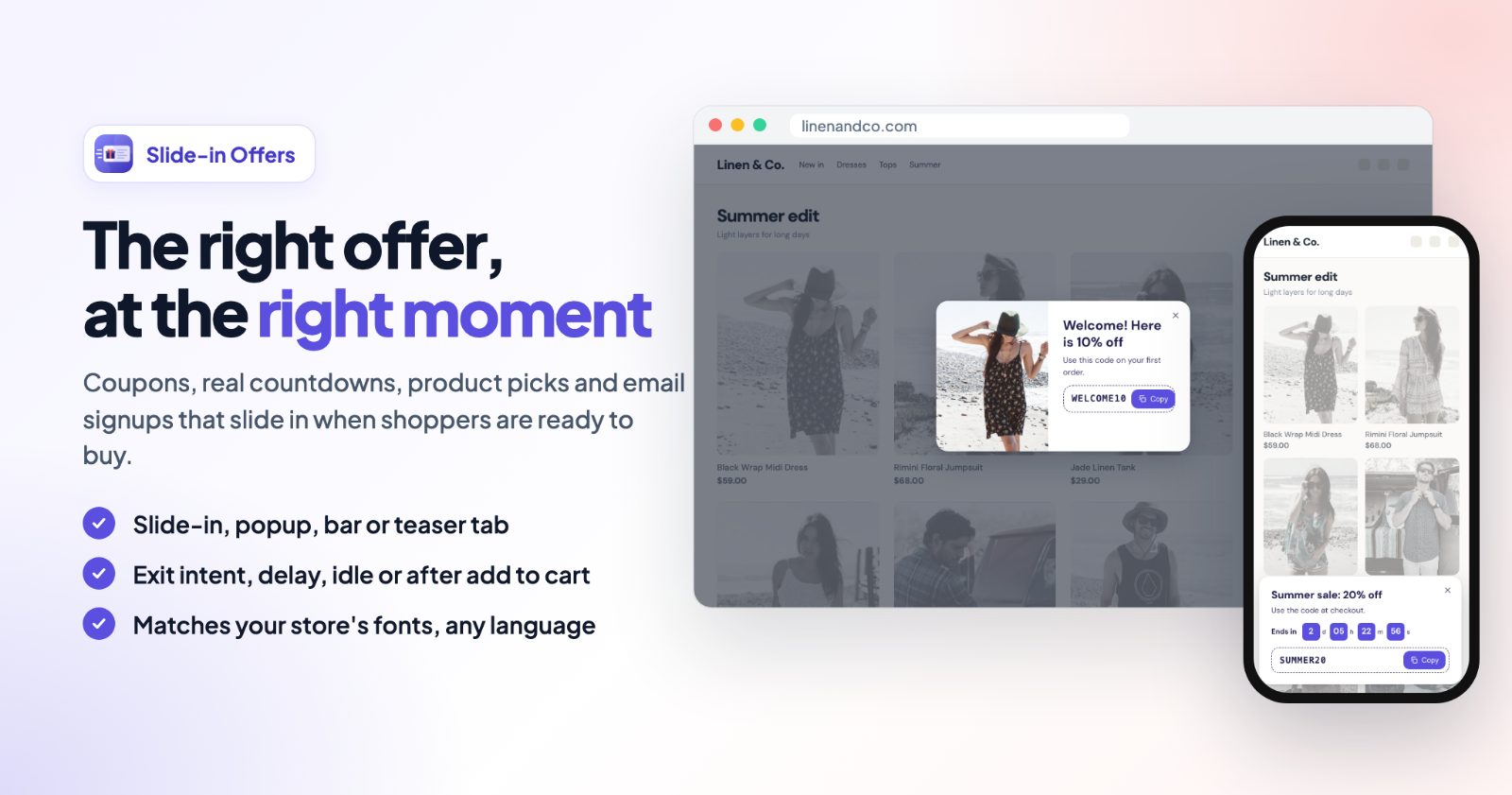
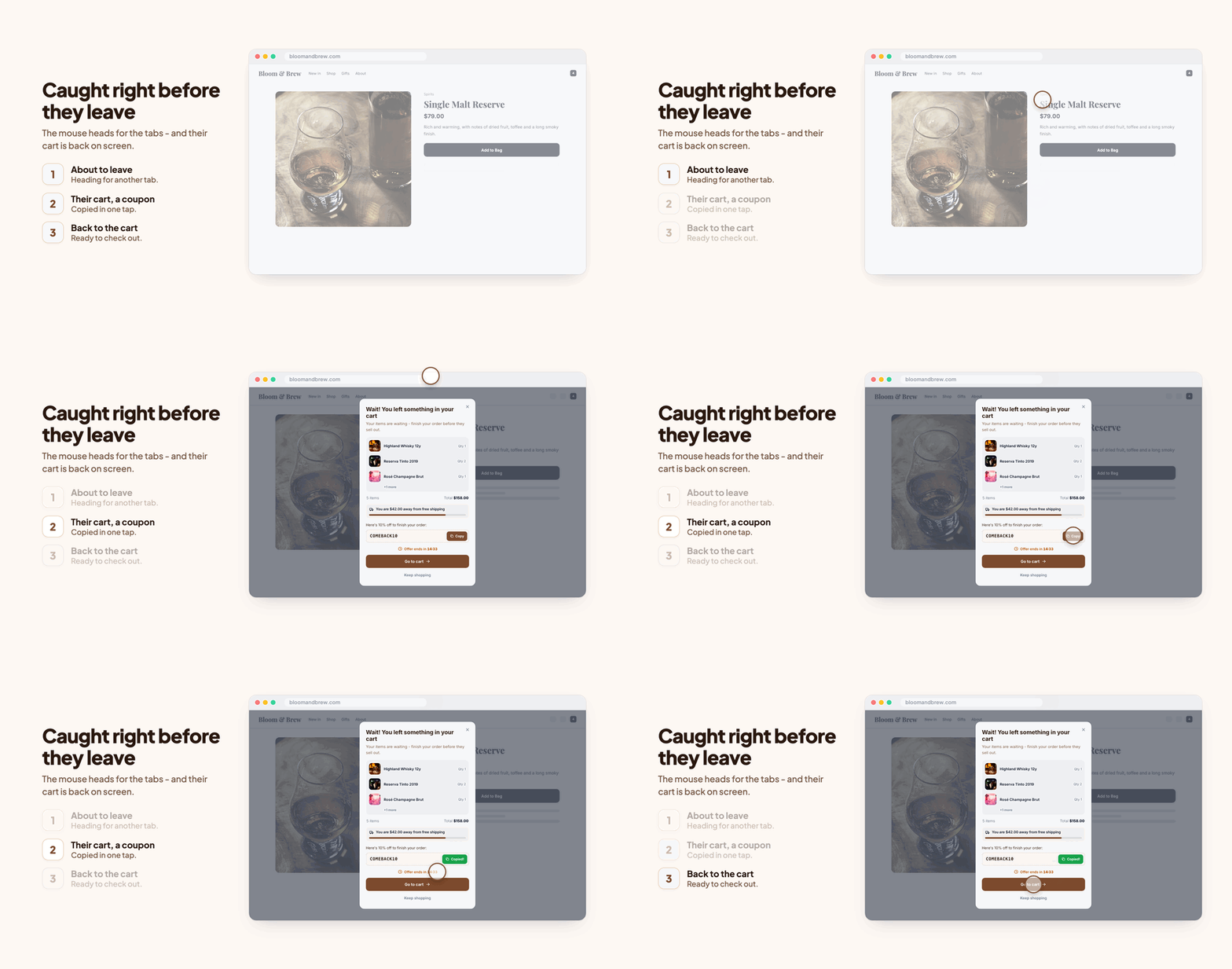
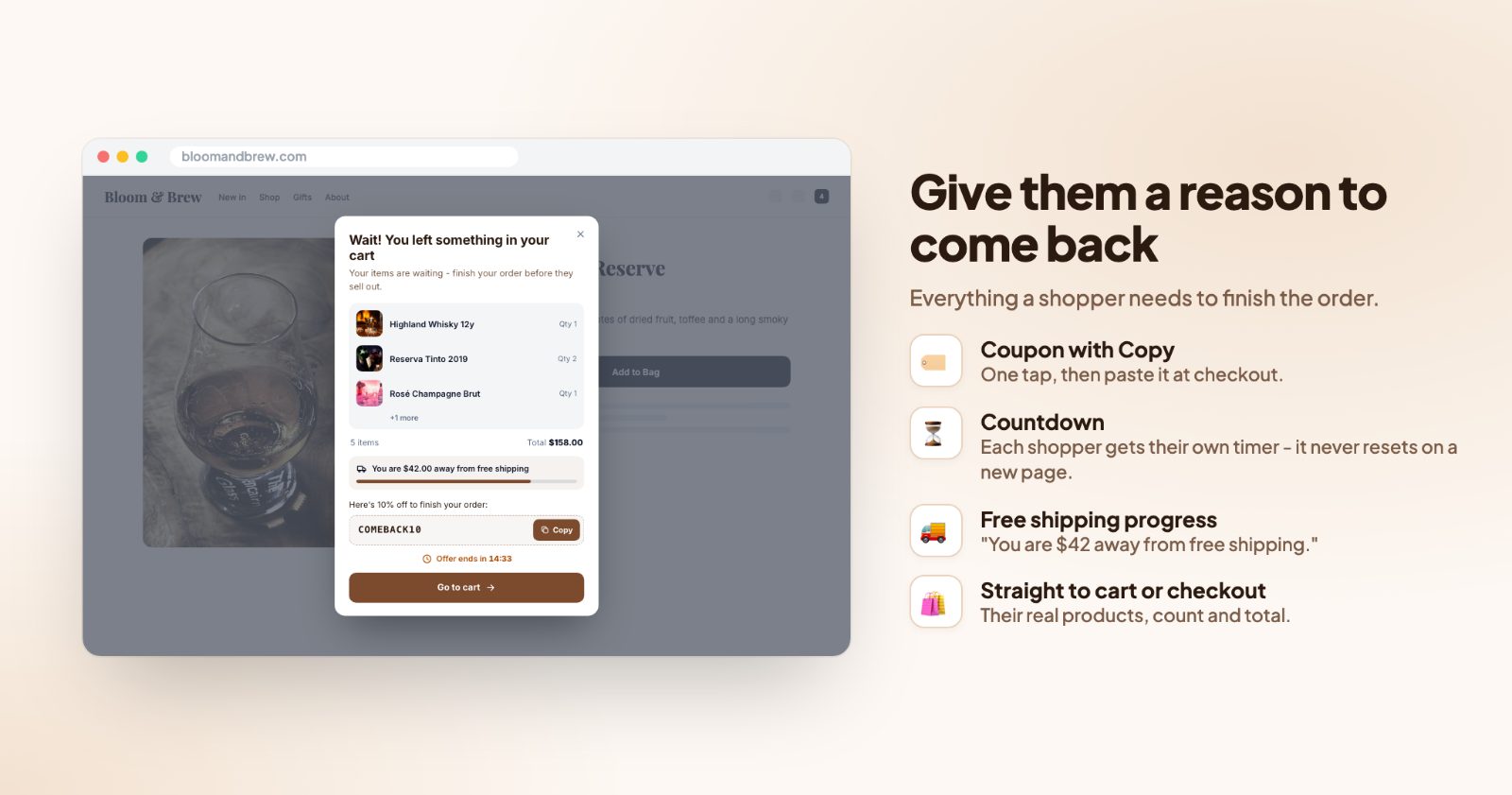
The reminder only shows to shoppers who have something in the cart. When they are about to leave (the mouse leaves the page on a computer, a quick scroll back up on a phone), it opens with their real products, the item count and the total, and a button that takes them to the cart or straight to checkout. You can add a coupon code with a Copy button, a countdown and a free shipping goal.
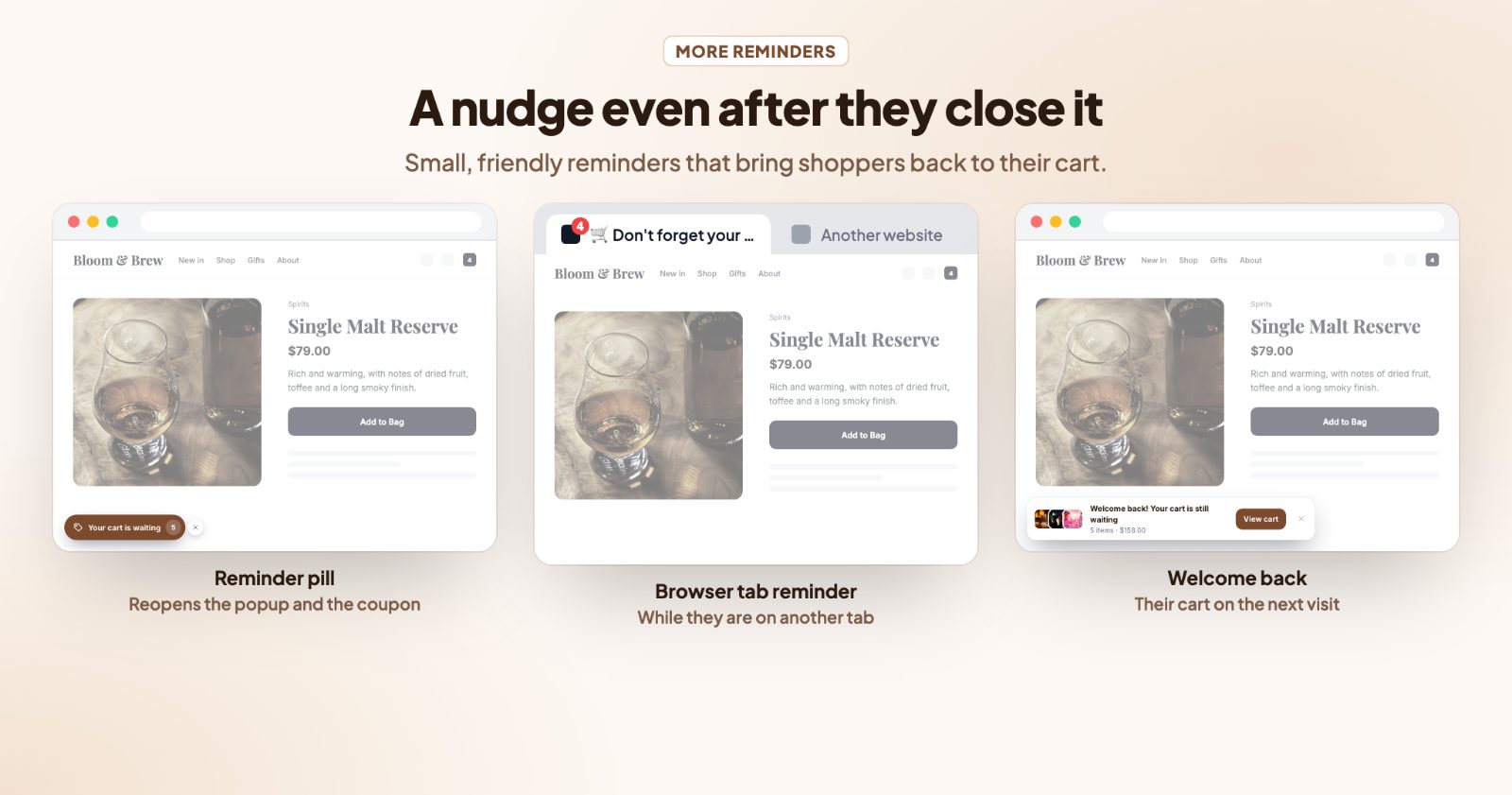
If they close it anyway, three small reminders keep the cart in view: a pill in the corner, a browser tab that changes its title while they are on another tab, and a welcome back note on their next visit. It never shows during checkout.
Black Friday (November 27) and Cyber Monday (November 30) are a good time to start: lots of shoppers compare stores in several tabs. But nothing here is holiday-only, and the same setup keeps working all year.
1. Pick a layout and the texts (Popup)
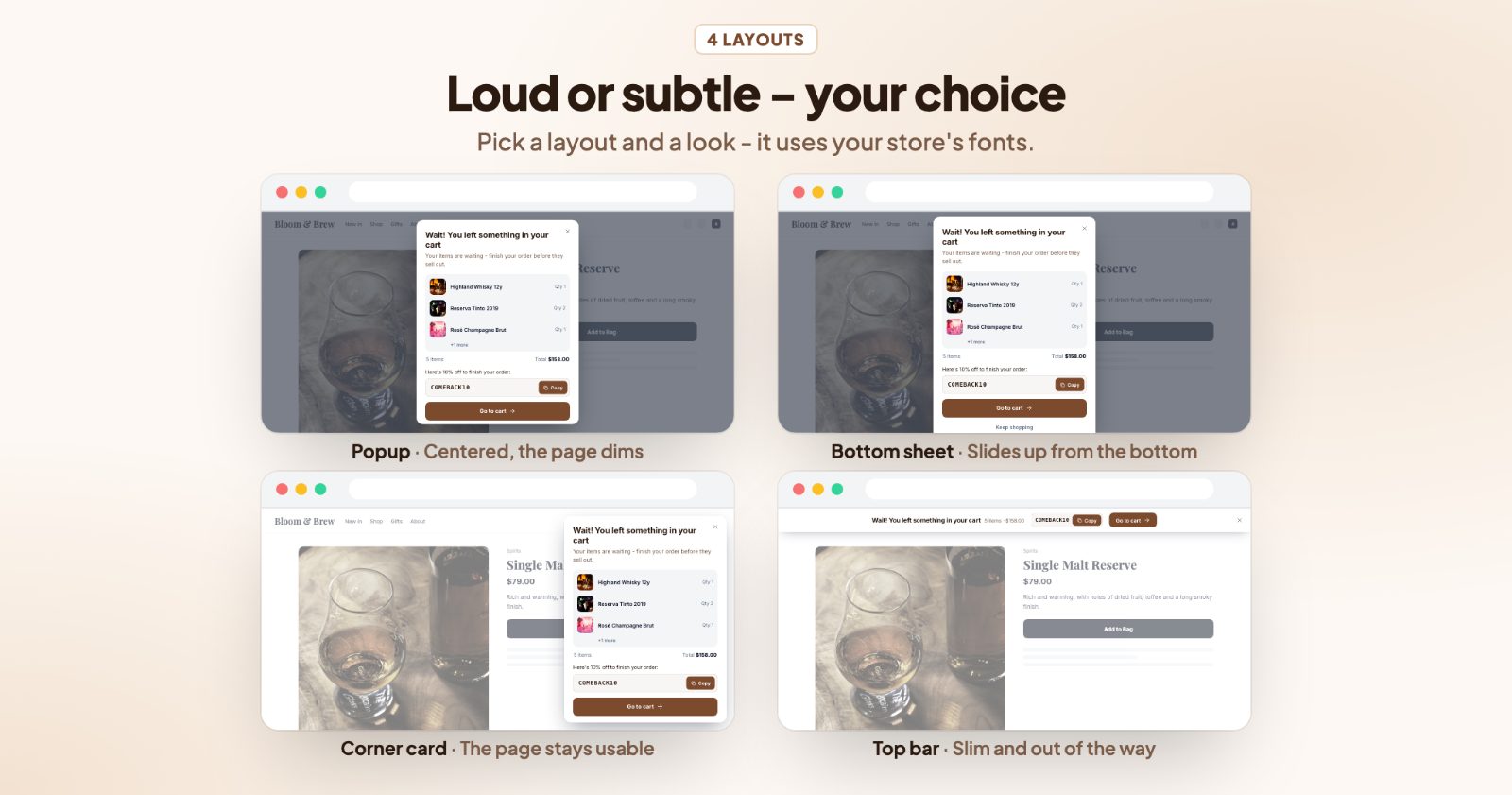
Open the app. On the Popup tab, choose one of four layouts:
- Popup: centered, the page dims behind it.
- Bottom sheet: slides up from the bottom.
- Corner card: bottom right, the page stays usable.
- Top bar: a slim bar over the top of the page.
On phones the popup opens as a bottom sheet, which is easier to reach with a thumb.
Then write the Title and Text. New installs start with "Wait! You left something in your cart". You can use {USER} for the shopper's first name (when they're signed in), {COUNT} for "3 items" and {TOTAL} for the cart total, for example "{USER}, your {COUNT} are still here".
Under Products, show the Cart items (choose how many with Show up to, and switch on Item count and total), only the Last added product with its short description, or None. Under Buttons, Takes them to is the Cart page or Checkout, and the "Keep shopping" link is a second, quieter way to close it. The Look has six ready-made color sets (Clean, Indigo, Rose, Forest, Sand, Night) plus every color, size and corner on its own.
2. Give them a reason to come back (Offer)
On the Offer tab there are three things you can add, each with its own switch:
- Coupon code: first create a coupon under Marketing → Discount coupons in your store admin, then enter its code here, with the Text above it (for example "Here's 10% off to finish your order:"). The shopper sees the code with a Copy button and pastes it at checkout. The coupon only shows when there is a code.
- Countdown: a timer under the offer, 15 minutes unless you set another Length. Each shopper gets their own timer; it doesn't restart on every page.
- Free shipping progress: enter Free shipping from (cart subtotal) and the popup shows how much more they need, with a progress bar ("You are {AMOUNT} away from free shipping"). Use the same amount as in your shipping settings.
You don't need all three. A coupon costs you margin on every order that uses it; a free shipping goal or a short countdown may be enough. For help choosing the free shipping amount, see how to pick the free shipping threshold.
3. Decide when it shows (When to show)
The When to show tab sets the moment and the shoppers:
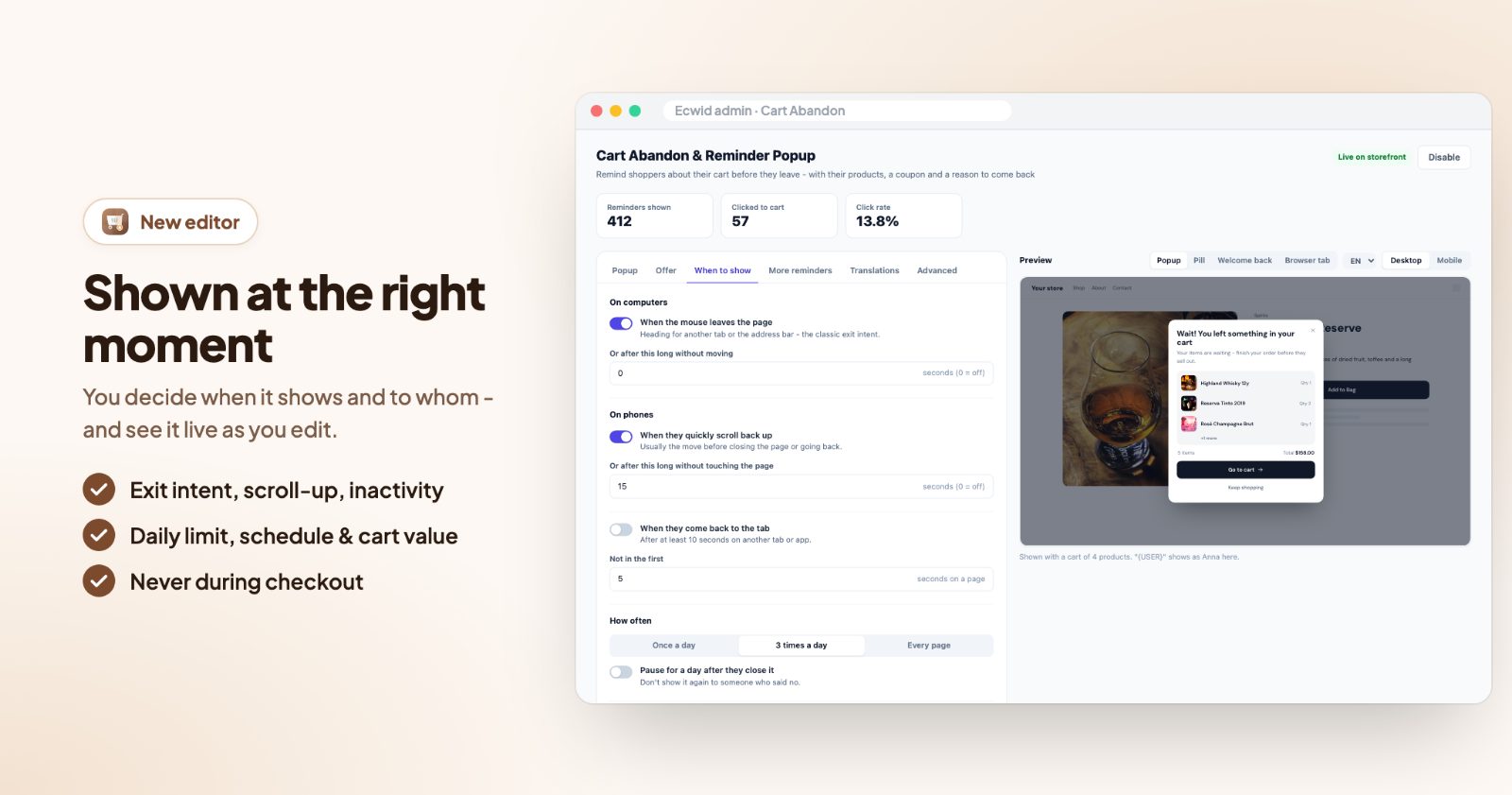
- On computers: When the mouse leaves the page (heading for another tab or the address bar), or Or after this long without moving.
- On phones: When they quickly scroll back up (usually the move before closing the page or going back), or Or after this long without touching the page.
- When they come back to the tab, after at least 10 seconds on another tab or app.
- Not in the first few seconds on a page, so it never jumps out right away.
How often is Once a day, 3 times a day or Every page, and Pause for a day after they close it leaves alone someone who already said no. Under Who and where choose Computers, Phones & tablets, Visitors (Everyone, New visitors or Returning), a minimum number of items and Cart worth at least. Also on the cart page is off by default: the cart page is where they should be.
Schedule has a Starts and Ends date. Leave them empty to run all the time, or set them for a sale with a coupon, so the offer stops on time. Times are the shopper's local time.
4. Keep reminding them (More reminders)
- Reminder pill after closing: a small button stays in the bottom left or right corner ("Your cart is waiting"), so a shopper who closed the popup too fast can get back to it, and to the coupon.
- Browser tab reminder: while the shopper is on another tab, your store's tab switches its title, for example "Don't forget your cart!", and Item count on the tab icon adds the number of items.
- Welcome back note: on a later visit (after 30+ minutes away), a small note with their cart and a View cart button.
If your store has more than one language, the Translations tab has a field for every text; empty fields use your main texts.
5. Check it and watch the numbers
The Preview next to the settings shows the popup, the pill, the welcome back note and the browser tab on desktop or mobile while you edit. Above the settings, three numbers show how it does: Reminders shown, Clicked to cart and Click rate. Change one thing at a time (the offer, the layout, the trigger) and compare the click rate after a week or two.
Common setups
A gentle reminder, no discount
Corner card, the cart items, no coupon, Once a day with Pause for a day after they close it. Good if you don't want shoppers to learn that leaving gets them a code.
Black Friday weekend coupon
Popup, coupon code BLACKFRIDAY10 with a 15-minute countdown, Schedule from November 27 to the end of Cyber Monday, November 30. Create the coupon with the same end date in your store, so the code and the offer stop together.
Free shipping nudge
Free shipping progress on, at the same amount as your free shipping rule, and Takes them to the Cart page, where they can add one more item.
Only for bigger carts
Cart worth at least $80 with a coupon, so the discount goes to the carts that are worth saving.
Shoppers who compare tabs
Browser tab reminder and When they come back to the tab on, so the store tab calls them back and the cart is waiting when they return.
Questions
Will it annoy my shoppers?
It only shows to shoppers with a cart, and you can set a minimum cart value, skip the first seconds on a page and pause it for a day after it's closed. It never shows during checkout.
Does the app create the coupon?
No. Create the coupon under Marketing → Discount coupons in your store admin, with the discount and end date you want, then enter its code in the app. The discount itself is given by your store at checkout.
Does it work on phones?
Yes. Phones have no mouse to leave the page, so the app watches for a quick scroll back up or a pause without touching the page, and the popup opens as a bottom sheet.
Can I add more to win shoppers back?
A Spin to Win wheel can collect emails from new visitors, and Cart Discounts can give automatic deals in the cart, so the reminder has something to point to.