How it works in short
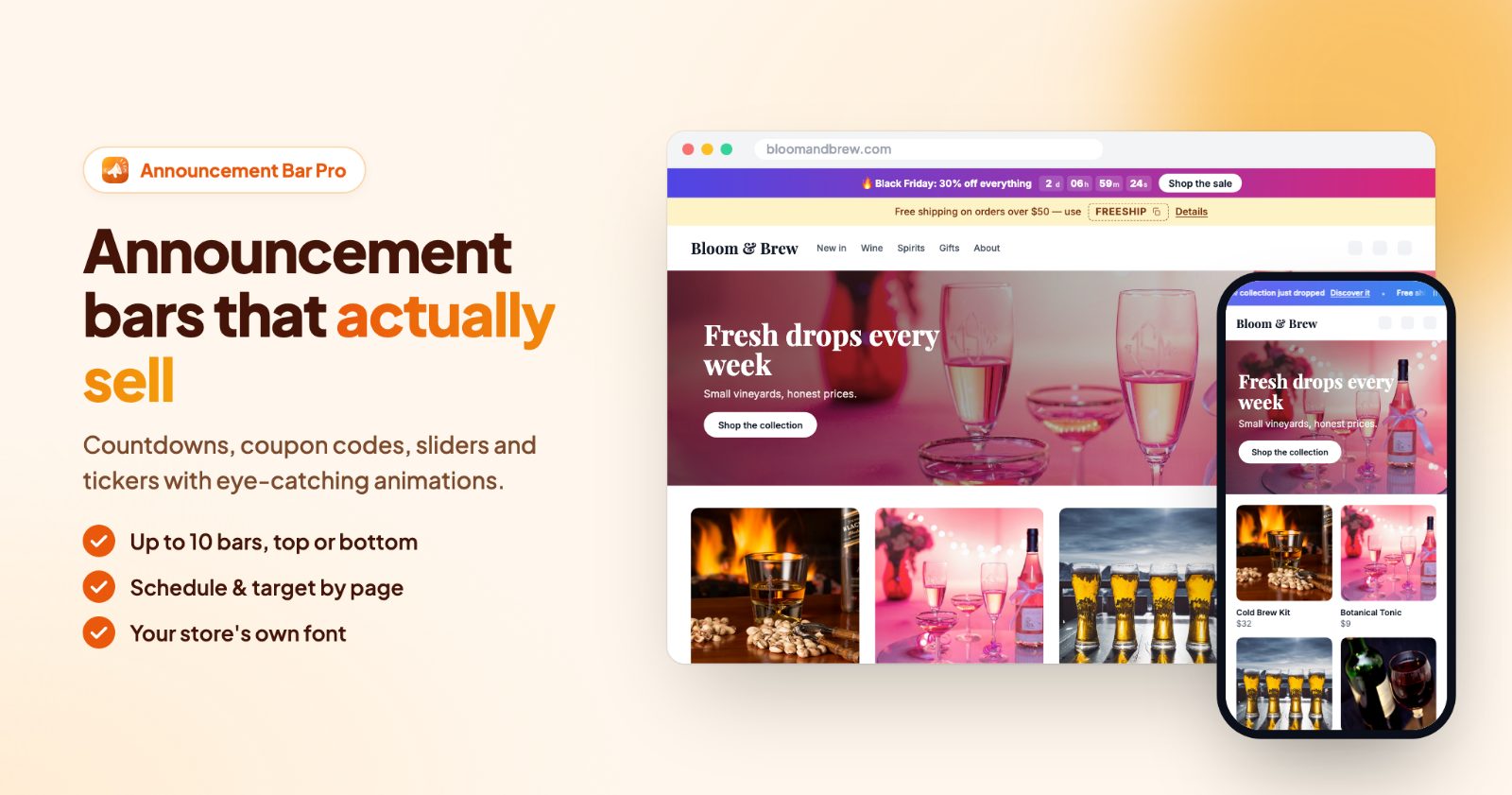
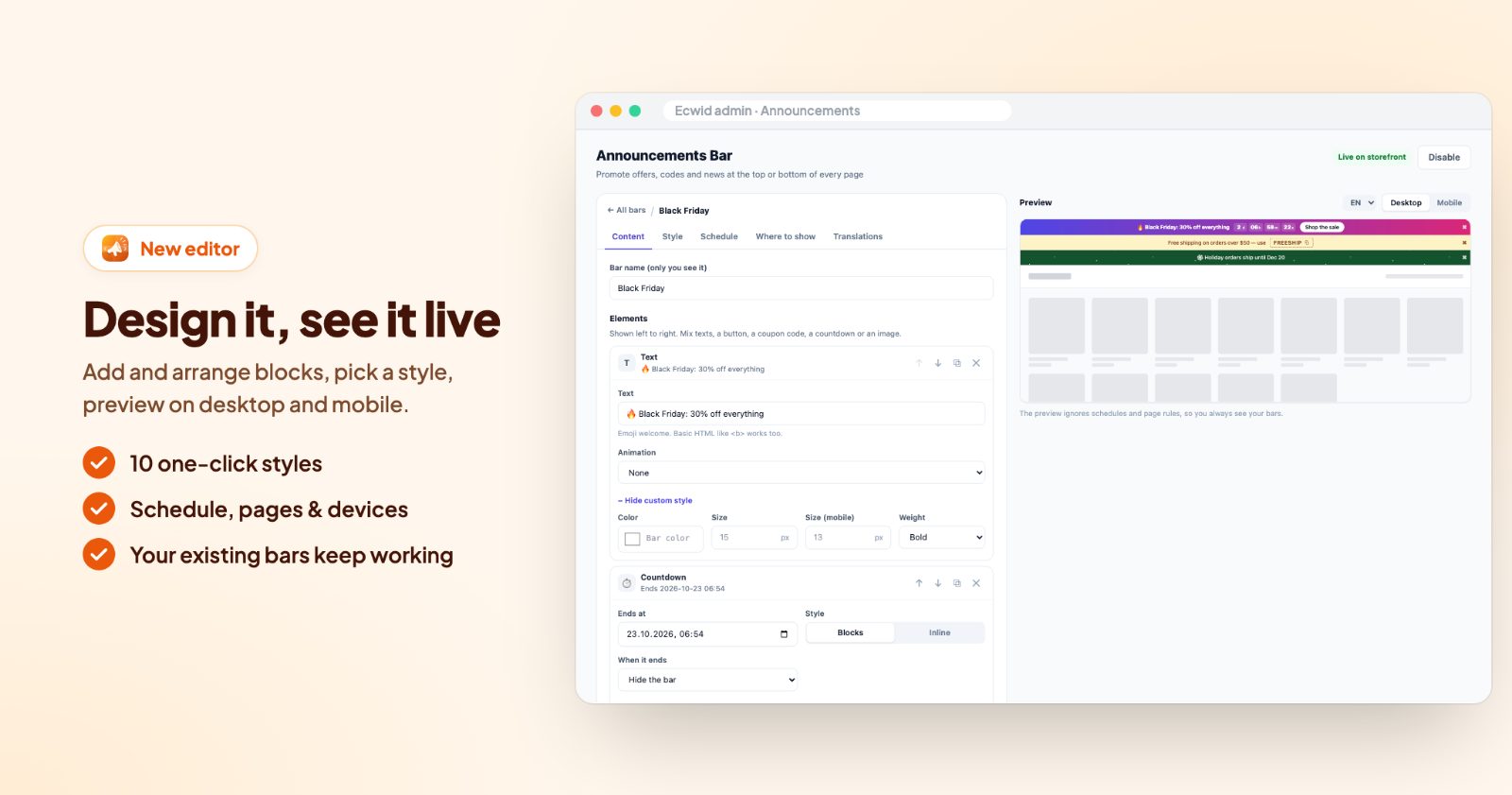
A bar is a strip at the top or the bottom of your store pages. Each bar is built from elements, shown left to right: a text, a link, a button, a coupon code, a countdown or a small image. You can have up to 10 bars, and every bar has its own style, schedule and rules for who sees it and where.
- Several messages: show them one under the other, rotate them, or let them scroll across.
- Shown at the right time: start and end dates, days of the week and daily hours.
- Shown to the right people: by device, signed-in customers, guests or customer groups, the cart subtotal, and pages or categories.
1. Add a bar from a quick start
Open the app and, on the Bars tab, click + Add bar. Under Start from, pick a ready bar: Free shipping (a message and a button), Sale countdown, Coupon code, New collection (an announcement and a link) or Blank. Every quick start can be changed afterwards. Give the bar a Bar name (only you see it), for example "Black Friday".
2. Build it from elements (Content)
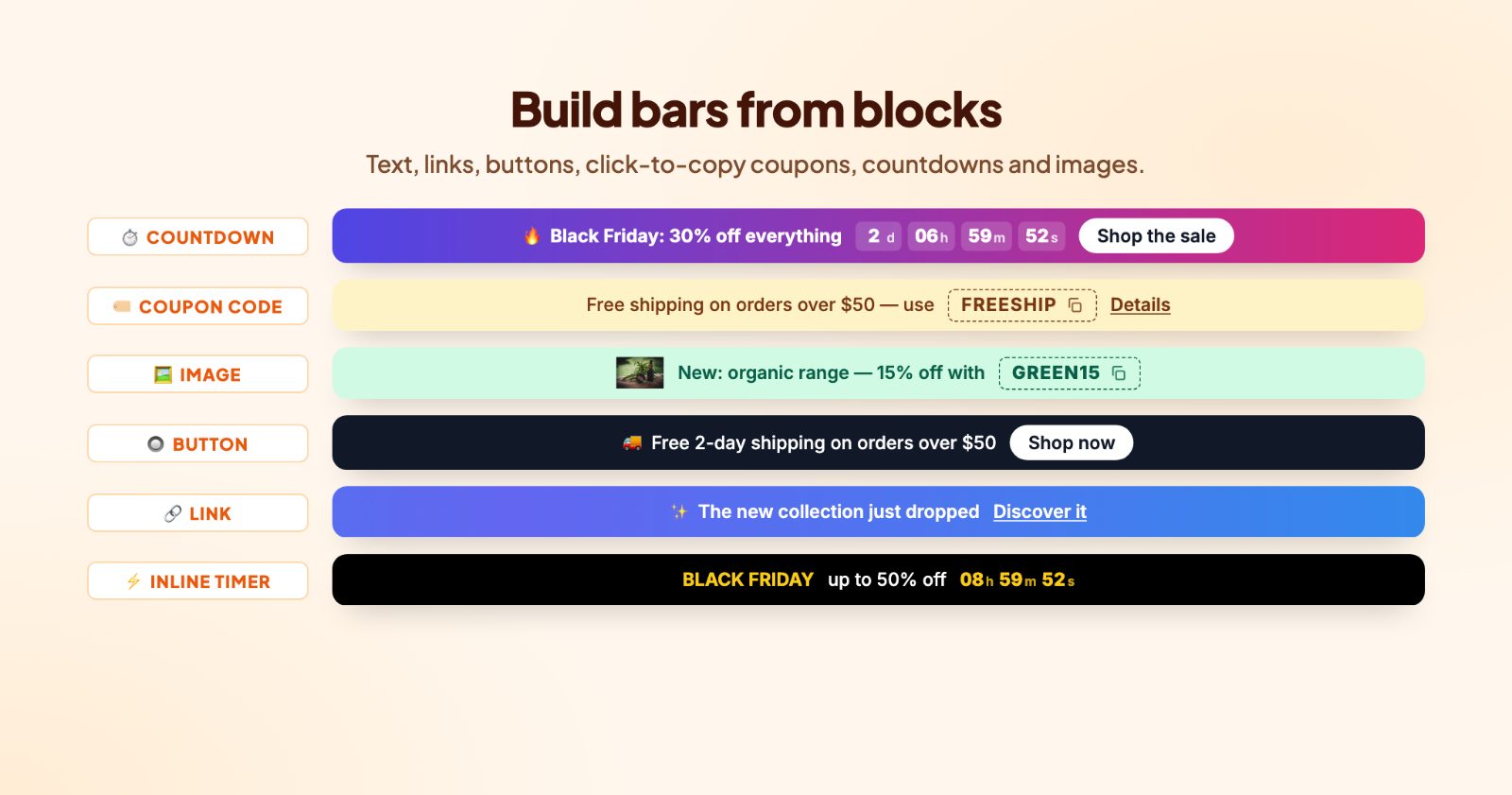
On the bar's Content tab, + Add element adds a block. Mix them as you like:
- Text: your message. Emoji welcome, and basic HTML like <b> works too. Each text can have its own Animation: blink, pulse, shake, bounce, glow, shimmer or typewriter.
- Link and Button: a Link to a page, a category or a product (optionally in a New tab).
- Coupon code: shoppers click the code to copy it. Add a Label (optional) like "Use code" and the After copying text ("Copied!").
- Countdown: a timer to the date under Ends at, as Blocks or Inline. When it ends you choose to hide the bar, hide the timer or show a text such as "The sale has ended".
- Image: a small logo or icon (PNG, SVG) with an alt text.
3. Style it (Style)
Quick styles set the colors in one click: Midnight, Indigo pop, Ocean, Sale red, Black Friday, Sunny, Mint, Holiday, Neon night or Clean white. Your texts stay as they are. Then fine tune the Position (top or bottom of the page), the Height, the Alignment, a solid or gradient Background and the text color, size (also for mobile) and weight. Background effects add a shine sweep, a moving gradient, snow or sparkles. The bar uses your store's own font.
4. Set the dates and hours (Schedule)
Leave the Schedule tab empty to show the bar all the time. Otherwise:
- Start showing and Stop showing: a date and time, for example Black Friday morning to Cyber Monday night.
- Days of the week: none selected means every day.
- Daily from and Daily until: hours, for example a "Same-day delivery if you order before 2 pm" bar only in the morning.
- Times are in your store's time zone, or turn on Use the visitor's local time.
5. Choose who sees it and where (Who and where)
- Devices: all devices, desktop only or mobile only.
- Customers: everyone, signed in, guests (for example "Create an account and get 10% off"), or one or more customer groups, such as your VIPs.
- Cart subtotal: Less than or More than an amount. "Free shipping from $50" while the cart is under $50, and "You've unlocked free shipping!" once it's over. The bar updates as soon as the cart changes.
- Pages and Categories: by default the bar shows on every page; pick pages or categories to show it only there.
Translations has the bar's texts for your other store languages.
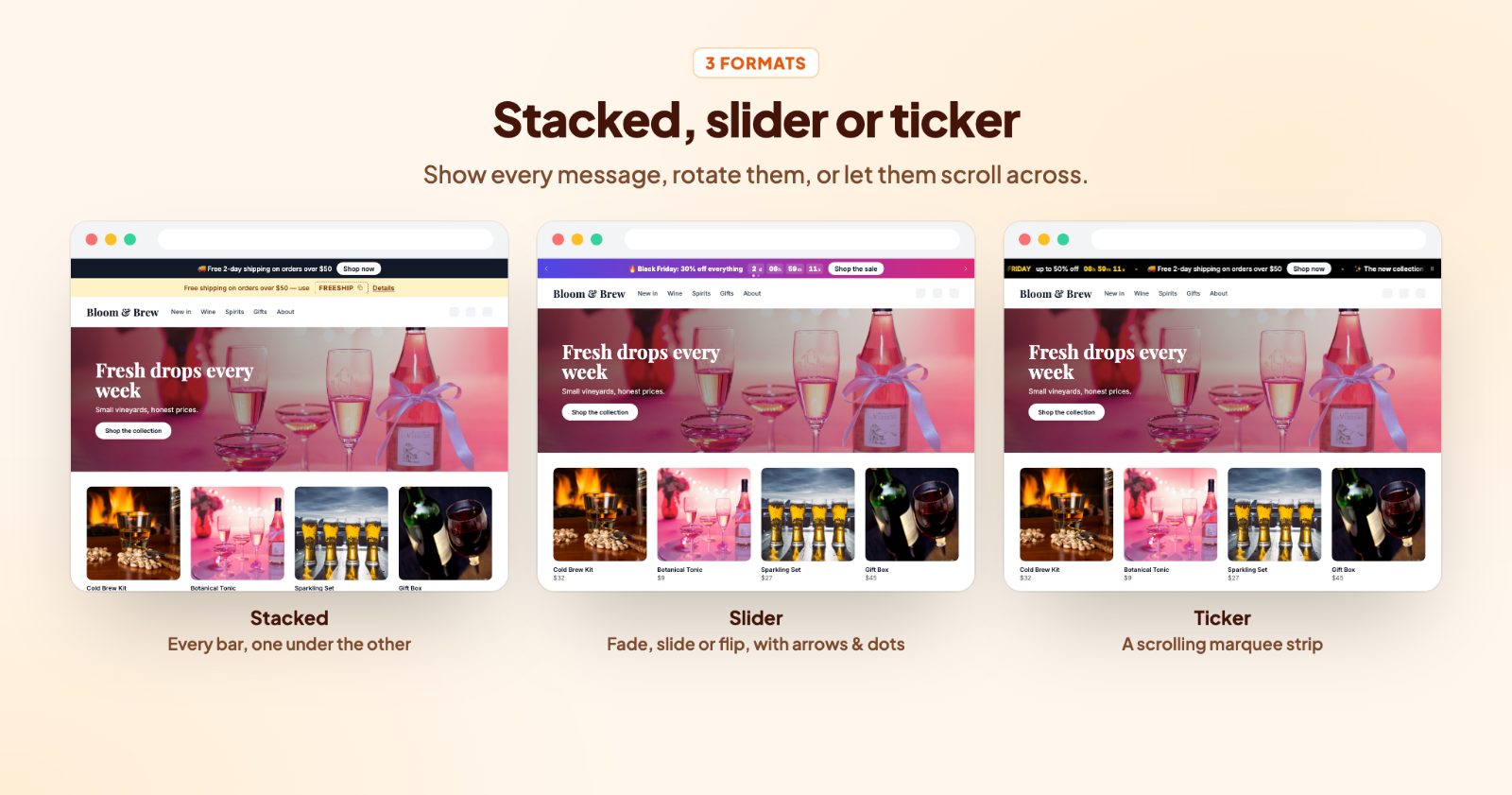
6. Stacked, slider or ticker (Display)
The Display tab sets the Format: how bars that share a position (top or bottom) are shown together.
- Stacked: every bar is shown, one under the other.
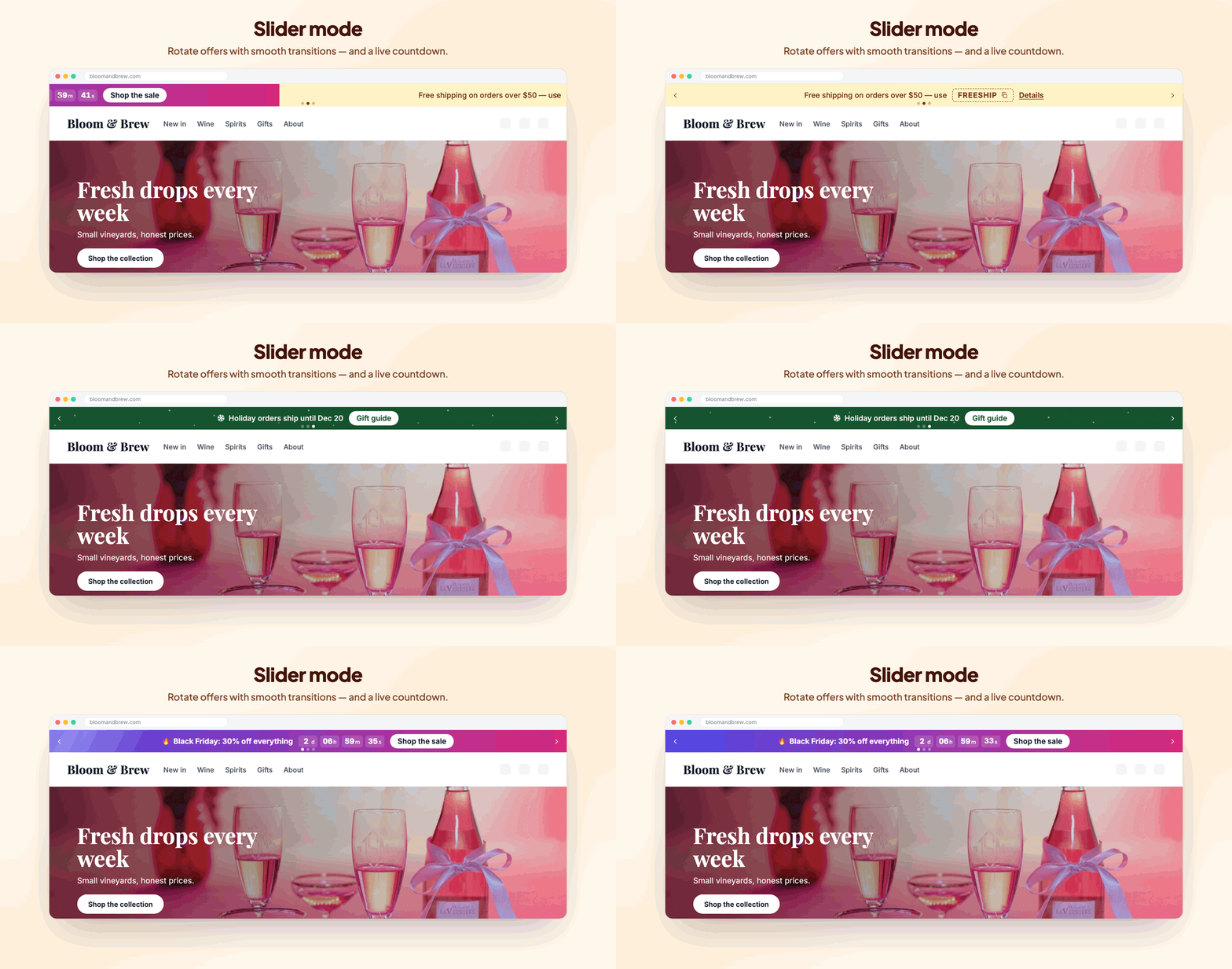
- Slider: one bar at a time, rotating automatically. Pick the Transition (fade, slide, slide up or flip), how often it rotates, and Arrows and Dots. Swiping works on phones.
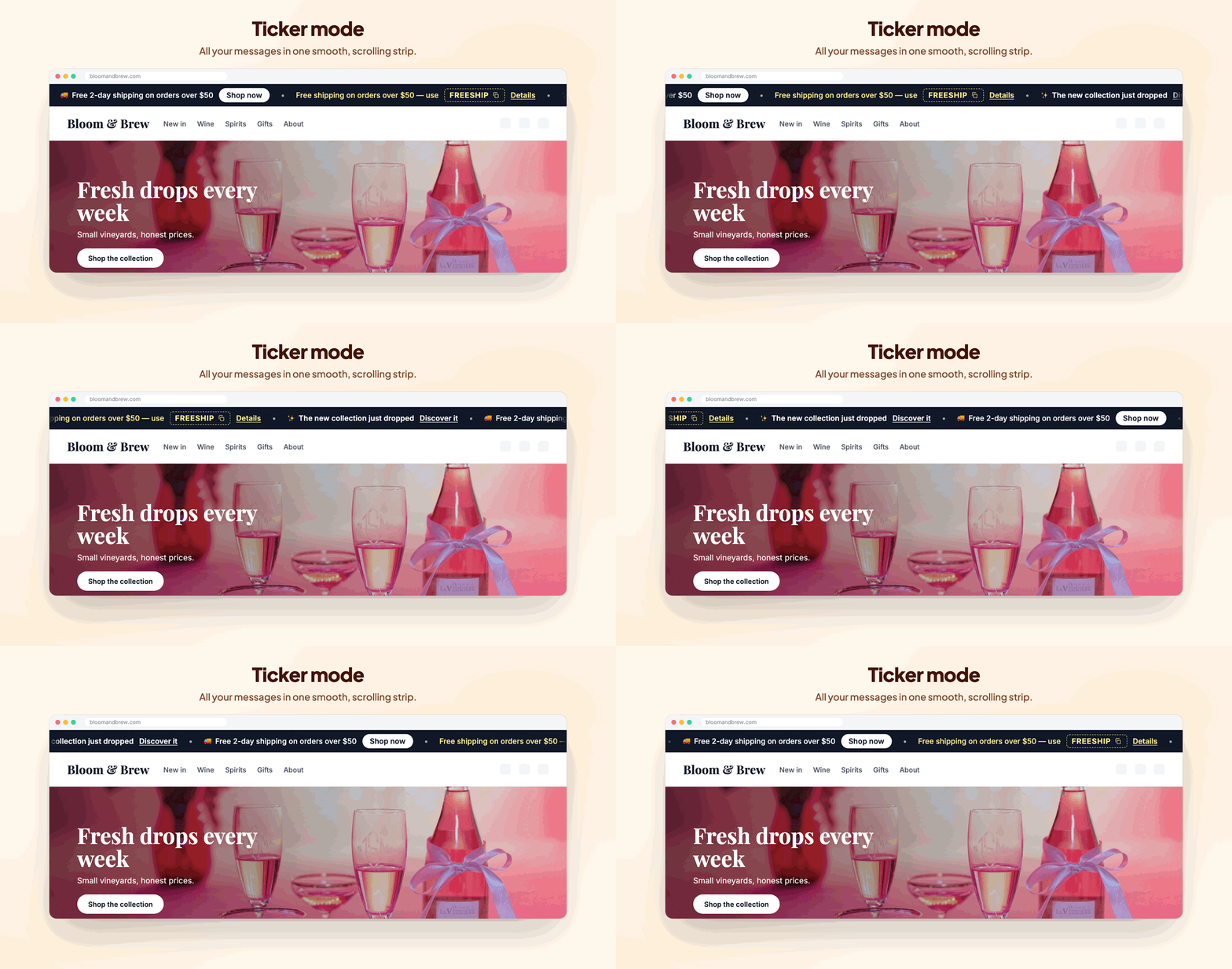
- Ticker: all messages scroll across in one strip, with a Direction, a sign Between messages, Pause on hover and a Pause button. Visitors who prefer reduced motion see a slider instead.
Also here: Keep top bars visible while scrolling, the Close button with Keep closed for (how long it stays closed for that visitor) and the Entrance animation. The Preview on the right shows your bars on desktop or mobile; it ignores schedules and page rules, so you always see them.
Common setups
A Black Friday countdown that removes itself
The Sale countdown quick start with the Black Friday style, Ends at your sale's last minute and When it ends set to hide the bar. Nothing to switch off on Tuesday.
A free shipping goal that changes with the cart
Two bars: "Free shipping on orders over $50" with Cart subtotal less than 50, and "You've unlocked free shipping!" with more than 50. More on picking the amount in free shipping bar: how to pick the threshold.
Several offers in one strip
Three bars at the top (shipping, a coupon, a new collection) in Slider with dots, or in Ticker with • between messages and a pause button.
A welcome code for guests only
A Coupon code bar with WELCOME10, Customers set to guests, a close button and Keep closed for a few days.
Holiday shipping deadlines
"Holiday orders ship until Dec 20" with the Holiday style (snow) and Stop showing on the 20th. See also holiday shipping deadlines and vacation mode.
Questions
Can I show more than one message?
Yes. Add several bars and show them stacked, as a slider with arrows or dots, or as a ticker. You can also have bars at the top and at the bottom.
Can visitors close the bar?
Turn on the close button. Under "Keep closed for" you choose how long it stays closed for that visitor before it shows again.
Can a bar show only at certain dates or hours?
Yes. The Schedule tab has start and end dates, days of the week and daily hours, in your store's time zone or the visitor's.
Can I show a bar only on phones or only on computers?
Yes, each bar can be shown on desktop, mobile or both.