How it works in short
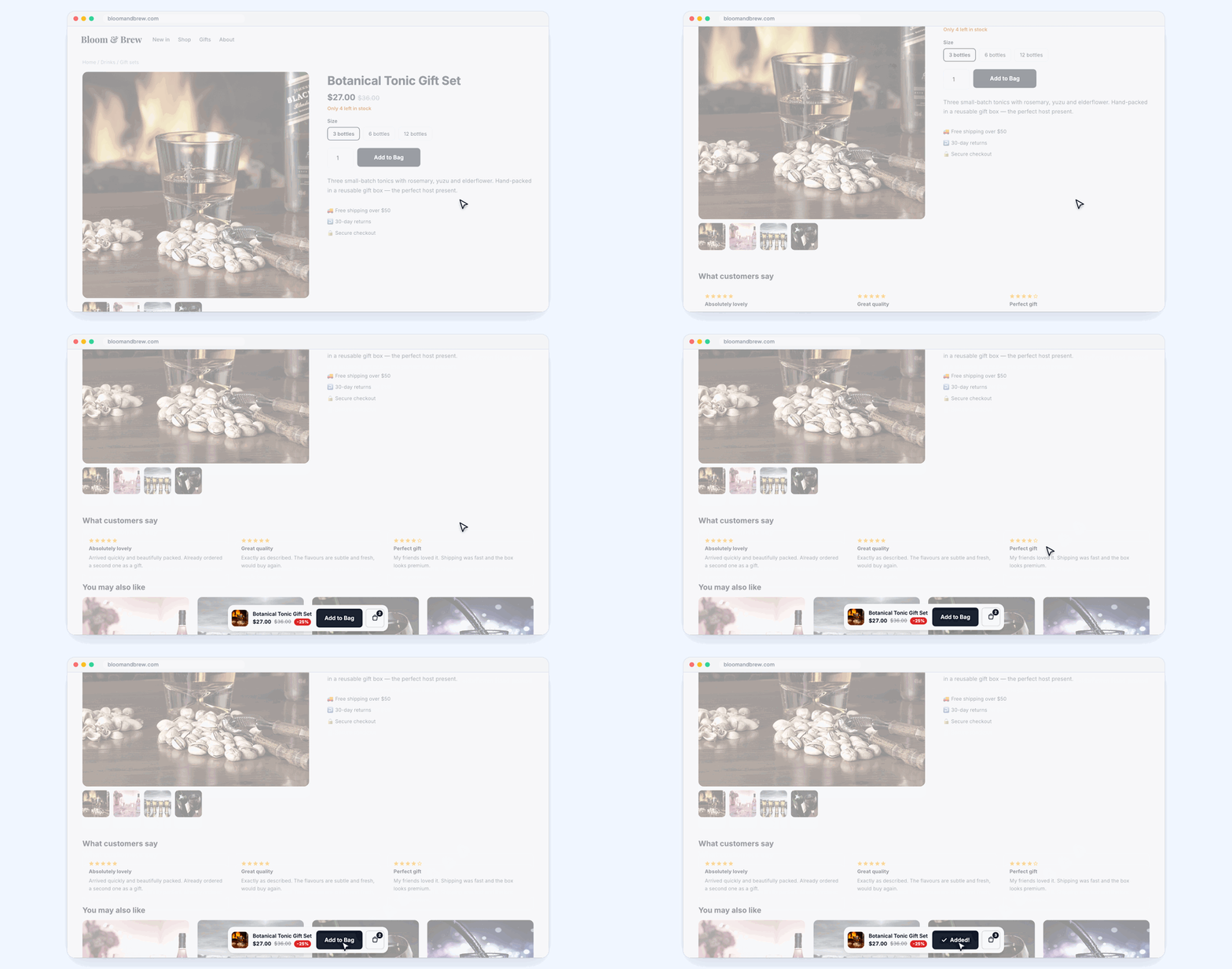
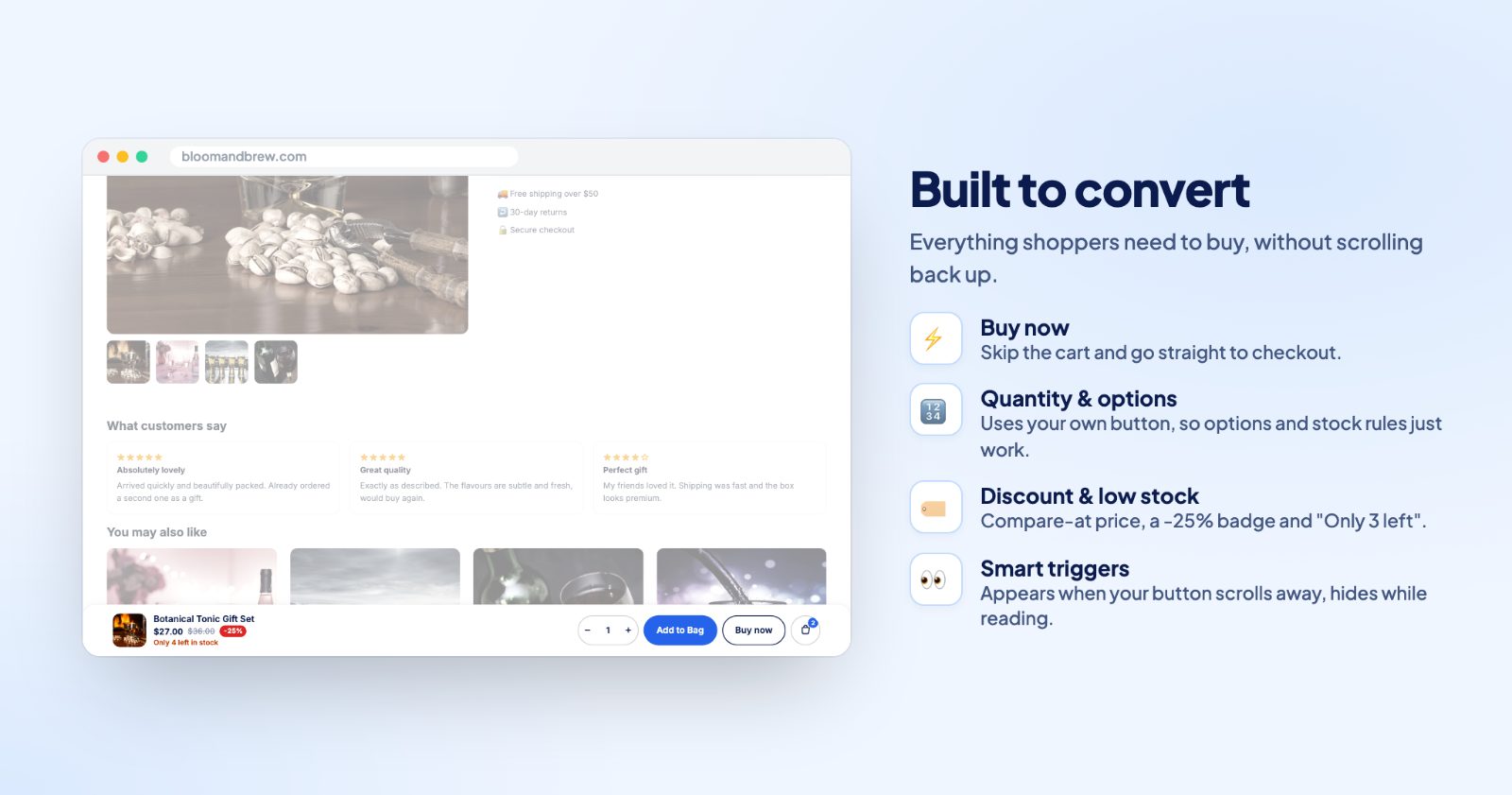
On product pages, once the shopper scrolls past your Add to cart button, a sticky bar slides in at the bottom (or top) of the screen. It slides away again when your button is back in view. The bar uses your store's own button, so options, quantity and stock rules work as they do on the page.
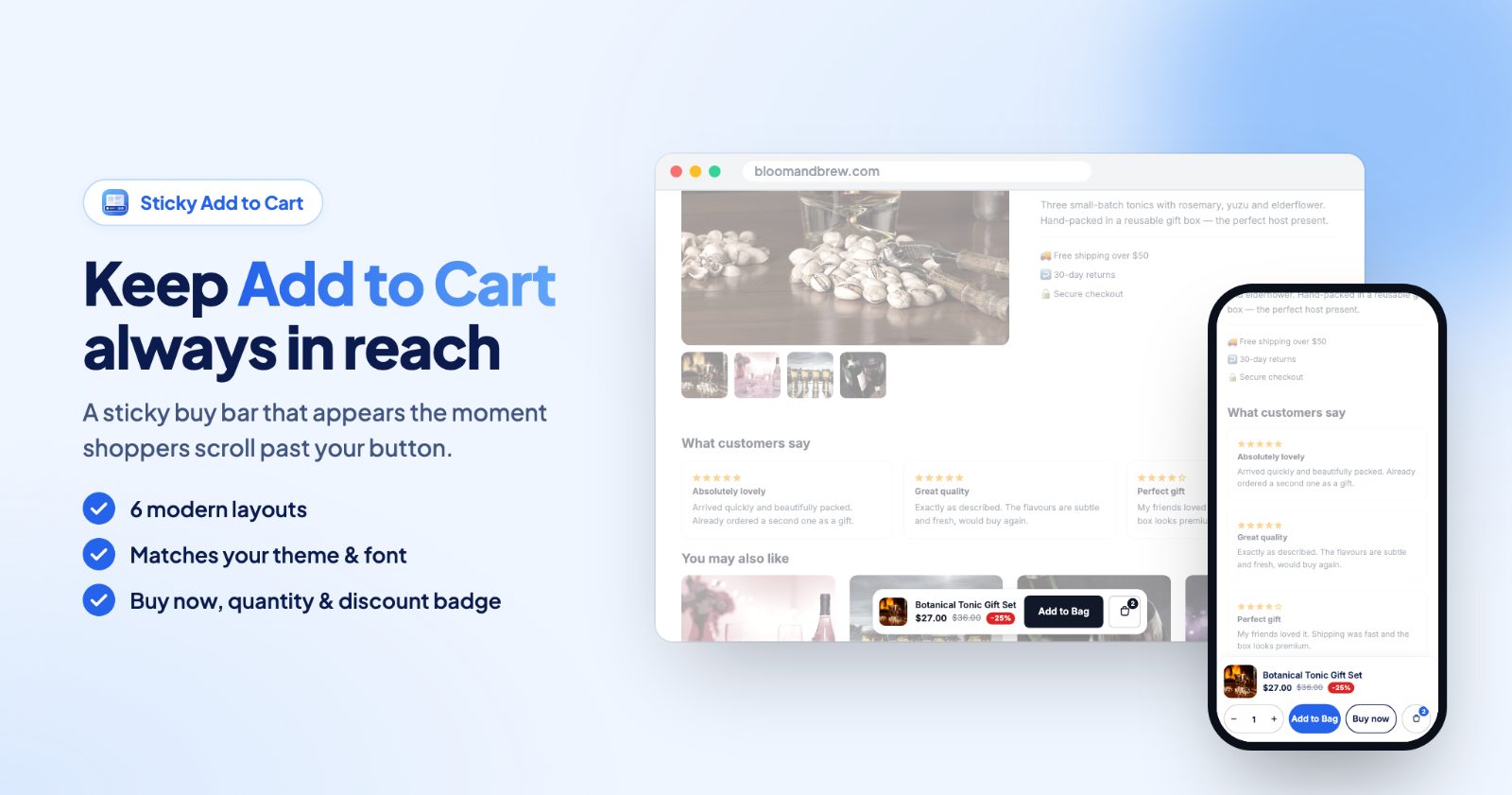
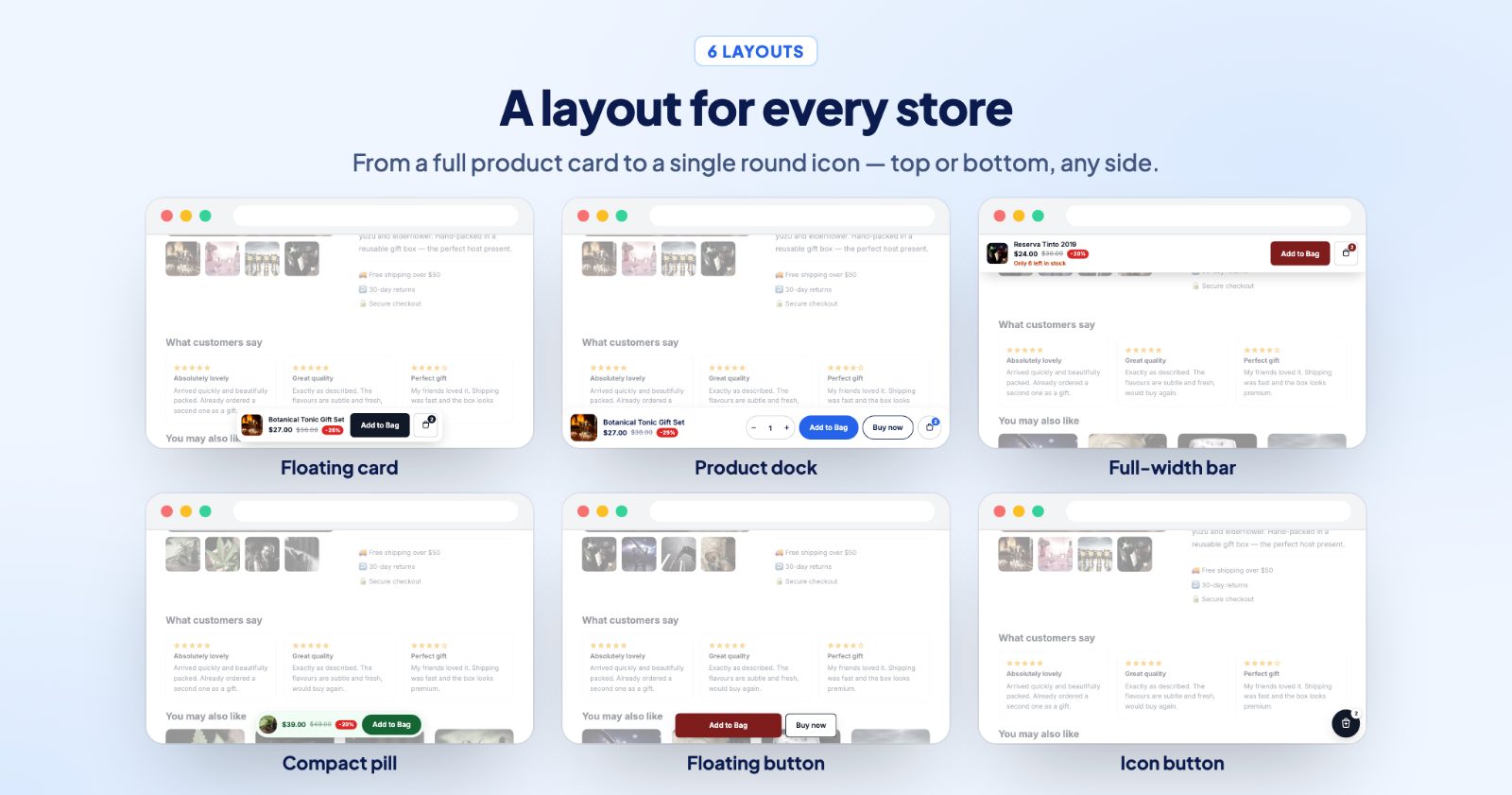
- Six layouts: from a product card with image and price to a single round cart icon.
- Everything to buy: price, compare-at price, a discount badge, low stock, quantity, a Buy now button and the cart count.
- Product options are safe: if the product has options, the bar's button takes the shopper to the options first, so nothing is added with a wrong choice.
1. Pick a layout (Layout)
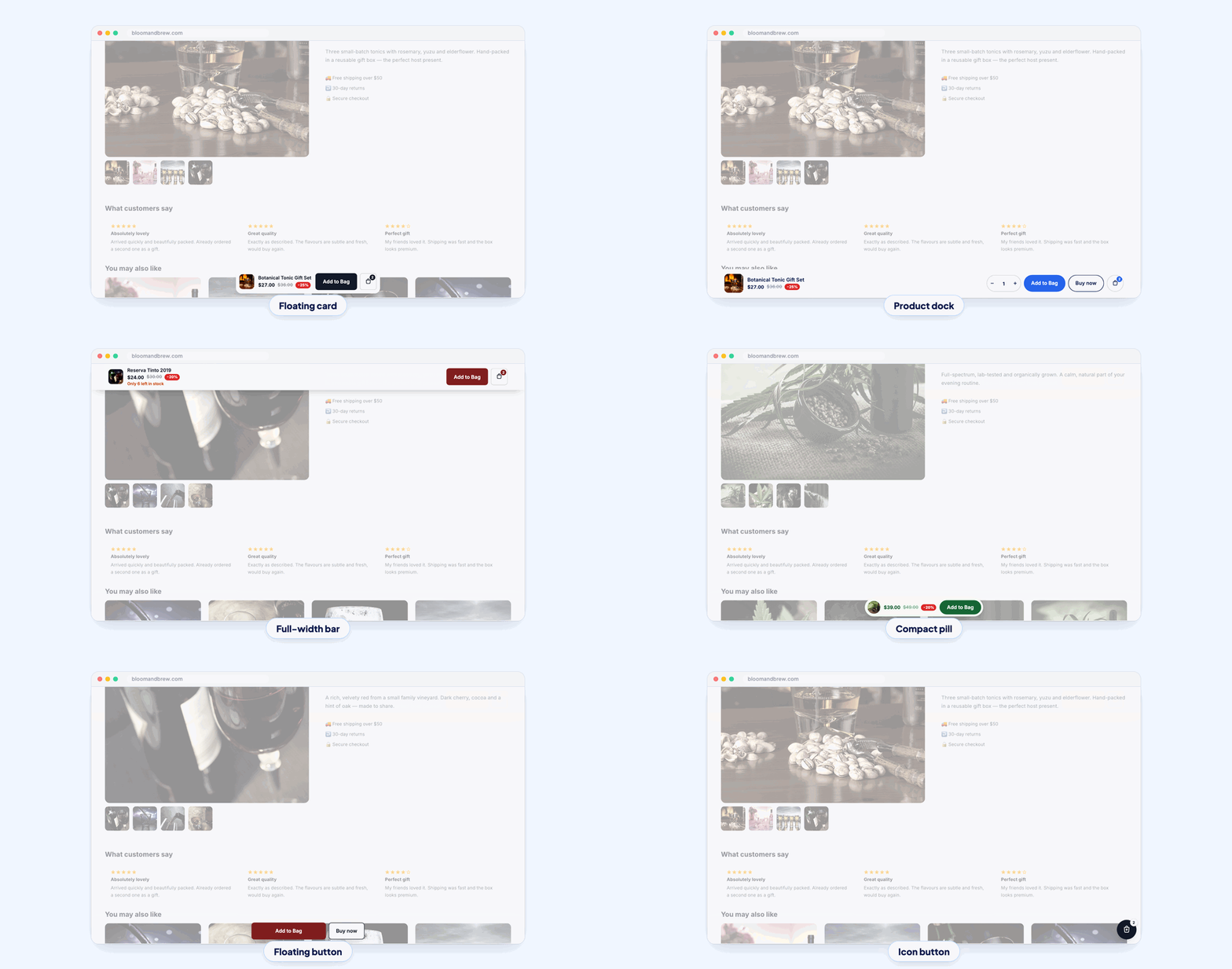
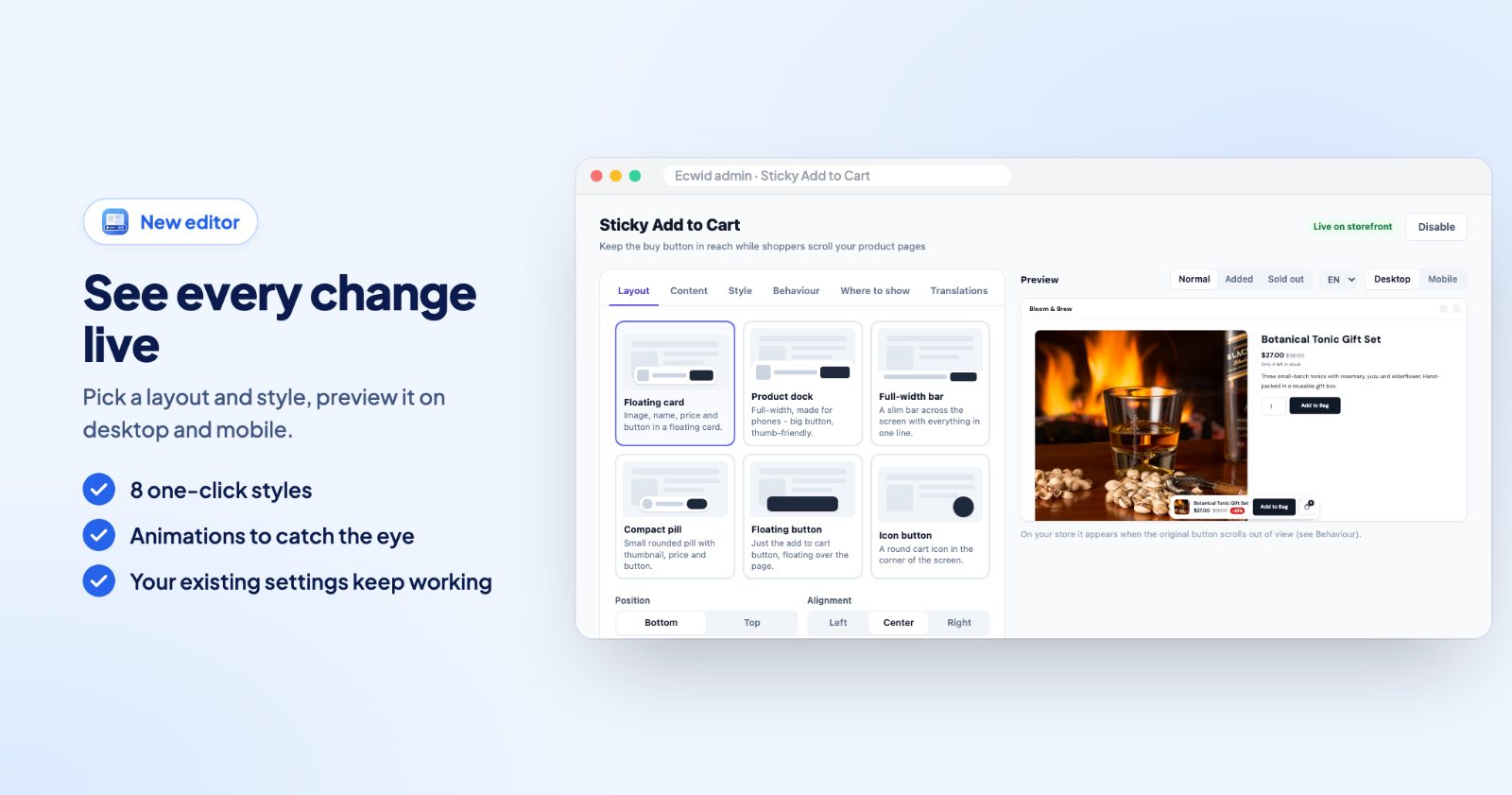
Open the app. On Layout, choose one of six:
- Floating card: image, name, price and button in a floating card.
- Product dock: full-width, made for phones, with a big, thumb-friendly button.
- Full-width bar: a slim bar across the screen with everything in one line.
- Compact pill: a small rounded pill with thumbnail, price and button.
- Floating button: just the add to cart button, floating over the page.
- Icon button: a round cart icon in the corner of the screen, with a choice of Icon (bag, cart, basket...).
Then the Position (bottom or top), the Alignment (left, center or right) and the Distance from the screen edge. Show on desktop and Show on mobile can be switched separately. If a chat widget covers the bar, turn on Stay above other popups.
2. Choose what it shows (Content)
Under Show, turn on what you want next to the button: Product image, Product name, Price, Compare-at price (the crossed out price, if you set one), Discount badge (for example -25% next to the price) and Low stock ("Only 3 left", when you track stock). The floating button and icon layouts show only the button.
Under Buttons:
- Add to cart text: empty means the same text as your store's button. After adding is the short confirmation ("Added!").
- Buy now button: adds the product and goes straight to checkout.
- Quantity selector: shows only if your store shows a quantity field on product pages.
- Cart button: with the number of items in the cart.
Out of stock products: hide the bar, or show it with a Sold out text.
3. Make it match your store (Style)
The simplest option is Match my store's button: it copies the colors, font and corners of your theme's add to cart button. Or start from one of the Quick styles (Match my store, Midnight, Dark mode, Indigo, Sale red, Forest, Luxe gold, Sky) and change the Button color, Button text, Corners, the bar's Background and Text, and the Shadow.
An Attention animation (pulse, shake, bounce or shine) gives the button a short nudge now and then, at the interval under Every. It is off for visitors who prefer less motion.
4. Decide when it appears (Behaviour)
Under When to show it:
- When the store's button scrolls away (recommended): shows up exactly when shoppers lose the original button.
- After scrolling a bit: after the Scroll distance you set.
- Always: visible as soon as the product page opens.
Hide while scrolling down keeps the bar out of the way while the shopper reads; it comes back as soon as they scroll up.
5. Pick the products (Where to show)
Product pages: All products, Only selected or All except selected. Select by Categories or search single Products. Translations has the texts for your other store languages, and Advanced has Custom CSS.
The Preview shows the bar normal, after adding and sold out, on desktop or mobile. On your store it appears when the original button scrolls out of view (or as you set under Behaviour).
Common setups
Phones first
Product dock at the bottom, Show on mobile only, with quantity, Buy now and the cart button.
A quiet bar for long product pages
Compact pill, Match my store's button, Hide while scrolling down on, no animation. It shows up when the shopper scrolls back up to decide.
Sale week
Floating card with Compare-at price, Discount badge and Low stock on, the Sale red style and a pulse animation. Switch the style back after the sale.
Only on your best sellers
Only selected with your best-seller category or the products you advertise, so the bar shows only there.
Questions
When does the bar appear?
On product pages, once the shopper scrolls past your Add to cart button. It slides away again when the button is back in view.
Does it work with product options?
Yes. If the product has options, the bar's button takes the shopper to the options first, so nothing is added with a wrong choice.
Can the bar match my store's buttons?
Yes. Turn on "Match my store's button" to use your theme's button style, or pick your own colors and corners.
Can I add a Buy now button?
Yes. Turn on the Buy now button to take shoppers straight to checkout with the product.
More for your product pages: shoppable stories and the announcement bar for your offers.