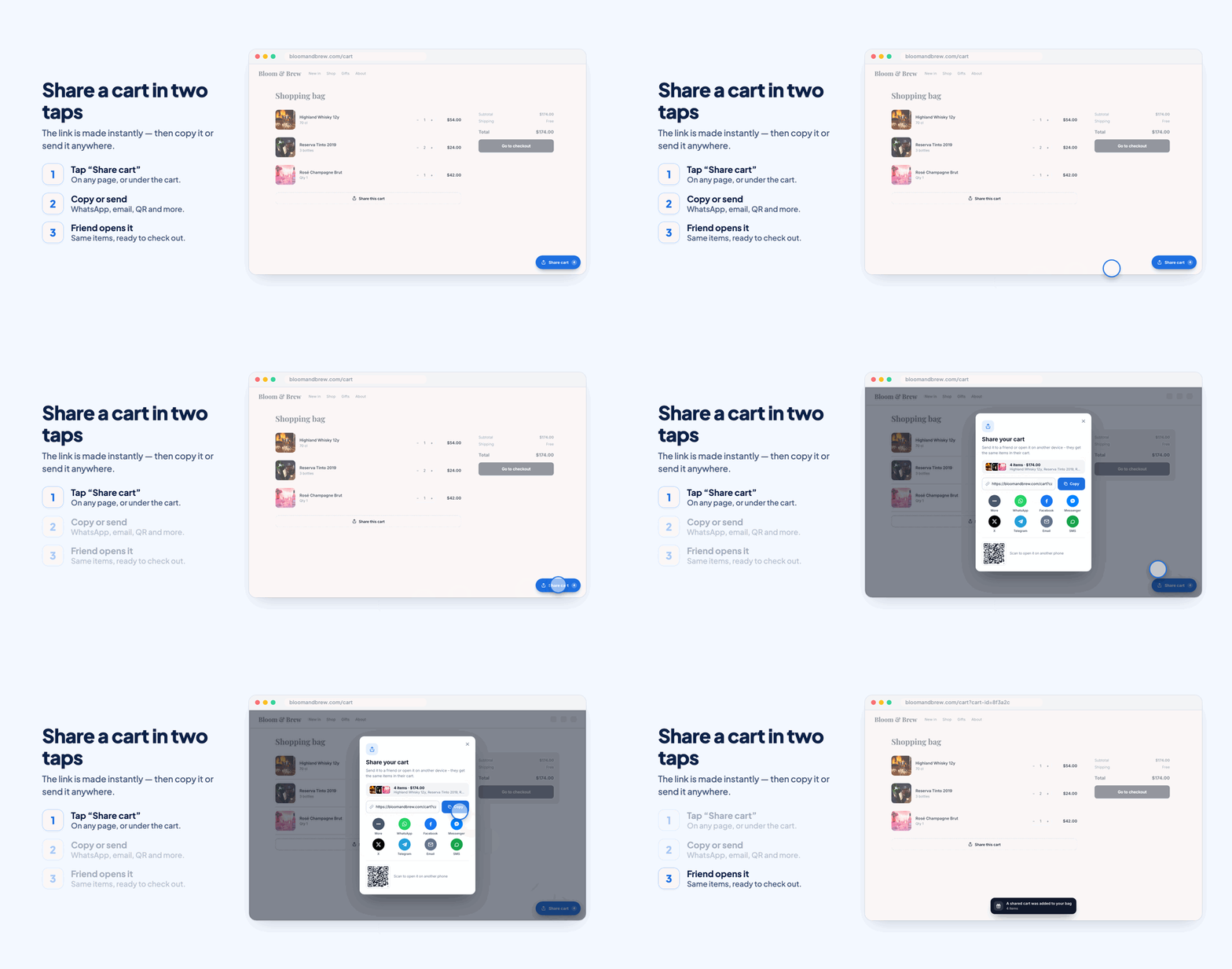
How it works in short
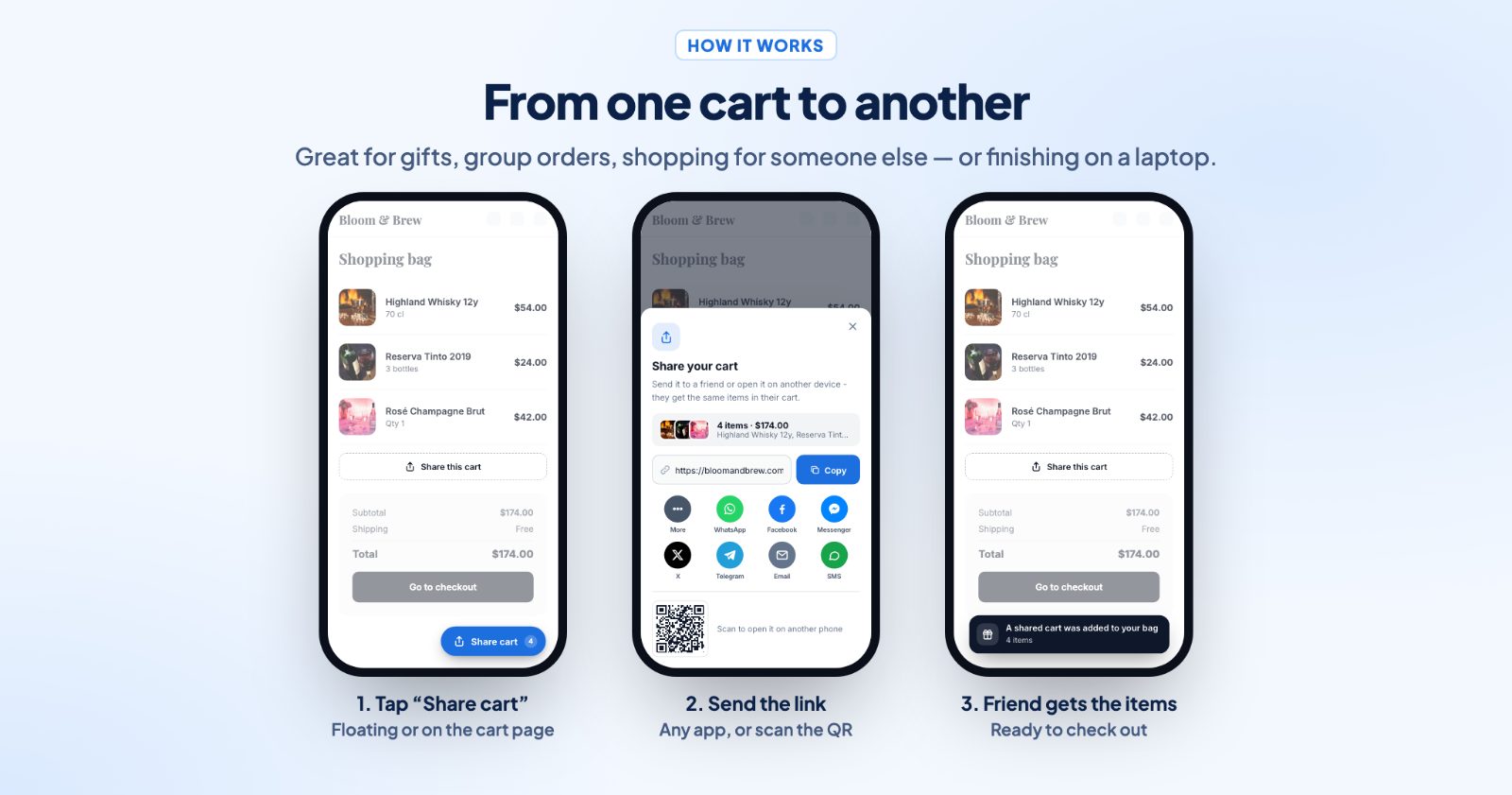
A shopper taps Share cart, and the app creates a link to their cart. Whoever opens the link gets the same products in their own cart, with the same options and quantities, ready to check out. The link can go out by WhatsApp, Messenger, email, text message and more, or as a QR code.
That makes a cart a simple gift list: a teenager fills a cart with what they'd like for the holidays and sends it to a parent, a couple shares the list for a party, or someone starts on the phone and finishes on a laptop. And you can do the same: build a cart yourself and put the link in an Instagram post, an email or a flyer, so one tap puts the whole bundle in the shopper's cart.
The cart is rebuilt from your current products when the link is opened, so the person opening it always sees today's price and stock.
1. Place the share button (Share button)
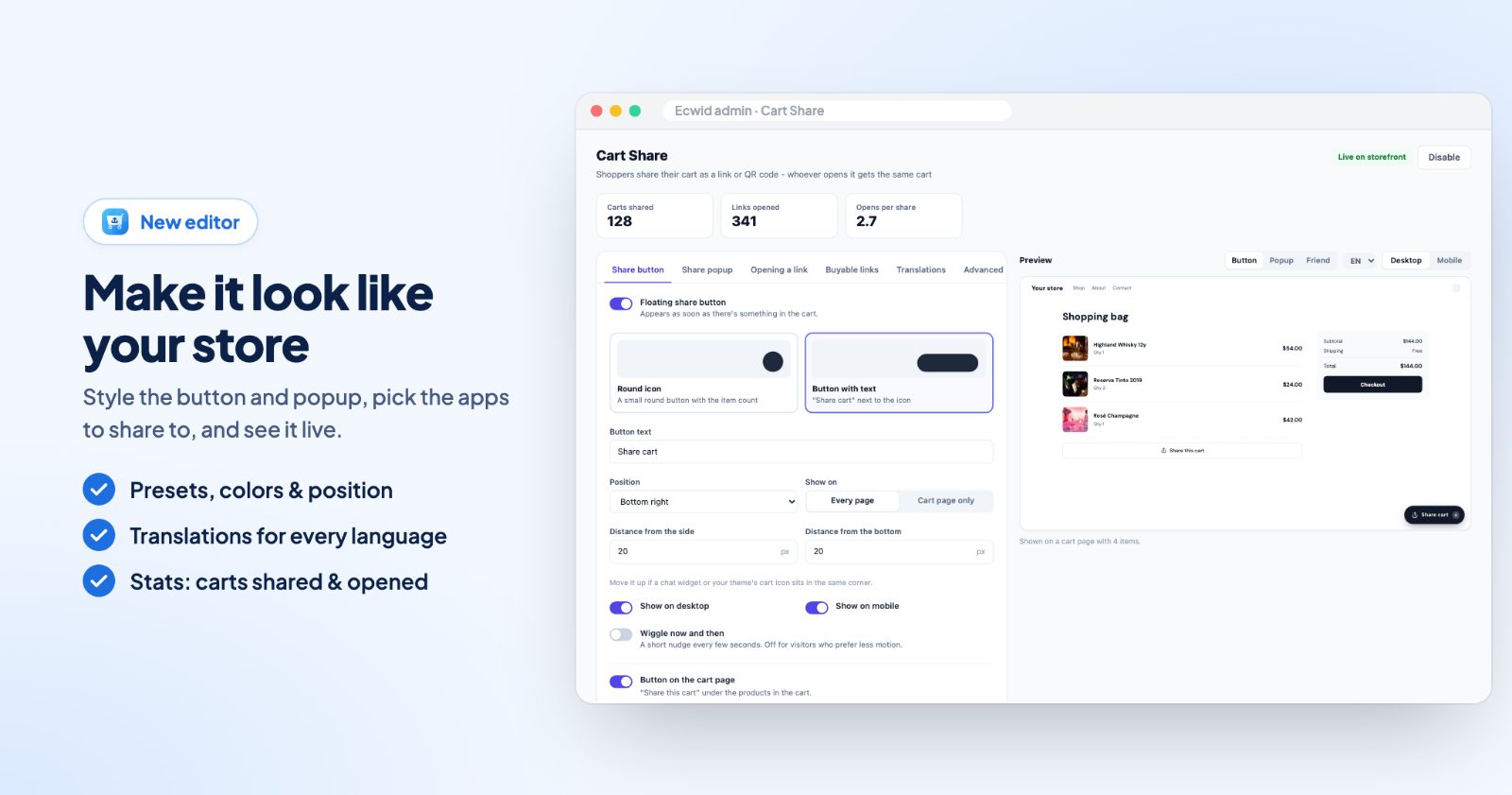
Open the app. On the Share button tab, Floating share button adds a button that appears as soon as there's something in the cart. Pick the type: a Round icon with the item count, or a Button with text ("Share cart" next to the icon), and one of eight icons, among them Share, Cart, Bag and Gift.
- Position: bottom right, bottom left, bottom center, or the middle of the right or left side. Move it with Distance from the side and Distance from the bottom if a chat widget sits in the same corner.
- Show on: Every page or Cart page only, and Show on desktop / Show on mobile.
- Wiggle now and then: a short nudge every few seconds, off for visitors who prefer less motion.
- Button on the cart page: "Share this cart" under the products in the cart.
For the holidays, the Gift icon with the text "Send your wish list" makes the idea clear.
2. Choose how it's sent (Share popup)
The share button opens a popup with the link and a Copy button. On the Share popup tab, set the Title and Text, and switch on:
- Cart summary: product photos, item count and total.
- QR code: behind a "Show QR code" button, to open the cart on a phone.
- Share buttons: one tap to send the link with WhatsApp, Facebook, Messenger, X, Telegram, email, SMS, Pinterest and more. "Share sheet" opens the phone's own share menu (Instagram, Messages, AirDrop...) on devices that have one.
Message sent with the link is the text that goes along, "Check out my cart" by default. For gift lists, something like "Here's my wish list" works well.
3. Decide what happens when the link is opened (Opening a link)
Under Products already in their cart, choose one:
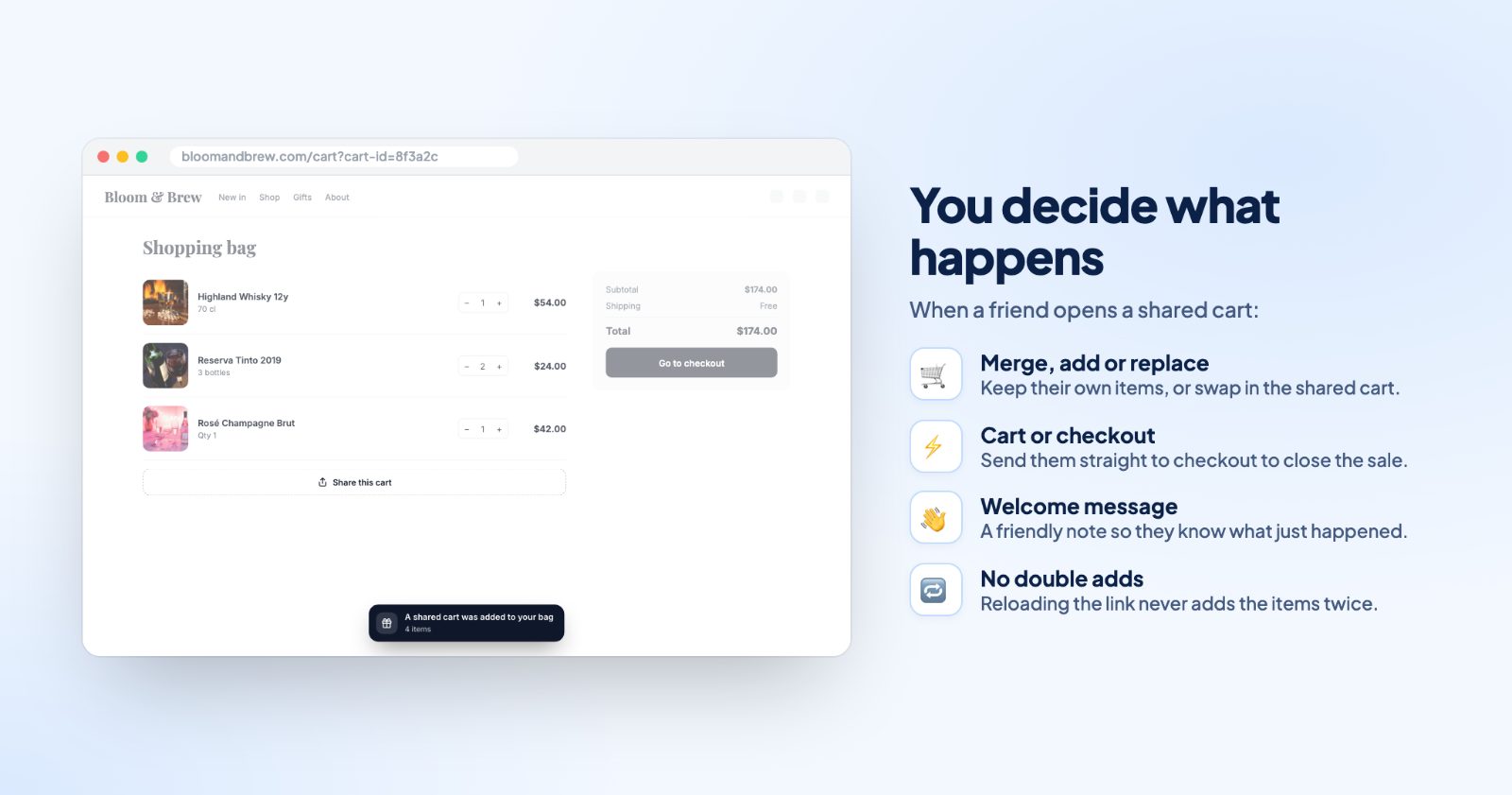
- Add what's missing (recommended): items already in their cart aren't added twice.
- Always add: every item is added, even if it's already in their cart.
- Replace their cart: their cart is emptied first, so they get exactly the shared cart.
Then is Open the cart or Go to checkout, and the Welcome message ("A shared cart was added to your bag") tells them what just happened. Products you've since hidden or deleted are skipped.
4. Make buyable links for posts and emails
The simplest way works in every store: fill a cart in your own store with the products you want to promote, tap Share cart and copy the link. Everyone who opens it gets the same products. Put it in a newsletter, an Instagram bio, an influencer's post or behind a QR code on a flyer or your packaging.
Adding a discount to the link
The link itself doesn't carry a coupon. Prices, stock and discounts always come from your store at the moment the link is opened, so any sale price or automatic discount you set up in your store applies to the shared cart too. Two ways to make it a "discount link":
- Put the products on sale in your store for the campaign, then share the link.
- Create a coupon under Marketing → Discount coupons and write the code next to the link: "Shop the bundle and use GIFT15 at checkout". Choosing Go to checkout takes the shopper right to where the code goes.
For deals that apply in the cart without a code (buy 2 get 1, bundles, spend more save more), see Cart Discounts.
5. Watch how it's used
Above the settings, Carts shared, Links opened and Opens per share show how much the sharing is used. The Preview shows the button, the popup and the friend's side on desktop or mobile while you edit, and the Translations tab has every text for your other store languages.
Common setups
Holiday wish list
Floating Button with text, Gift icon, text "Send your wish list", message "Here's what I'd love for the holidays". Then: Open the cart, so the parent can add or remove items before paying.
Gift shopping for someone else
Replace their cart and Go to checkout, so the person paying gets exactly the list, nothing from their own cart mixed in.
A bundle in your newsletter
Build the bundle as a cart, copy its link, and put it under a "Get all three" button in your email. Pair it with a sale price or a coupon code in the text.
QR code on packaging or in the shop window
Download the QR code as SVG and print it on a flyer or insert card for a reorder pack, so a scan puts the products back in the cart.
Phone to laptop
Keep the Button on the cart page and the QR code in the popup on, so shoppers can move a cart between their own devices.
Questions
Do shoppers need an account to share a cart?
No. Logged-in shoppers and guests can both share their cart.
Are prices and stock checked when the link is opened?
Yes. The cart is rebuilt from your current products, so the person opening it always sees today's price and availability.
What if someone opens the link twice?
Reloading the same link doesn't add the items again. And with Add what's missing, items that are already in their cart aren't added twice.
My cart is on a custom address. Will links work?
Yes. Under Advanced, set the Cart page link if your cart is on a subdomain, another website or a link with #!/~/cart. Shared links open that address.