How it works in short
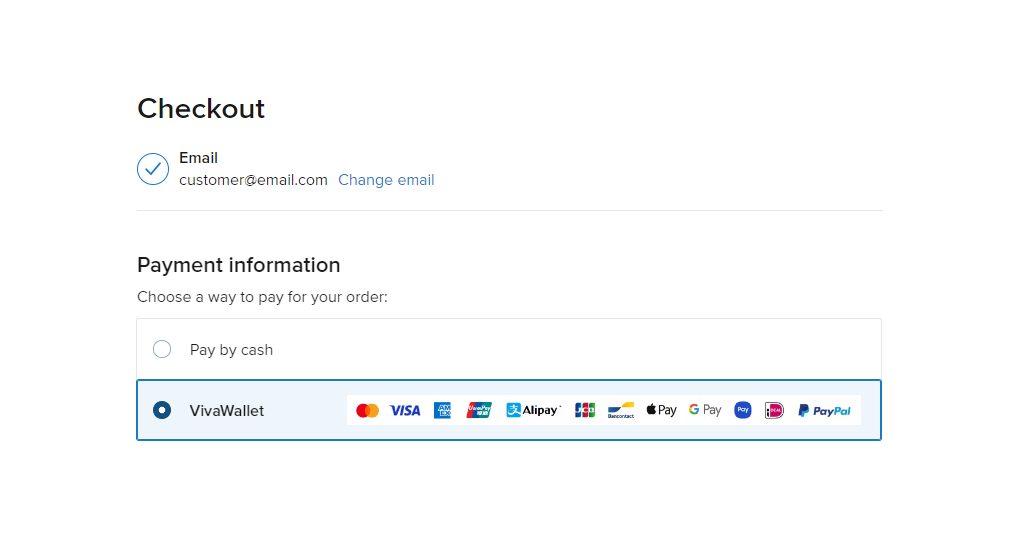
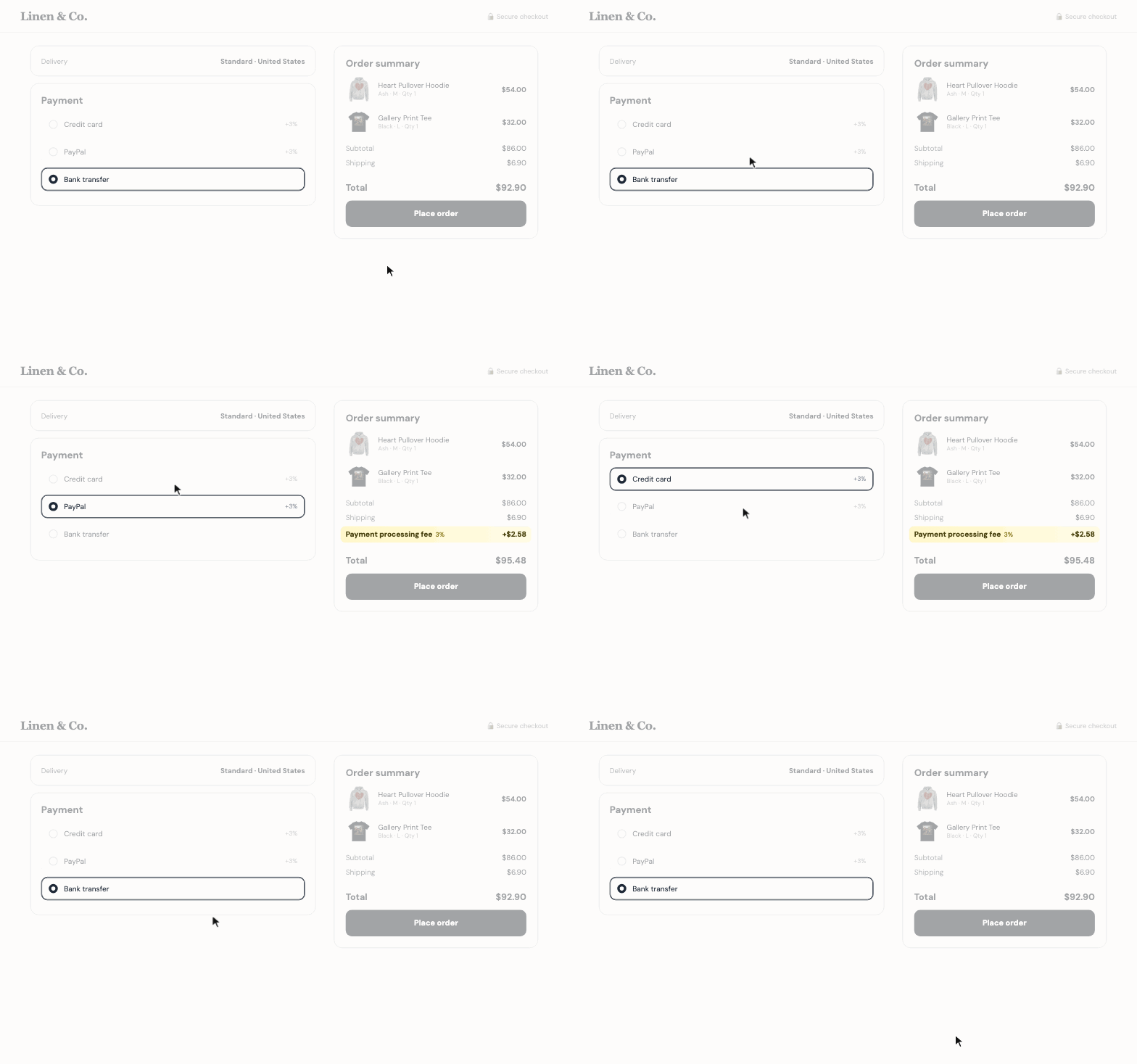
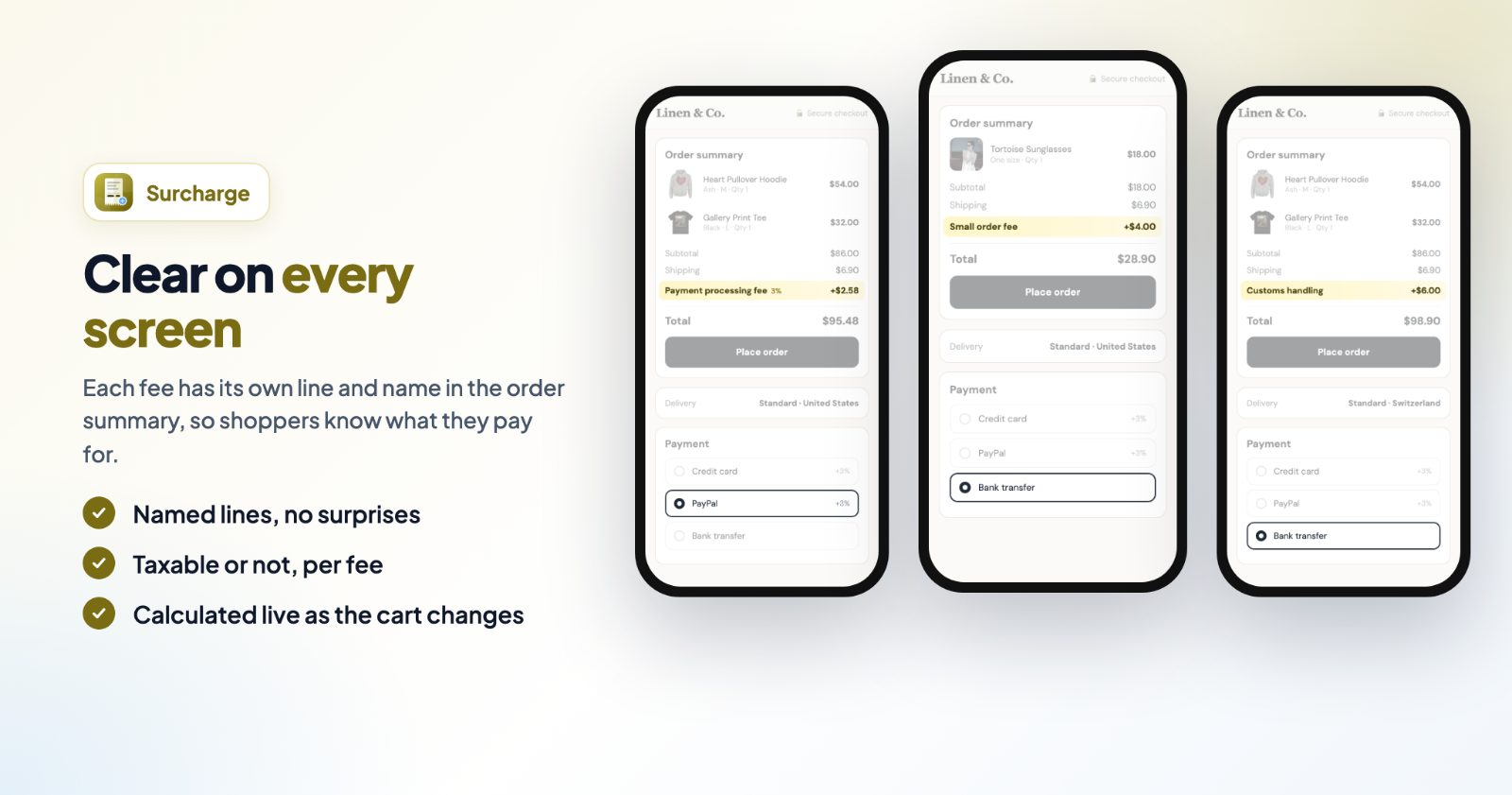
You make a list of fees in the app. Each fee has a name, an amount and, if you want, conditions. When a shopper checks out, your store asks the app which fees apply to that cart, and every fee that fits is added to the order summary as its own line with your fee name. It is worked out again whenever the cart changes, for example when the shopper picks another payment method.
- Shown clearly: the fee name is in the checkout's order summary, and later in the order confirmation and on invoices.
- Nothing added to your storefront: the fee line is drawn by your store's own checkout.
- Taxable or not: turn on Taxable for a fee to add tax to it, like to your products.
1. Start from an example
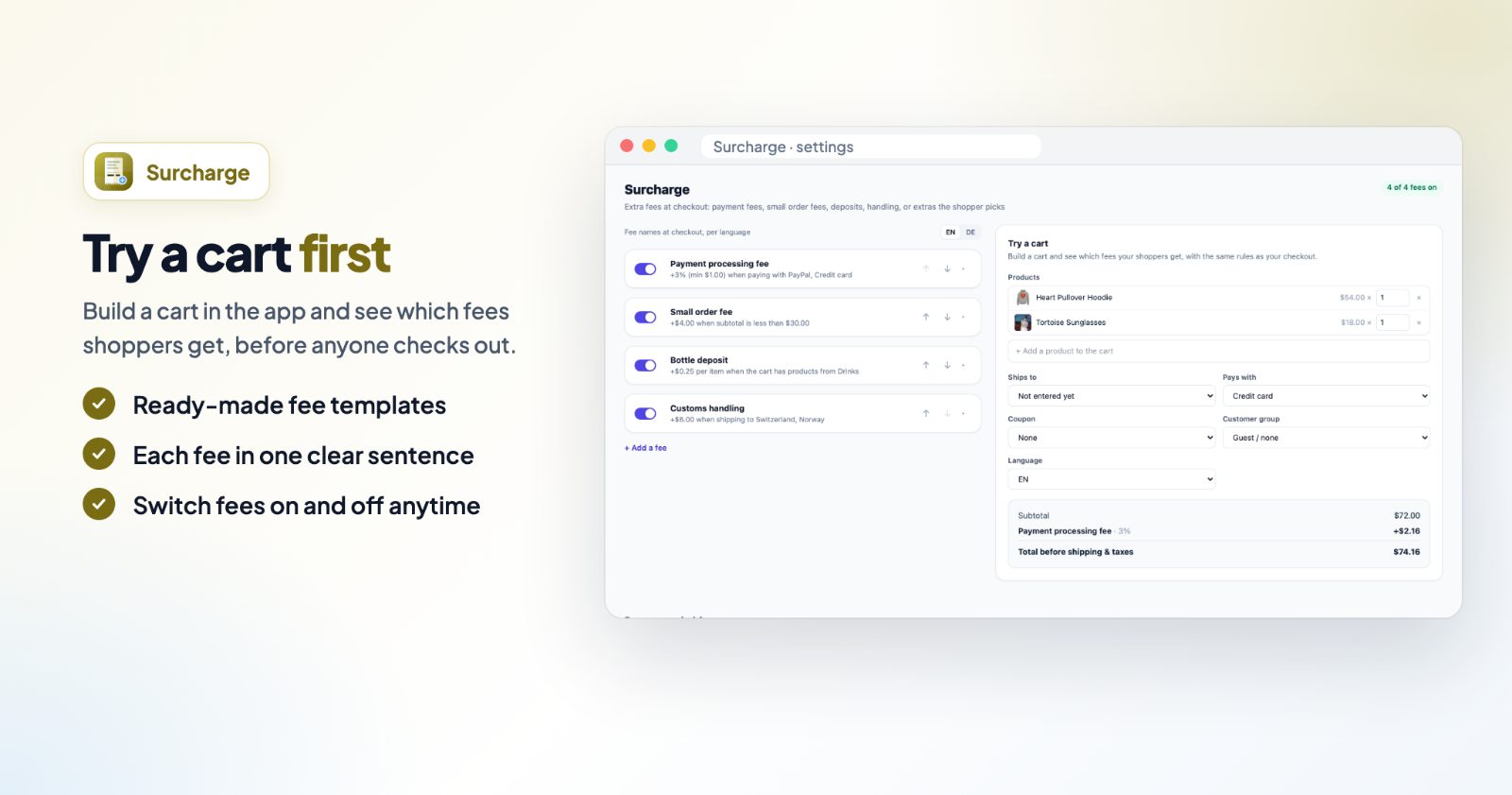
Open the app and click + Add a fee. Pick the closest example and change it:
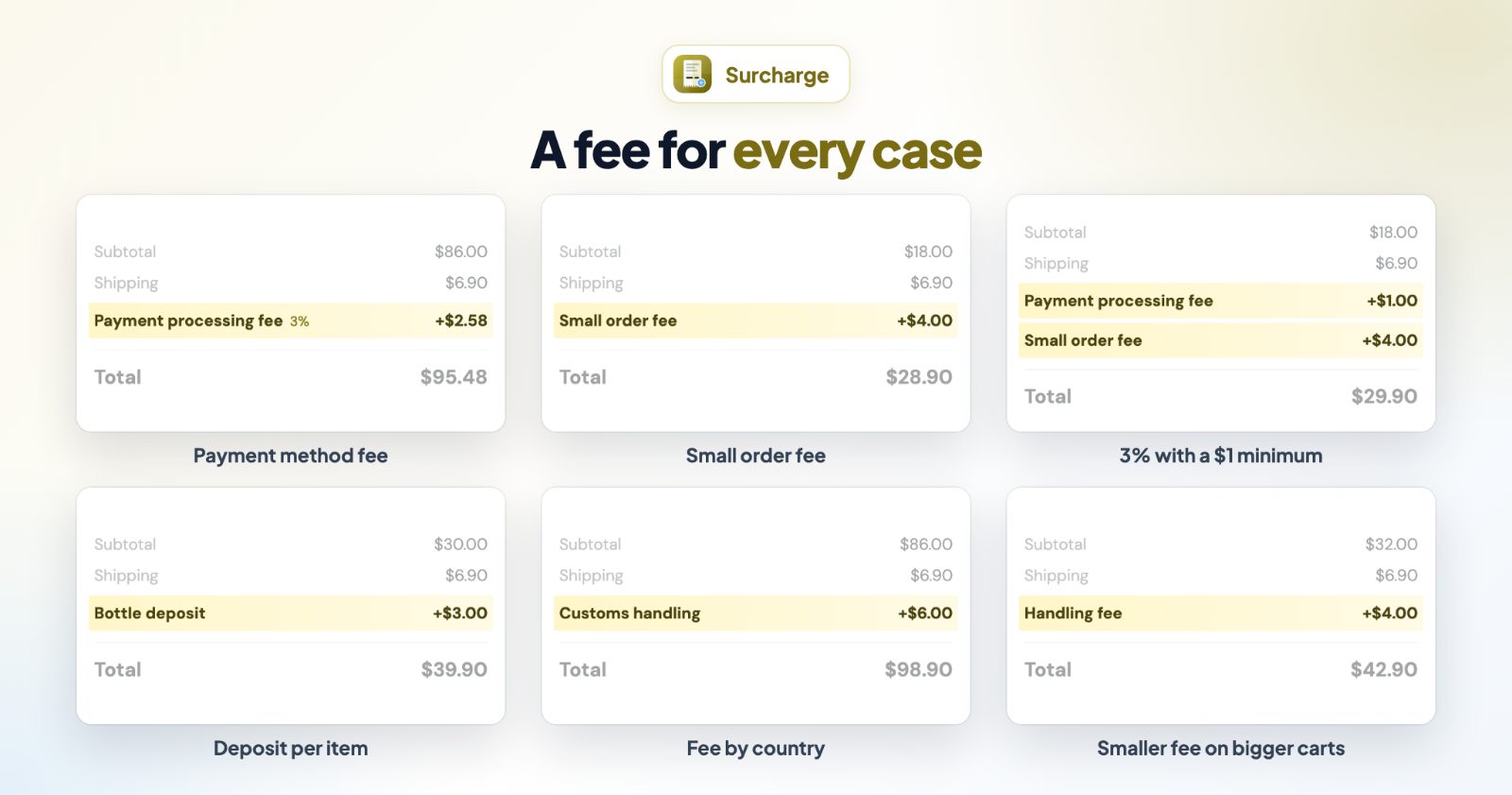
- Payment method fee: e.g. 3% for card or PayPal payments.
- Small order fee: e.g. $3 for orders under $20.
- Country fee: e.g. customs handling for some countries.
- Per item fee: e.g. $0.25 deposit per bottle.
- Tiered handling fee: a smaller fee as the cart grows.
- Start from scratch: a fee for every order.
2. Name the fee and set the amount
Fill in Name at checkout: this is what shoppers read in the order summary, so make it clear ("Payment processing fee", "Bottle deposit"). If your store has more languages, pick each one at Fee names at checkout, per language and write the name in it.
Then choose how the Fee is worked out:
- Fixed amount: the same amount on every order that fits.
- Percentage: a Percent of the cart, with an optional At least and At most, for example 3% but at least $1 and at most $20.
- By cart size: tiers by subtotal, in amounts or percentages, for example $4 under $25, $2 under $75, and nothing from $75 up. Click + Add a tier for more steps.
- Per item: an Amount per item, counting every item in the cart or only the products the conditions below count.
For per item fees, packs and cases can count as more items. Click + Count a pack or case as more items and choose by products, categories, a product option the shopper picks (Pack size: 12-pack counts as 12) or a product attribute that holds the number. A $0.75 per item fee is then $9.00 for a 12-pack.
3. Add conditions (optional)
Without conditions the fee is charged on every order. Click + Add a condition to charge it only in some cases:
- Cart subtotal is more than, at least, less than, at most, exactly or not an amount.
- Products in the cart, Products from categories or a Product attribute is one of or none of your choices.
- Shipping country / state, and Delivery: only orders shipped or delivered to an address, not in-store pickup.
- Payment method, Customer group or Discount coupon.
With more than one condition, choose All match or Any matches. To run a fee only for a while, turn on Only between dates: both days are included, in your store's time zone.
4. Try a cart, then save
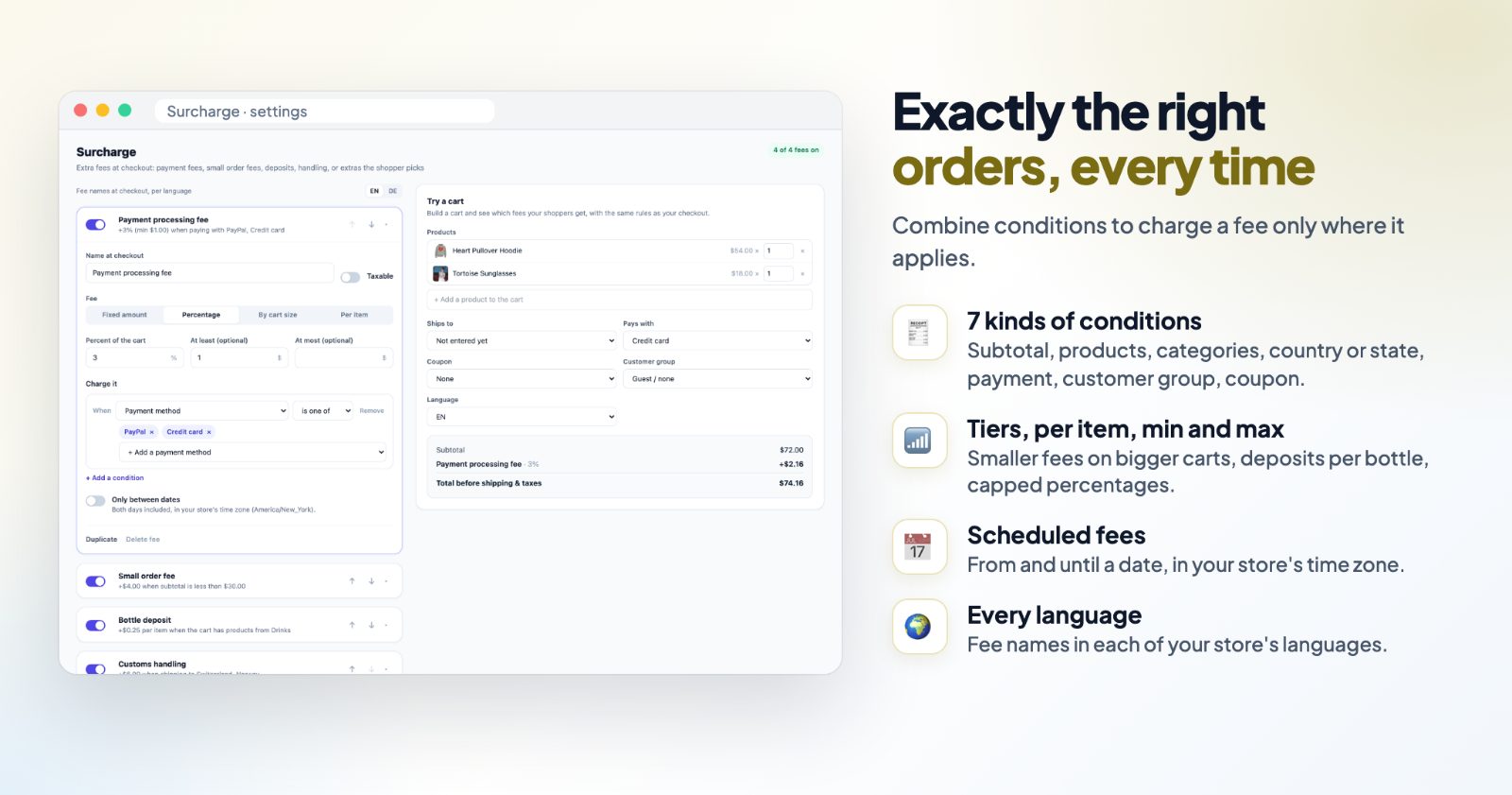
The Preview on the right builds a cart and shows which fees your shoppers get, with the same rules as your checkout. Add products, then pick where it Ships to, what it Pays with, a coupon, a customer group and the language. When the fees look right, click Save.
In the list, each fee is summed up in one sentence and has its own switch, so you can turn it off without deleting it. The arrows change the order of the fee lines at checkout; the amounts don't change.
And this is how the fees look at checkout on a phone:
Common setups
A card or PayPal fee
Add Payment method fee, keep 3% (or your provider's rate) and pick the payment methods. Set At least $1 so small orders still cover the fixed part. Shoppers who pick another method, like bank transfer, pay no fee. Check that payment fees are allowed where you sell.
A small order fee
Add Small order fee: $3 when the cart subtotal is less than $20. It is a reason to add one more item, and it covers packing for tiny orders.
Customs handling for some countries
Add Country fee and pick the countries, for example Switzerland and Norway. Add the Delivery condition so pickup orders don't get it.
A bottle deposit
Add Per item fee, name it "Bottle deposit", set $0.25 per item and pick your drinks category. Add a pack size option rule so a 12-pack counts as 12 bottles.
A handling fee that disappears on bigger carts
Add Tiered handling fee: $4 under $25, $2 under $75, nothing from $75 up. Shoppers see a reason to spend more, much like a free shipping threshold.
A seasonal fee
Add a fee from scratch, for example "Holiday express packing", and turn on Only between dates. It starts and stops by itself.
Questions
Where do customers see the fee?
In the checkout's order summary as its own line with your fee name, and later in the order confirmation and on invoices.
Can a fee be only for orders that are shipped?
Yes. Add the condition Delivery: shipped or delivered to an address. A shipped order gets the fee once the shopper has entered their address at checkout; in-store pickup orders don't.
How are taxes handled?
Turn on Taxable for a fee to add tax to it. Leave it off for fees without tax.
Can I change how the fee line looks?
Yes, with a little CSS in your website's custom code. The app's FAQ has a ready snippet for the fee's name, its amount and the space around the line.