How it works in short
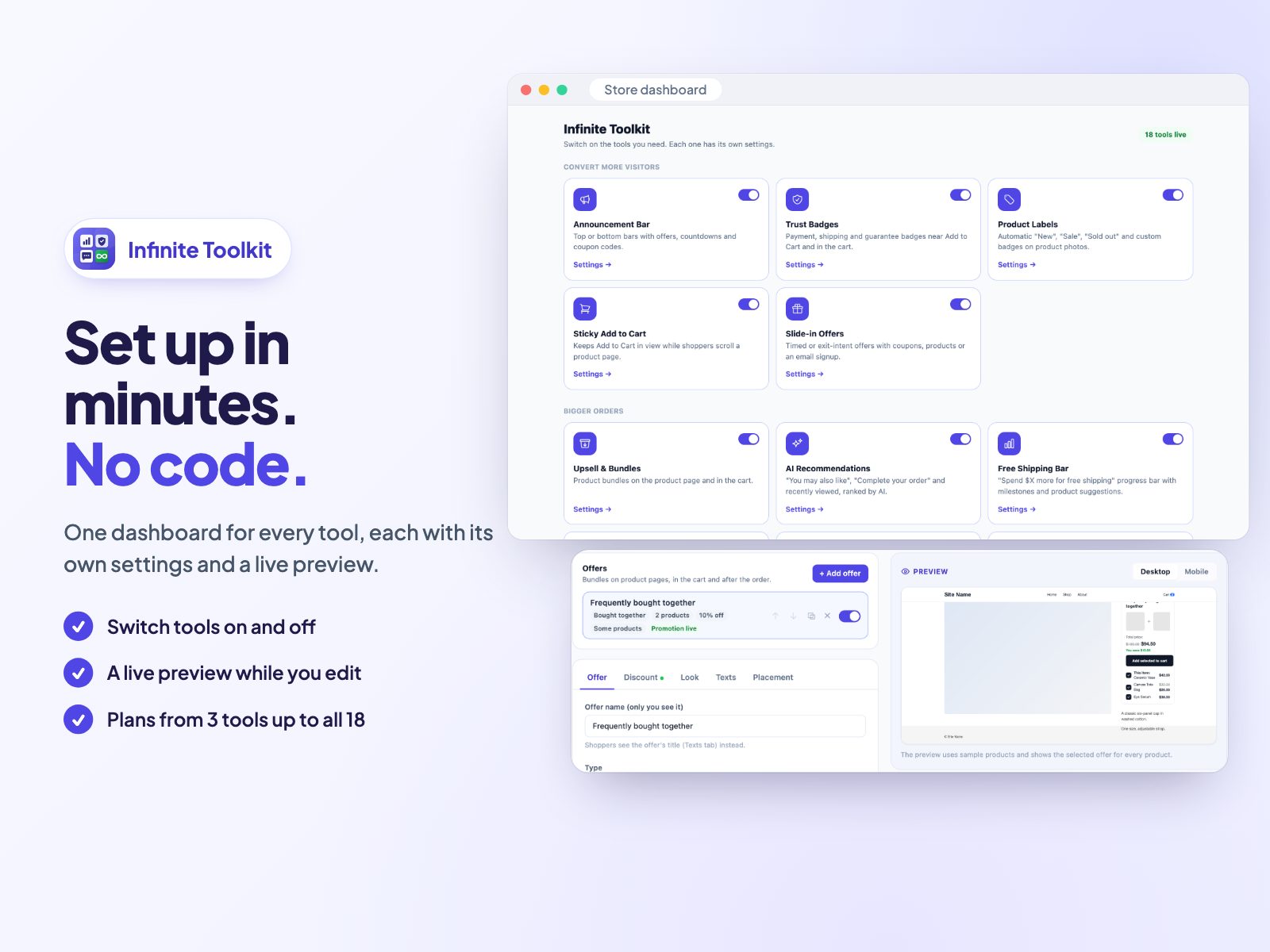
Infinite Toolkit puts 18 store tools into one app. After you install it, you get one dashboard with a card for every tool. Switch a tool on, fill in its settings, and it shows on your site. Each tool has its own settings page with a live preview on desktop and mobile.
- Only what you use loads: tools that are off add nothing to your pages.
- No code: most tools place themselves next to Wix Stores' own parts, like the product page's Add to Cart. Stories and feeds can go anywhere with the Infinite Toolkit block.
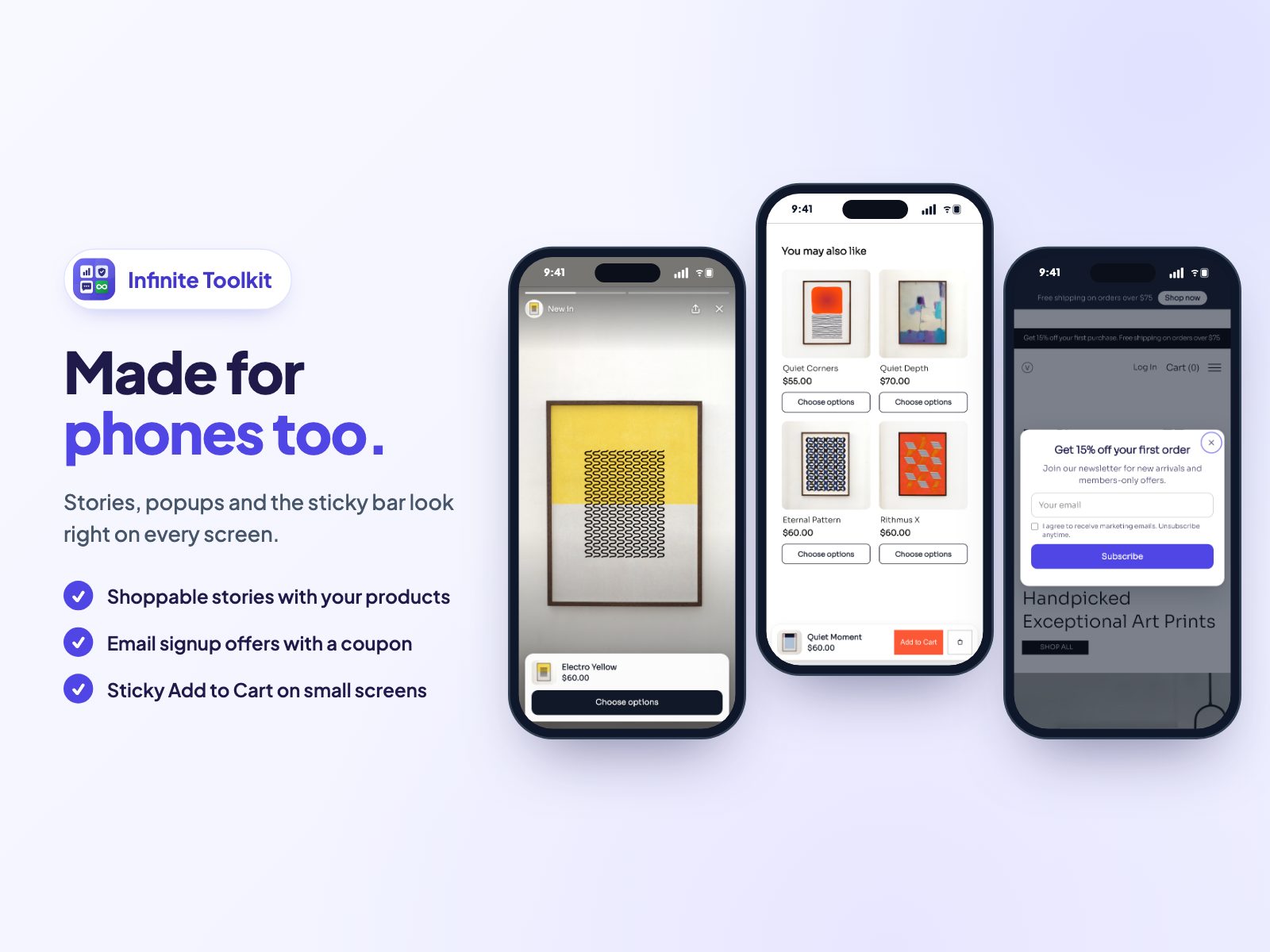
- Phones included: stories, popups and the sticky bar are made for small screens.
1. Install the app
Find Infinite Toolkit in the Wix App Market and add it to your site. Every plan starts with a seven-day free trial. The plans differ only in how many tools can be on at the same time: from 3 tools up to all 18.
2. Switch on the tools you need
Open Infinite Toolkit from your site's dashboard. The tools are grouped by what they do, and each card has its own on/off switch:
- Convert more visitors: Announcement Bar, Trust Badges, Product Labels, Sticky Add to Cart and Slide-in Offers.
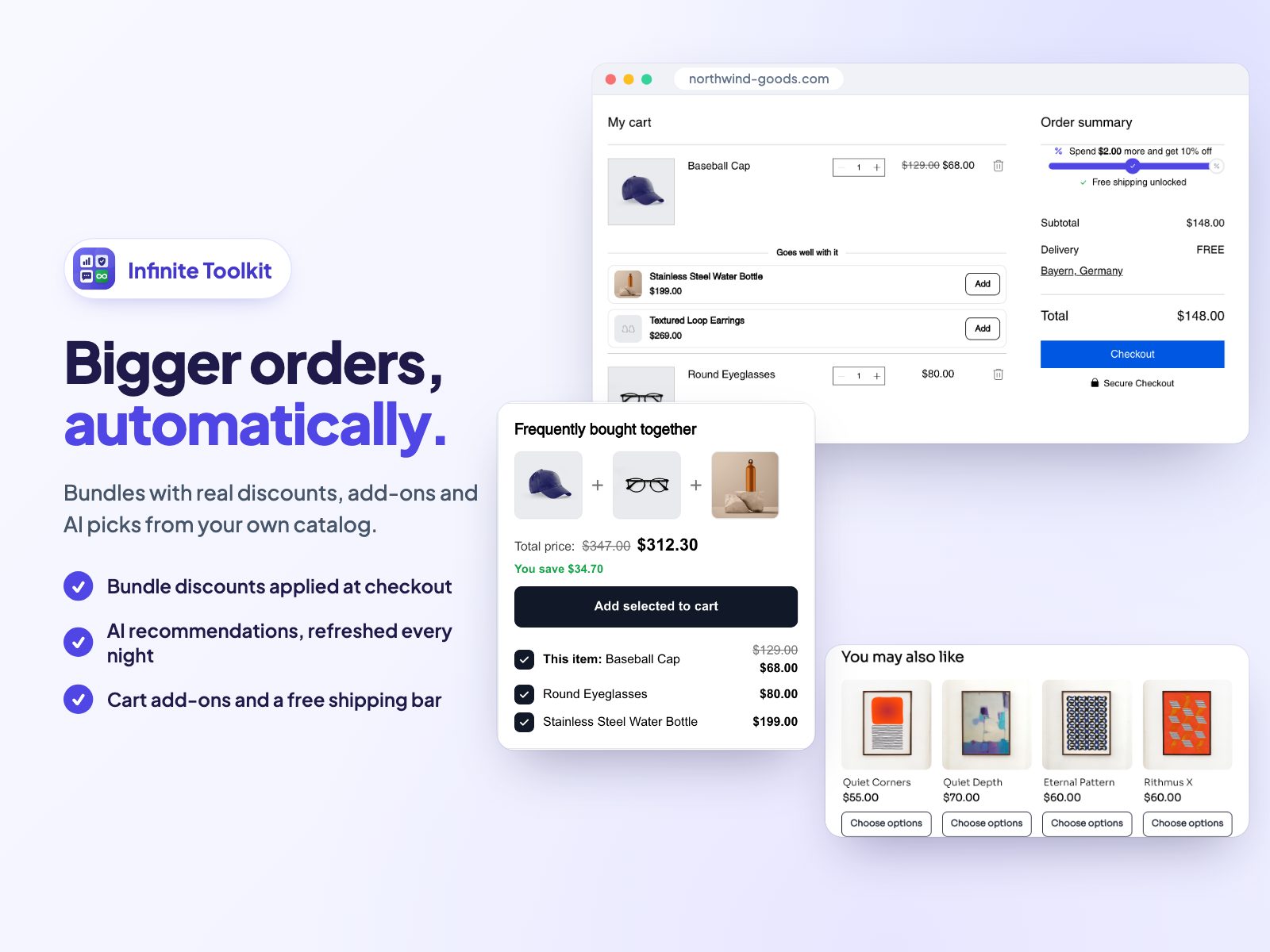
- Bigger orders: Upsell & Bundles, AI Recommendations, Free Shipping Bar, Cart Add-ons, Cart Reminder and Cart Share.
- Engage & connect: Shoppable Stories, TikTok & Instagram Feed, Chat Buttons and Follow Us Buttons.
- Store info & compliance: Opening Hours, Product Tabs and Age Verification.
3. Set up each tool with the live preview
Click Settings on a tool's card. You change the text, colors and options on the left and see the result on the right, on desktop and mobile, before you save. For the announcement bar that is the message, the colors and the countdown; for a bundle, the products and the discount.
4. Check your product pages
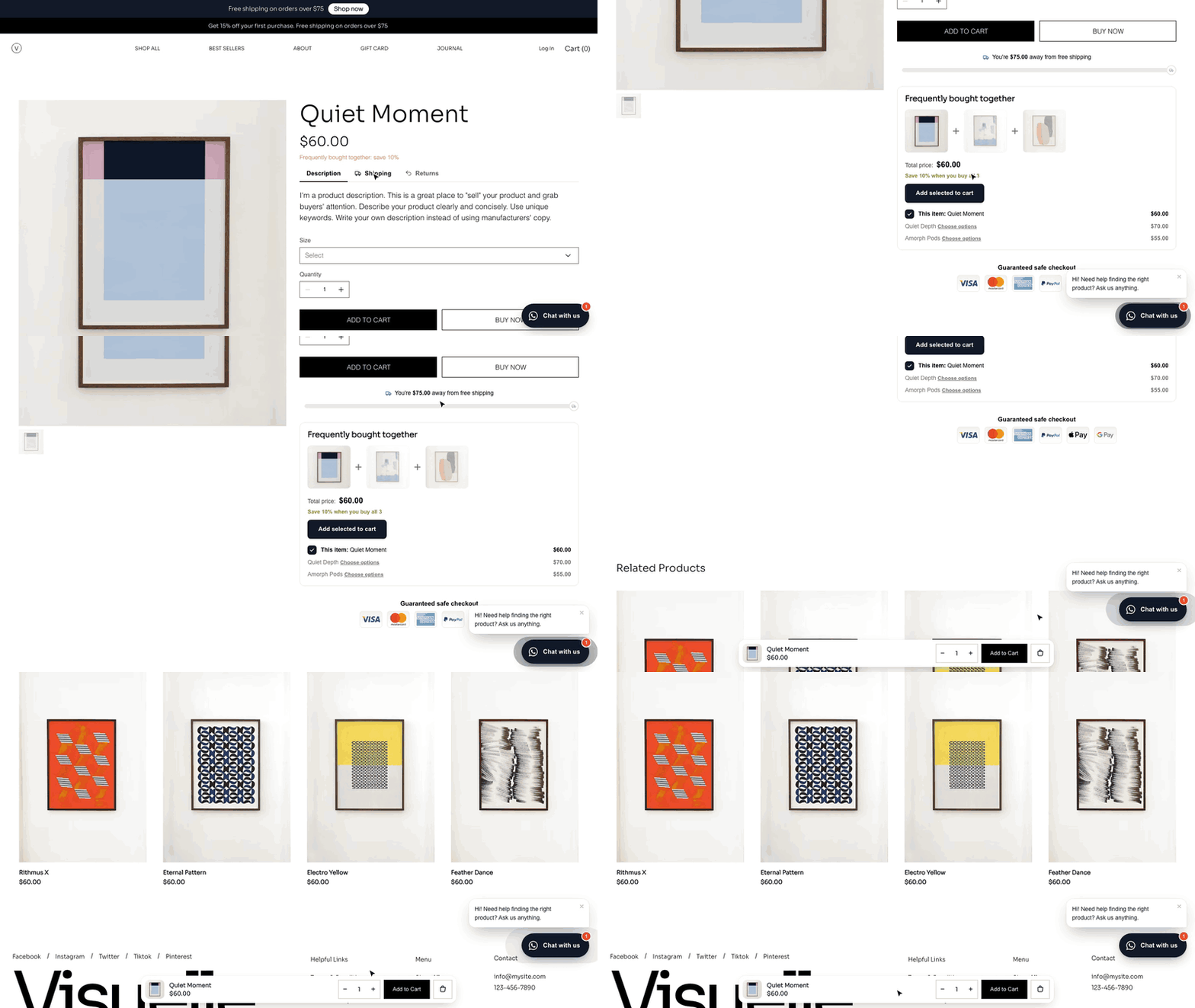
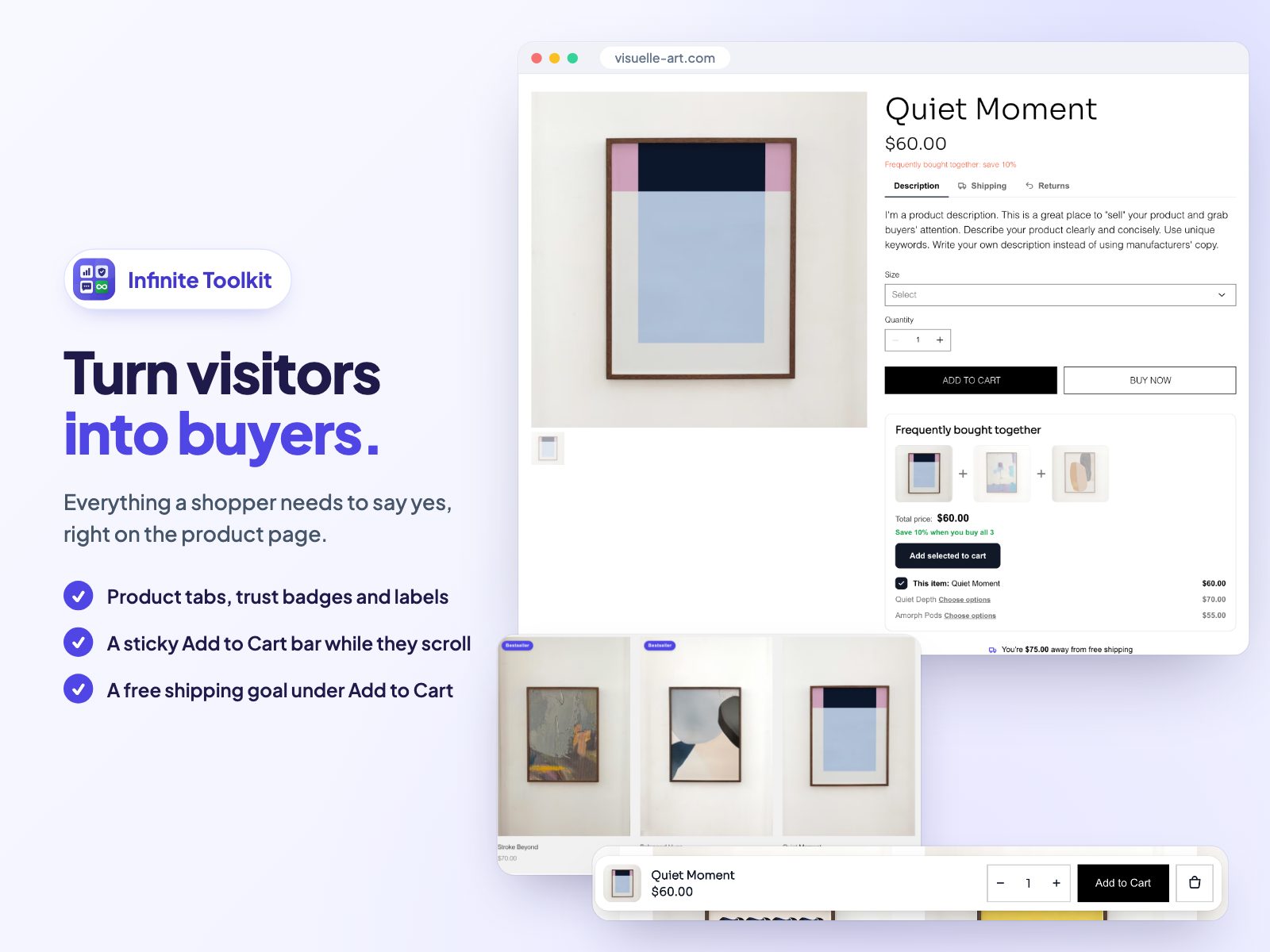
The tools for product pages sit around Add to Cart: description tabs, a Frequently bought together bundle, a free shipping goal and trust badges. When shoppers scroll down, the sticky Add to Cart bar keeps the button in view.
5. Grow the order in the cart
In the cart, the free shipping bar shows how much more the shopper needs to spend, Cart Add-ons offers one-click extras, and bundles keep their discount. AI Recommendations adds "You may also like", "Complete your order" and recently viewed products, picked from your own catalog and refreshed every night.
6. Bring shoppers back
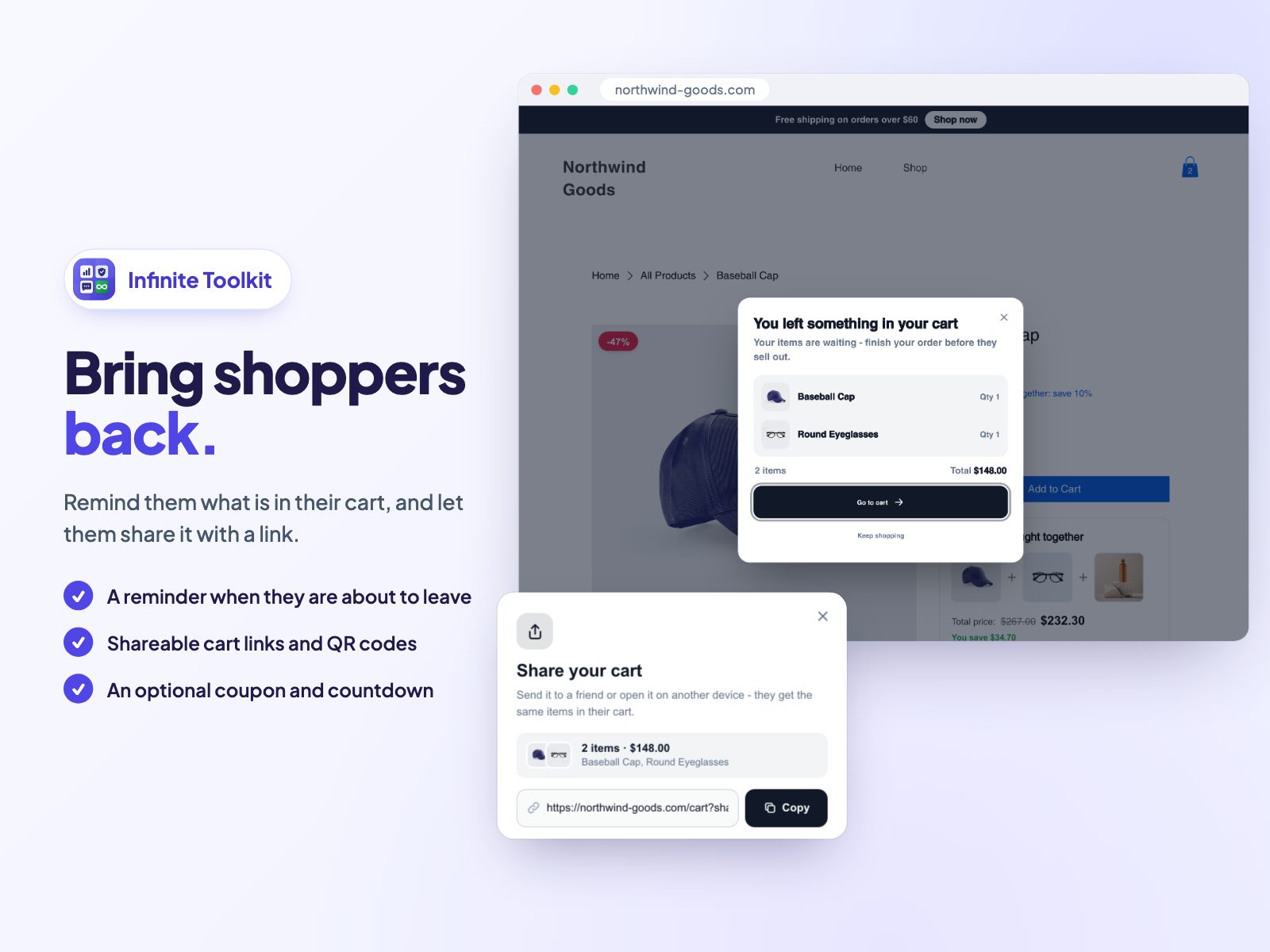
Cart Reminder shows what is in the cart when a shopper is about to leave, with an optional coupon and countdown. Cart Share lets shoppers send their cart as a link or a QR code, and you can build buyable links for your own posts and emails.
7. Place stories and feeds anywhere
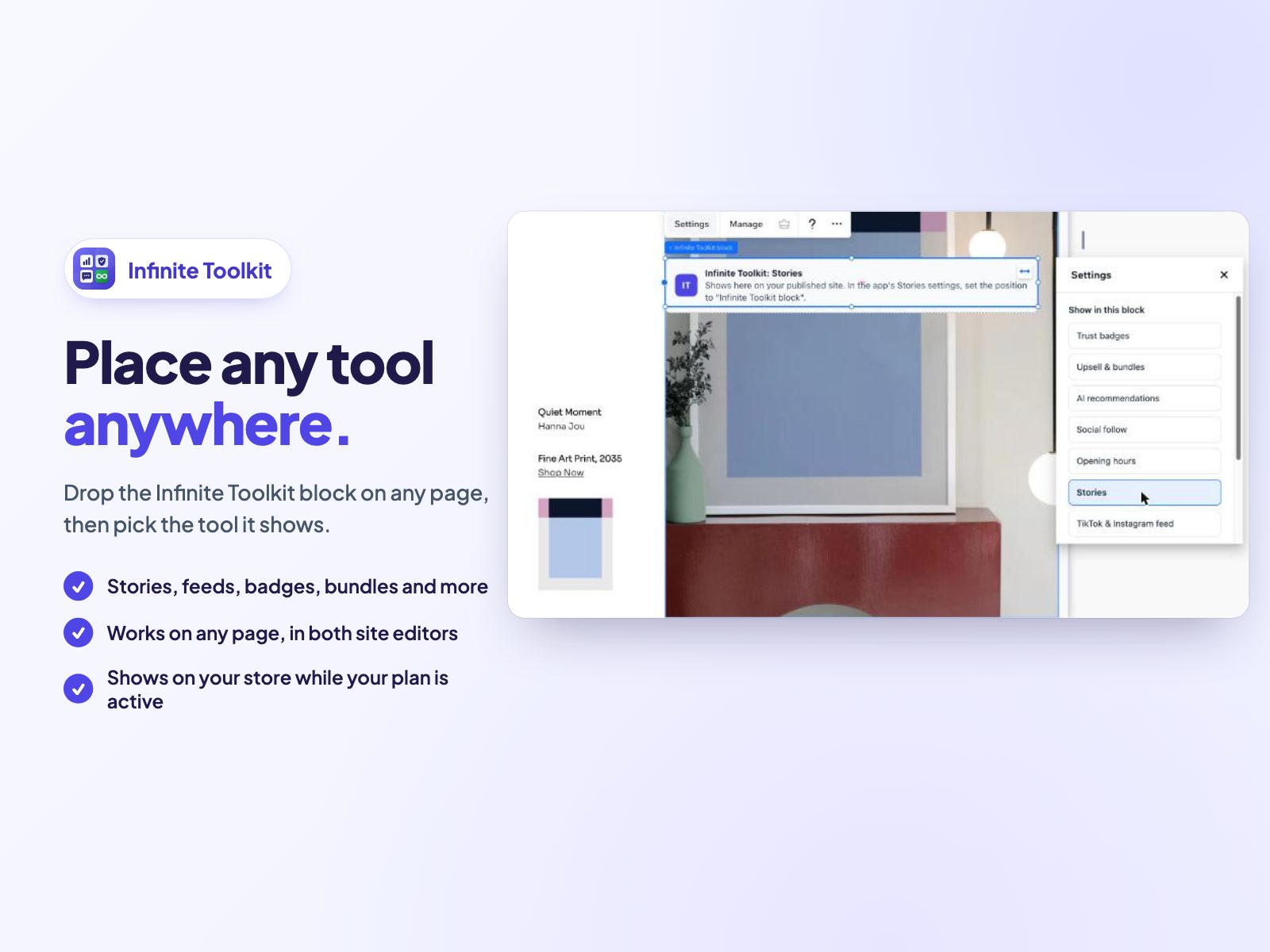
In the site editor, add the Infinite Toolkit block to any page and pick the tool it shows, for example your stories or your TikTok & Instagram feed. It works in both Wix site editors.
Common setups
A starter set for a new store
Switch on Trust Badges, Free Shipping Bar and Sticky Add to Cart: badges near the button, a clear free shipping goal, and the button always in reach.
Bigger orders for a store with many products
Use Upsell & Bundles for a Frequently bought together bundle with a discount, AI Recommendations on product pages and in the cart, and Cart Add-ons for small extras.
A sale or a holiday
Put the offer and a countdown in the Announcement Bar, add a Slide-in Offer with a coupon, and use Opening Hours for holiday notices or to pause orders while you are away.
A store that sells on social media
Add Shoppable Stories with your products, a TikTok & Instagram Feed linked to your products, and Chat Buttons for WhatsApp, Messenger, Telegram, phone or email.
Alcohol, vape or CBD
Switch on Age Verification: an age gate popup with a date-of-birth check before visitors enter the store.
Questions
Will 18 tools slow down my site?
Only the tools you switch on load on your site. A tool that is off adds nothing.
Do I need to edit code or my theme?
No. Most tools place themselves on your pages. For stories and feeds, you drop the Infinite Toolkit block where you want them in the editor.
Can I try it before paying?
Yes. Every plan starts with a seven-day free trial.
What if I need more tools later?
Plans go from 3 tools up to all 18. Move to a bigger plan when you want more tools on at once.
What happens when my plan ends?
The tools show on your store while your plan is active.