How it works in short
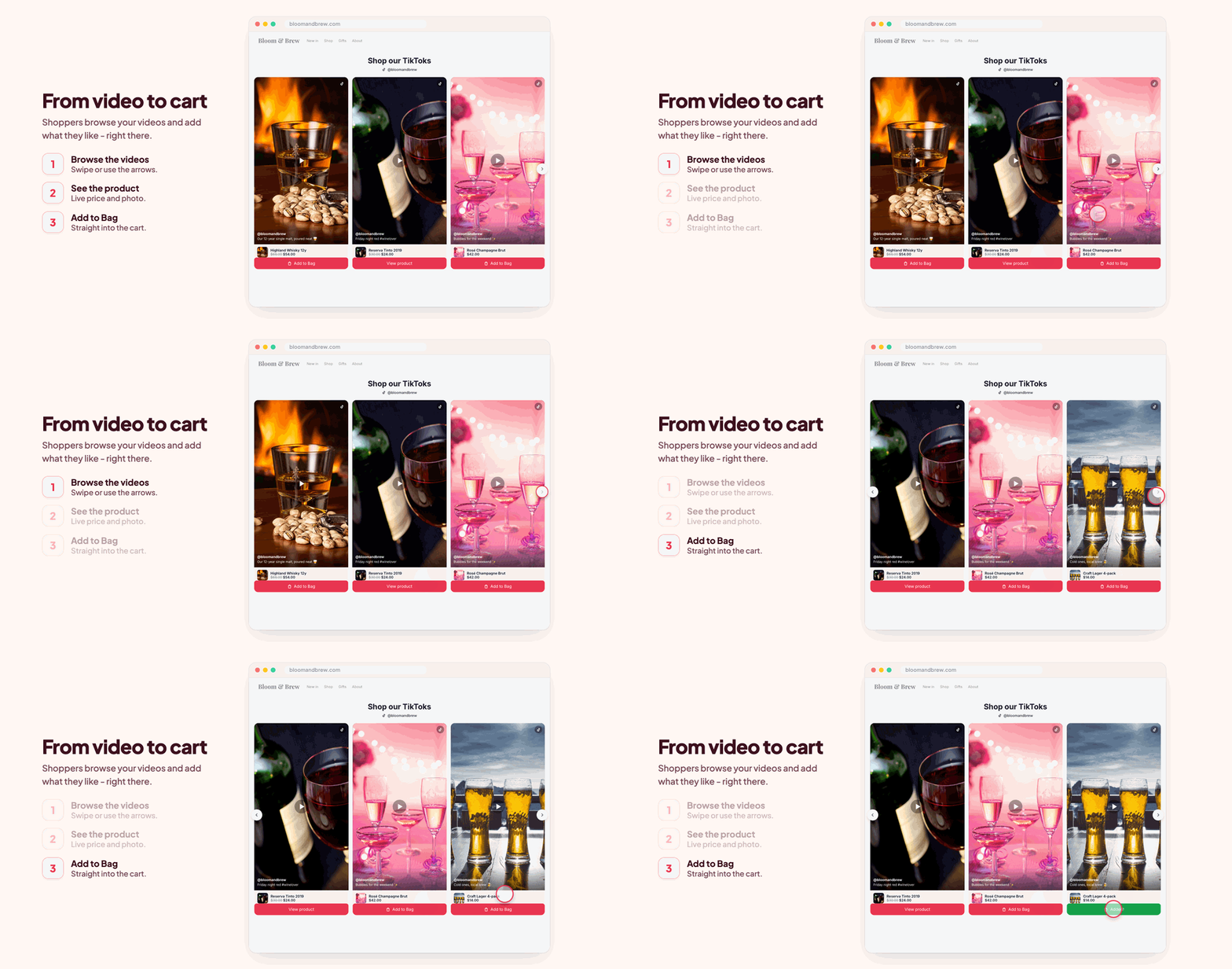
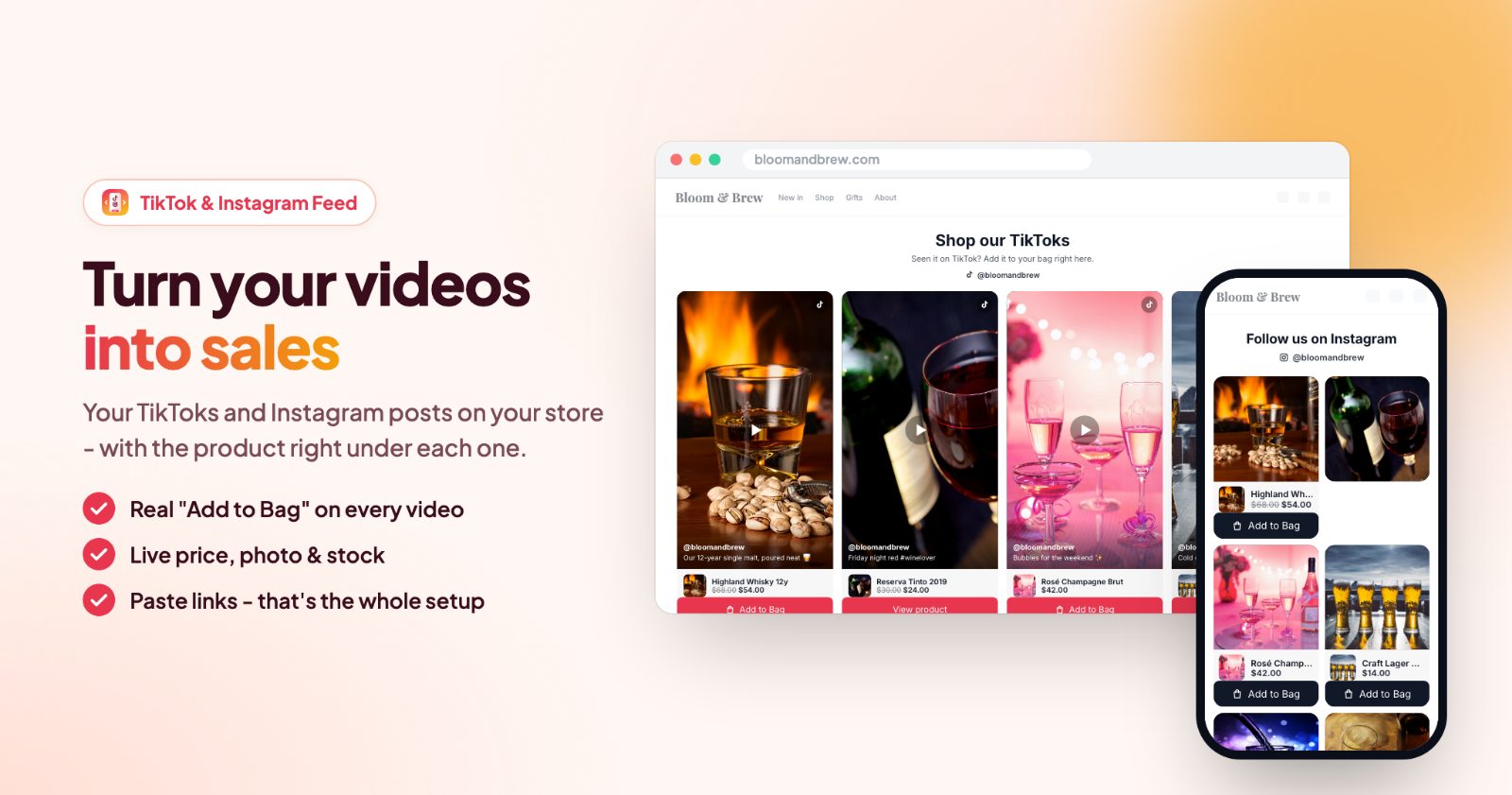
The app adds two sections to your store: a TikTok feed (up to 10 videos) and an Instagram feed (up to 12 posts and reels). You fill them by pasting links to your public posts. You only paste links; nothing has to be connected, and you don't need a TikTok or Instagram developer account.
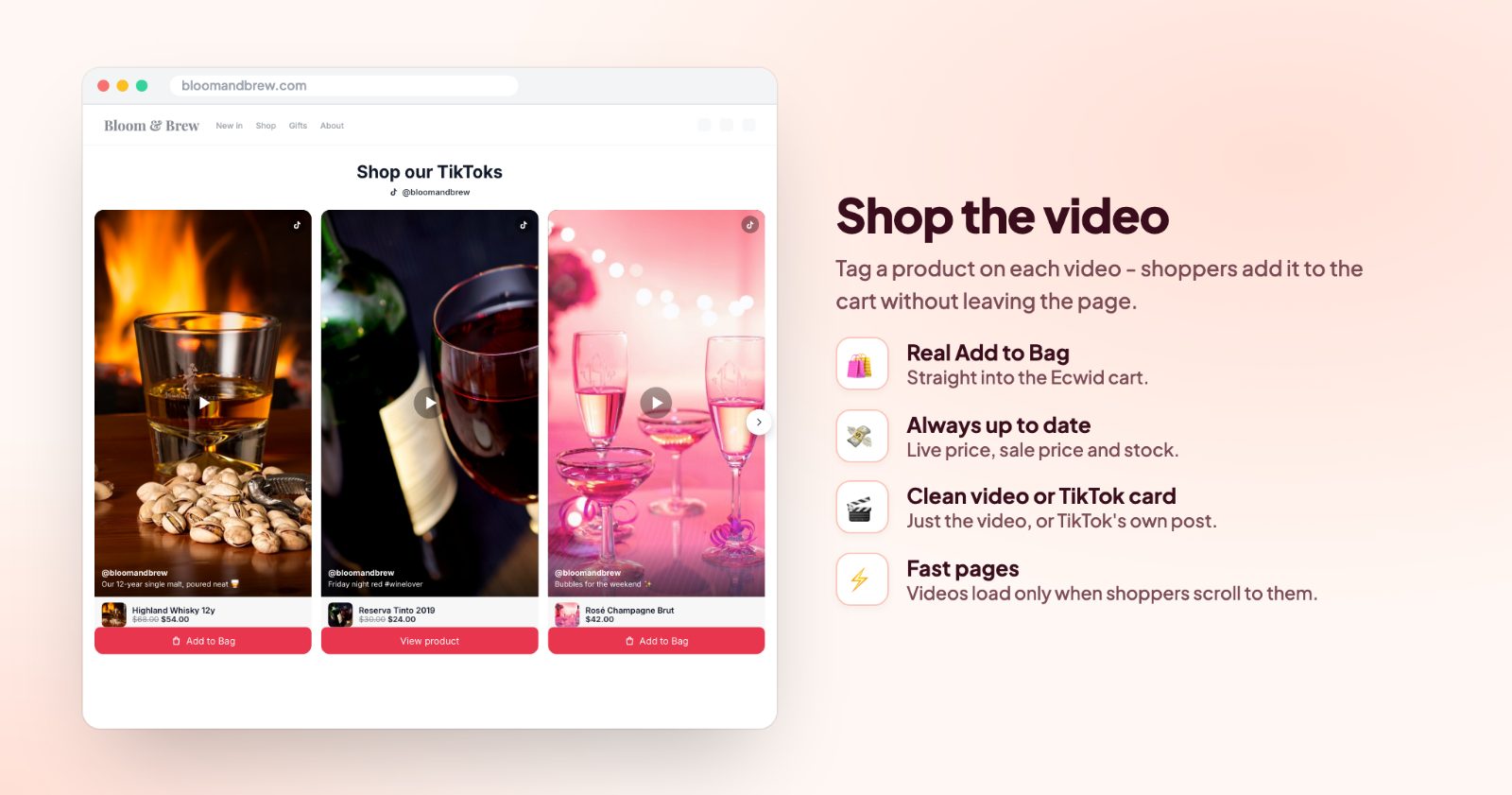
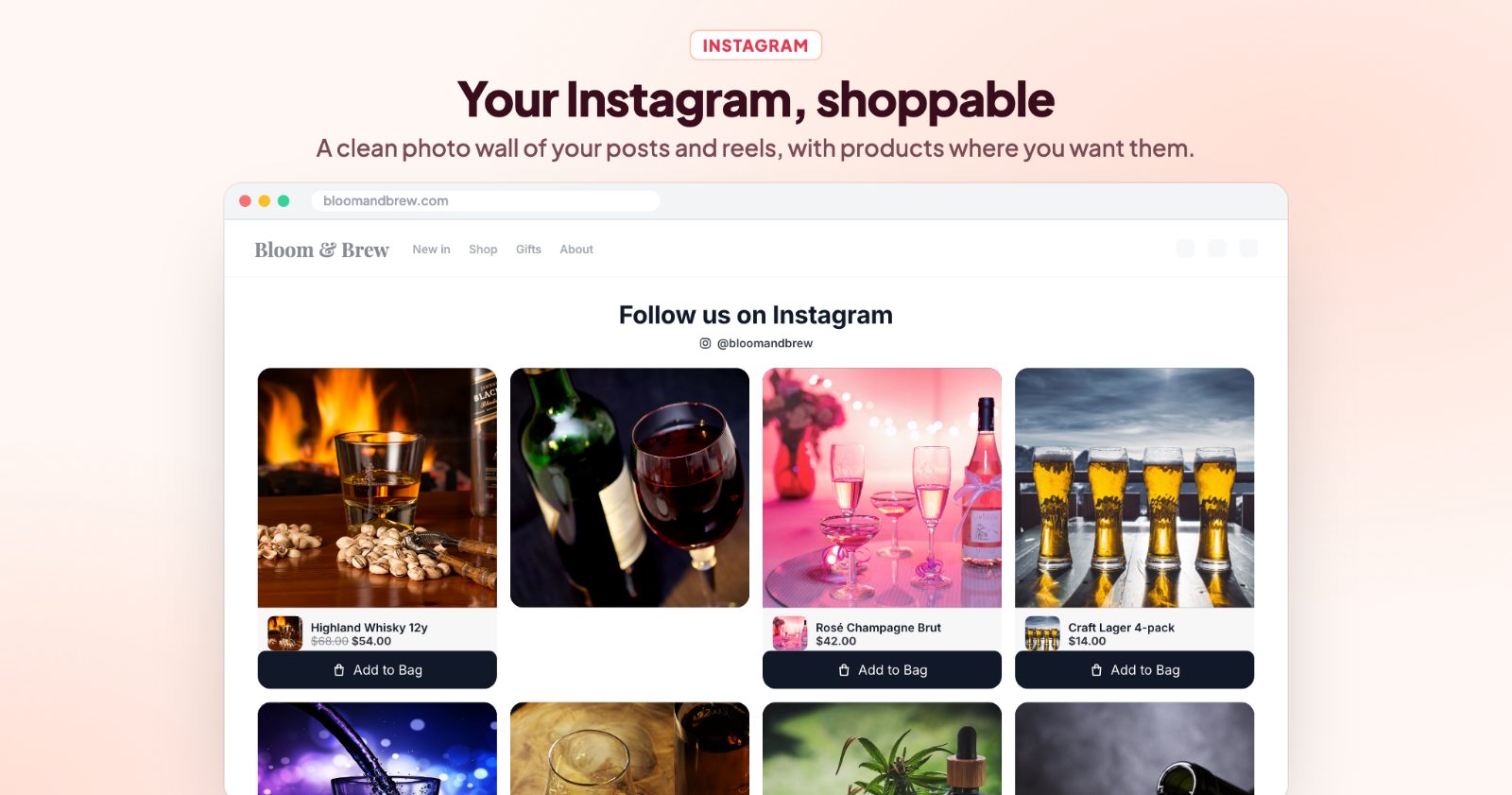
- Shoppable: tag a product on a video or post and it shows right under it with its photo, live price and an Add to Bag button that puts it in your store's cart.
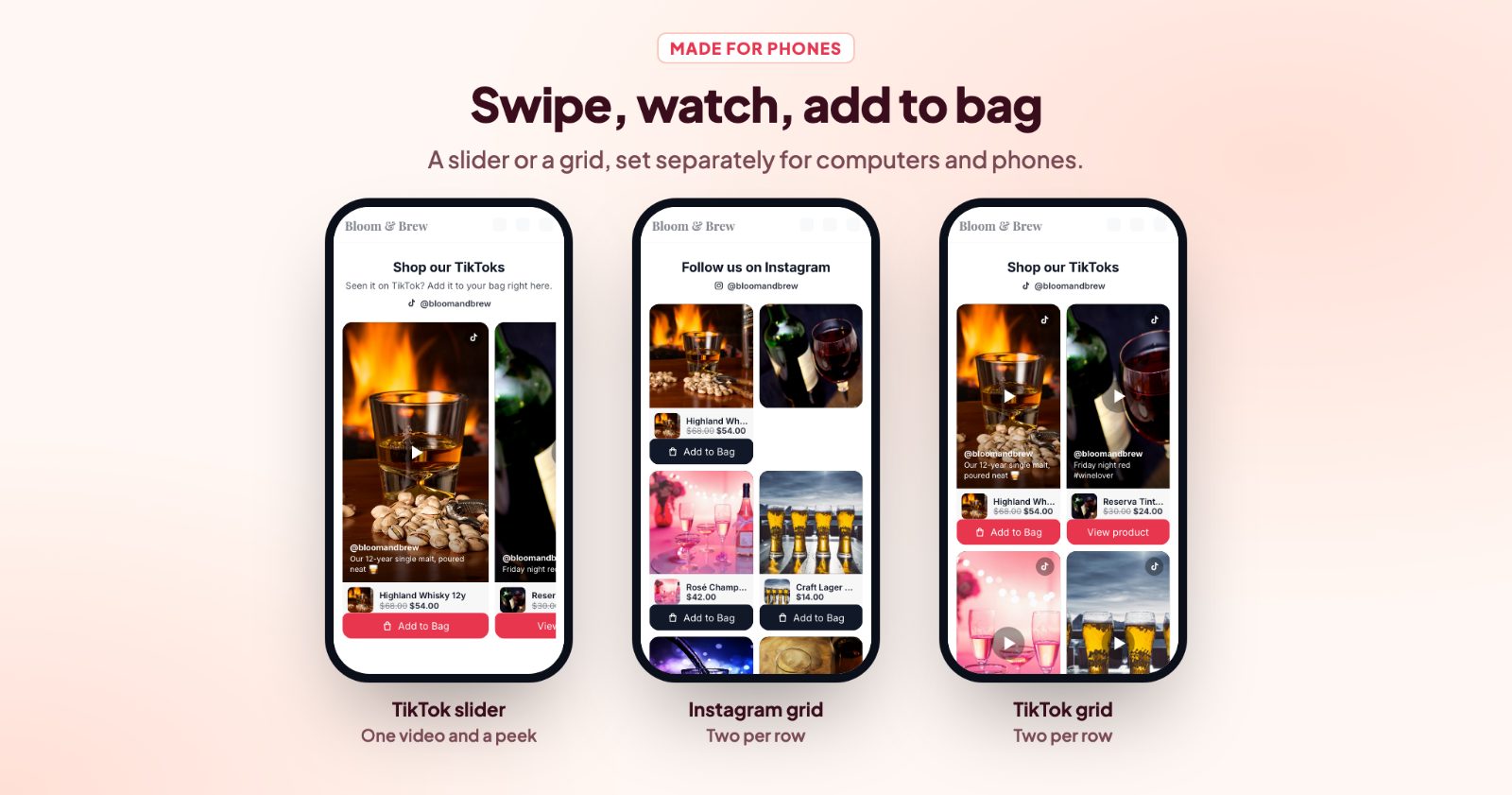
- Slider or grid: with its own number per row on computers and on phones.
- Light on your pages: videos load only when they come into view, so the rest of the page loads as usual.
1. Copy the links to your posts
On TikTok, open a video and use Share → Copy link. On Instagram, open the post and use ··· → Copy link; posts and reels both work. The posts have to be public. If you used the old version of the app, the TikTok embed code you pasted then works too.
2. Paste them in the app (TikTok and Instagram tabs)
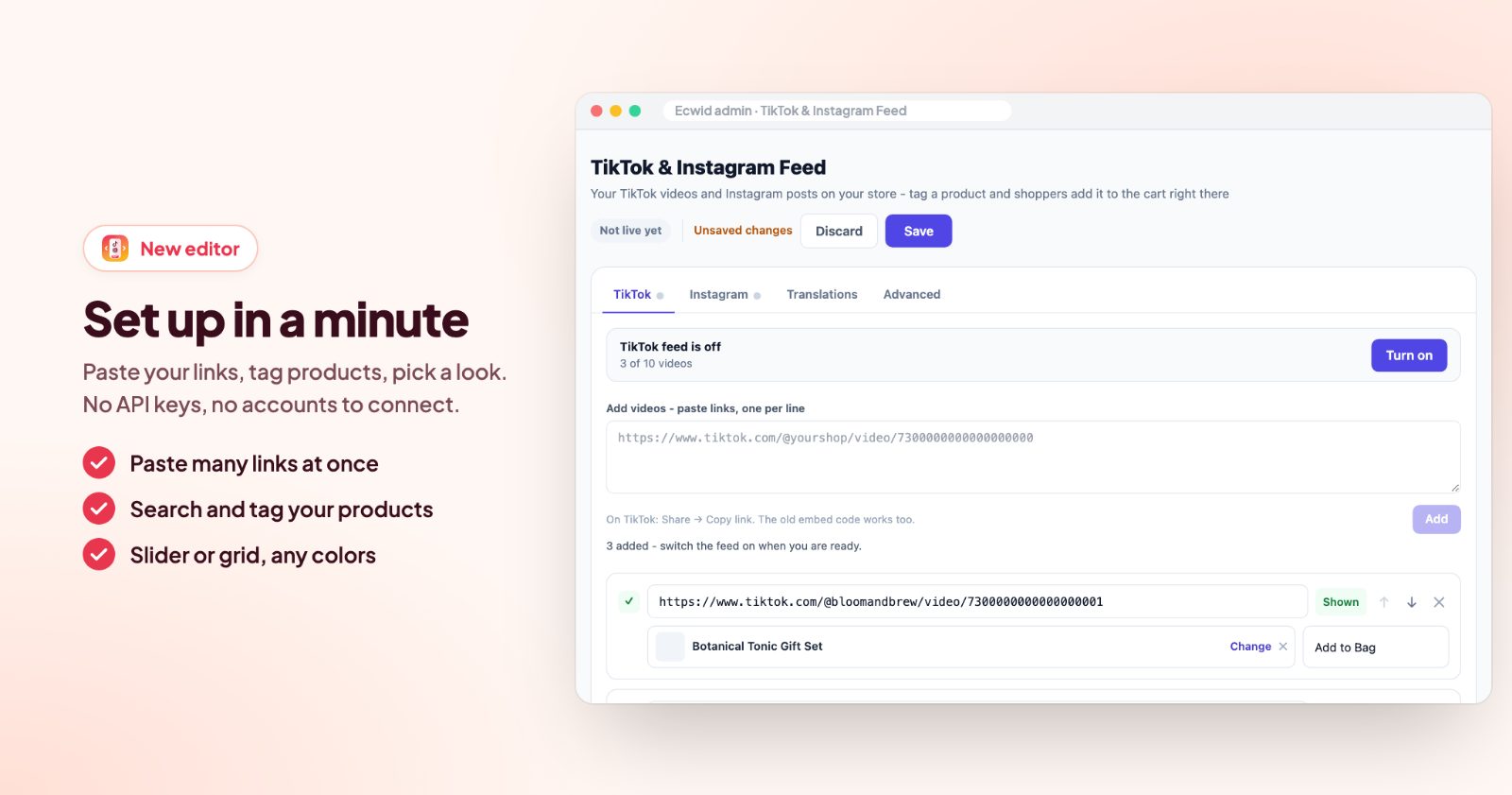
Open the app. Each feed has its own tab. In Add videos - paste links, one per line (or Add posts on the Instagram tab), paste as many links as you like at once and click Add. The app says how many were added and skips anything that isn't a link of that network or is already there.
Every link gets its own row with a check mark when the link is OK, a Shown / Hidden switch, arrows to change the order and an × to remove it.
3. Tag a product on each video
Under a link, click + Tag a product (real Add to cart) and search your products. The product then shows under the video with its photo, live price and sale price, and a button. The button text is Add to Bag unless you change it. Products with options get a View product button instead, so shoppers can pick their size or color, and products that are sold out say Out of stock.
Not every video has to sell one product. Leave the product empty and add a link for the button instead, for example to a category or your sale page.
4. Write the heading
Under Heading, add a Title ("Shop our TikToks", "Follow us on Instagram"), your TikTok username or Instagram username, and a Text under the title. Leave a field empty to hide it. Alignment (centered or left) and Title color make it fit your store.
5. Pick the look
For TikTok, choose Clean video (just the video, in your own cards; fast and tidy) or TikTok card (TikTok's own post card with the caption, the old look). With Clean video, Play muted when on screen starts a video without sound when it scrolls into view.
For both feeds: Layout (Slider or Grid), Corners, Per row on computers (1 to 6) and Per row on phones (1 to 3). Buttons has ready colors (dark, TikTok red, Instagram blue, light...) or your own. On Instagram, Show Instagram's like / share row turned off shows only the photo.
6. Choose where it shows and turn it on
Under Where, On the page puts the feed above the footer, above or below the products, or above or below an element of your choice (a CSS selector). Under Pages, pick the home page, categories, products, search or cart; none selected means every page. Each feed has its own settings, so TikTok can sit on the home page and Instagram above the footer.
Check the Preview on the right, click Save, then Turn on at the top of the tab. The box then says TikTok feed is live (or Instagram). Translations has the texts for your other store languages, and Advanced has Custom CSS.
Common setups
Shop our TikToks on the home page
Your best 6-10 videos, each tagged with the product it shows, Clean video, Slider, Play muted when on screen on, only on the home page.
An Instagram wall above the footer
12 posts in a Grid, 4 per row on computers and 2 on phones, like / share row off for a clean wall. Tag products only on the posts that show one.
Videos next to the products in a category
Above the products on Categories: shoppers see the product in use before they scroll the list.
A holiday gift video
Post a gift video, paste its link at the top of the list and point the button at your gift category instead of one product. Hide it with Shown / Hidden after the holidays.
Questions
Do I need a TikTok or Instagram developer account?
No. You only paste links to public posts; nothing has to be connected.
Do new posts show up on their own?
No. The feed shows the posts you pasted, in your order. Paste a new link when you want a new post in it.
Can I link products to videos?
Yes. Add a product to a video and shoppers can open or buy it right from the video.
Will videos slow down my store?
Videos load only when they come into view, so the rest of your page loads as usual.
Want stories made from your product photos instead? See shoppable stories.