How it works in short
Every night the app compares all your products - names, descriptions, categories and prices - and looks at what your customers bought together. For each product it keeps the best matches. In stores with product descriptions it also uses AI to understand what a product is, so a "linen shirt" can match "summer trousers" even when they share no words.
On your store, each block asks for its ready list and loads the products after the page itself, so your pages open as fast as before. Products that are out of stock or switched off are skipped, and the next best match takes their place.
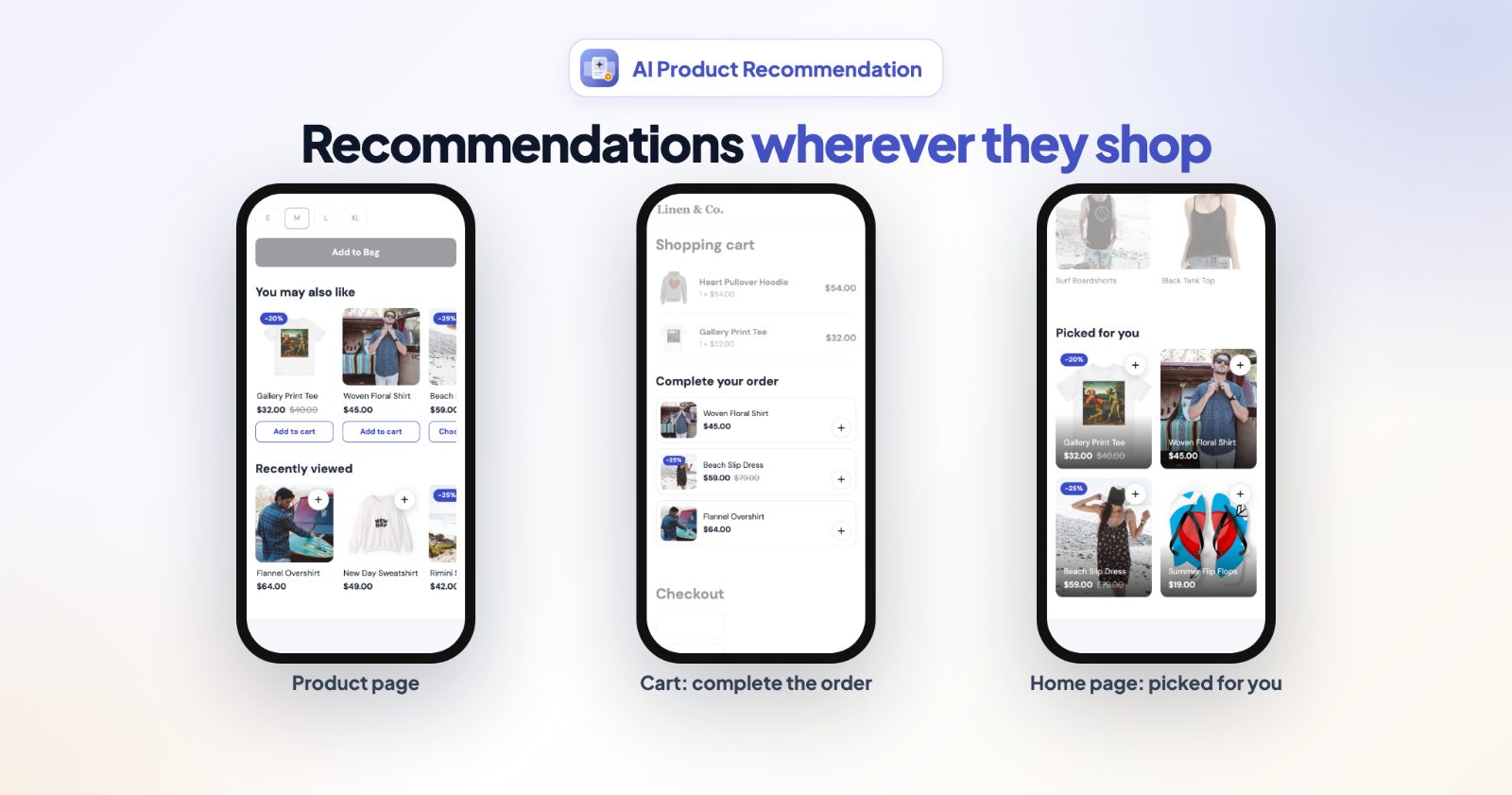
- Four blocks: product page, cart, home page and recently viewed.
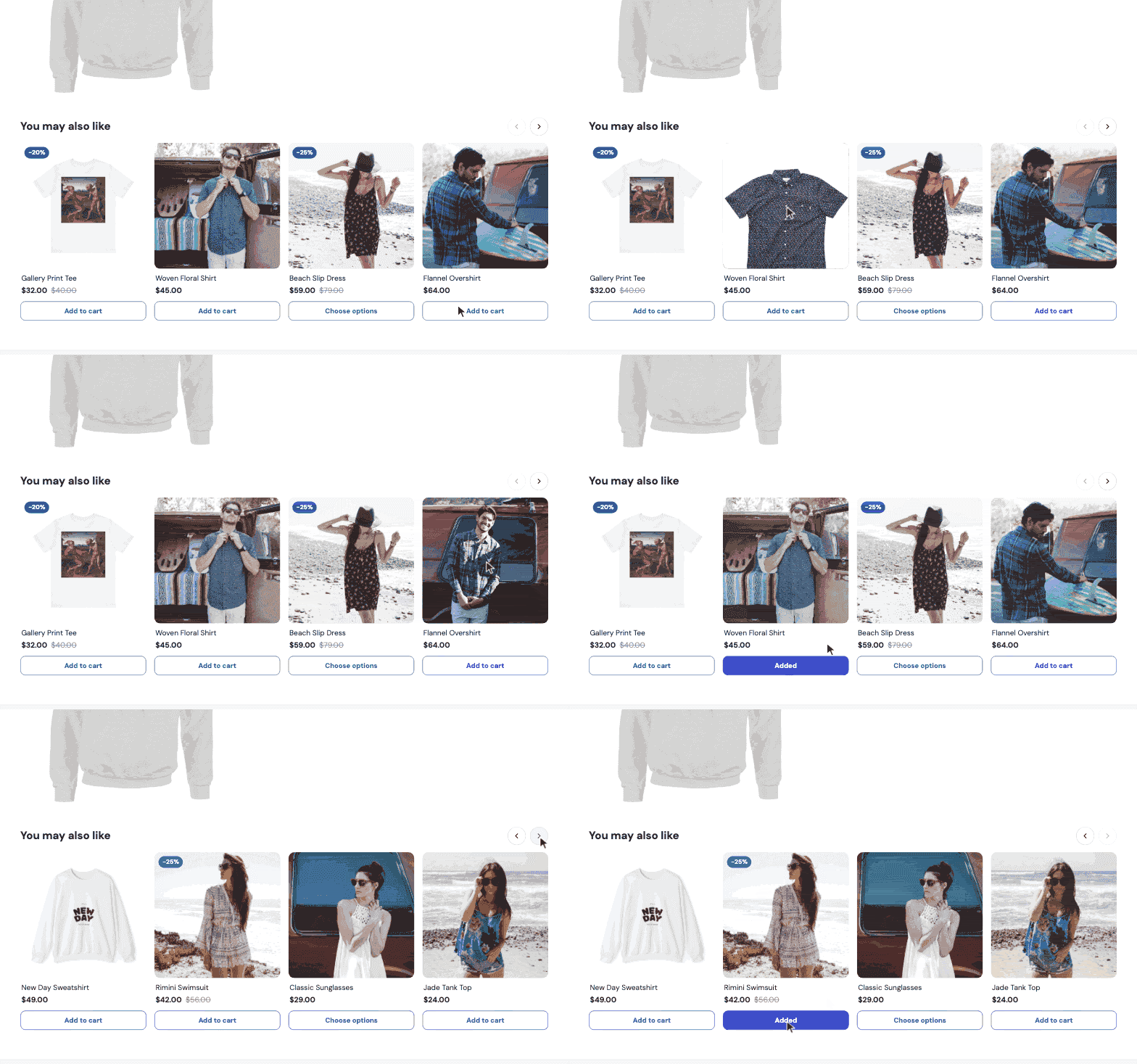
- One-click add to cart on every card. Products with options (size, color...) open their page instead, so the shopper picks the right variant.
- Your languages: every title and button text has a field for each store language.
1. Install and wait a few minutes
Right after you install the app, the first analysis of your products and orders starts by itself. A blue note at the top of the app says so, and disappears when the lists are ready - for most stores within a few minutes, longer for very big catalogs. You can close the page meanwhile. A new install starts with the Product page and Cart page blocks switched on.
2. Pick the blocks you want
The Recommendations tab lists the four blocks. Each has its own switch:
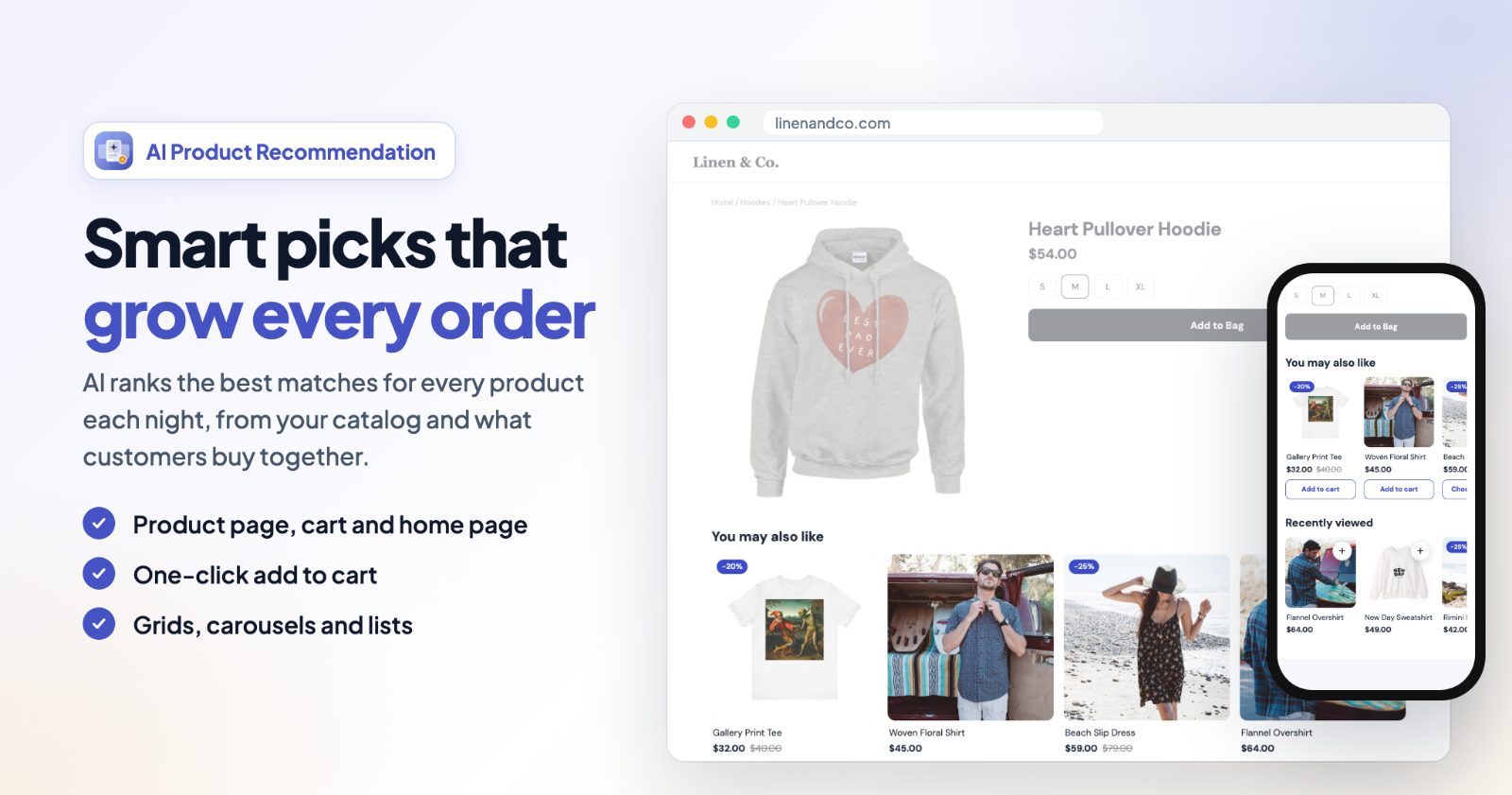
- Product page: similar and often-bought-together products under each product. Default title "You may also like".
- Cart page: products that go with what is in the cart, to complete the order. Default title "Complete your order".
- Home page: products that go with what the shopper looked at before (remembered in their browser). New visitors see your bestsellers. Default title "Picked for you".
- Recently viewed: the products this shopper looked at, so they find them again. Under Show on pick product pages, category pages and / or the home page.
3. Set up each block
Click a block to open its settings:
- Title, in every language of your store. Leave it empty to use the default title.
- Layout: Grid, Carousel or List.
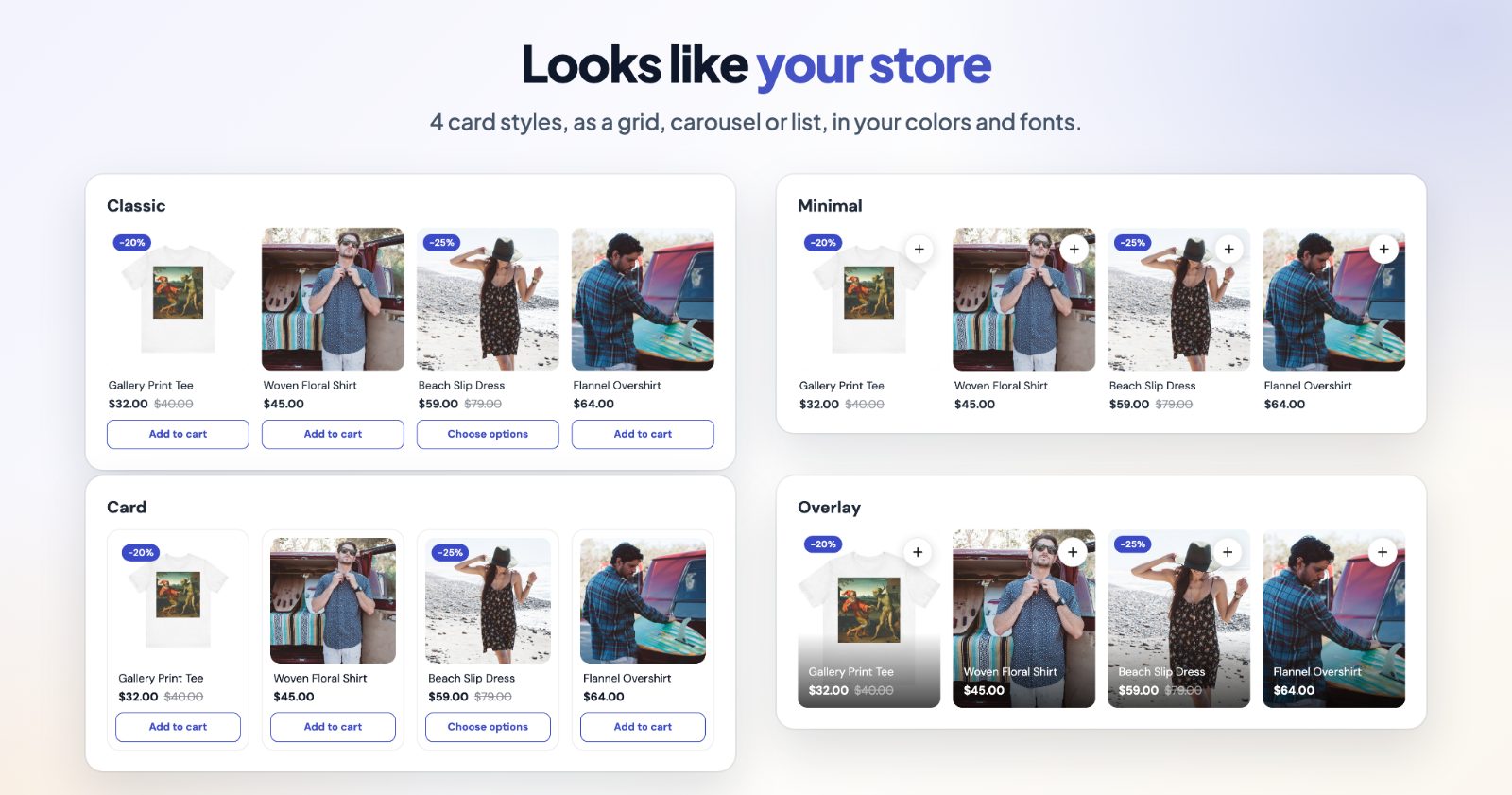
- Card style (for grids and carousels): Classic (photo, name, price, button), Minimal (a + button on the photo), Card (a framed card with a shadow) or Overlay (name and price on the photo).
- Products (1 to 12), Per row (desktop) - or Visible (desktop) for a carousel - and Per row (phone).
- Where on the page: for example below or above the product details, below the cart items or the whole cart, above the footer. If your theme needs a special spot, choose Below an element (CSS selector) or Above an element (CSS selector) and paste the selector of any element on the page.
- Only on computers hides the block on phones and small tablets.
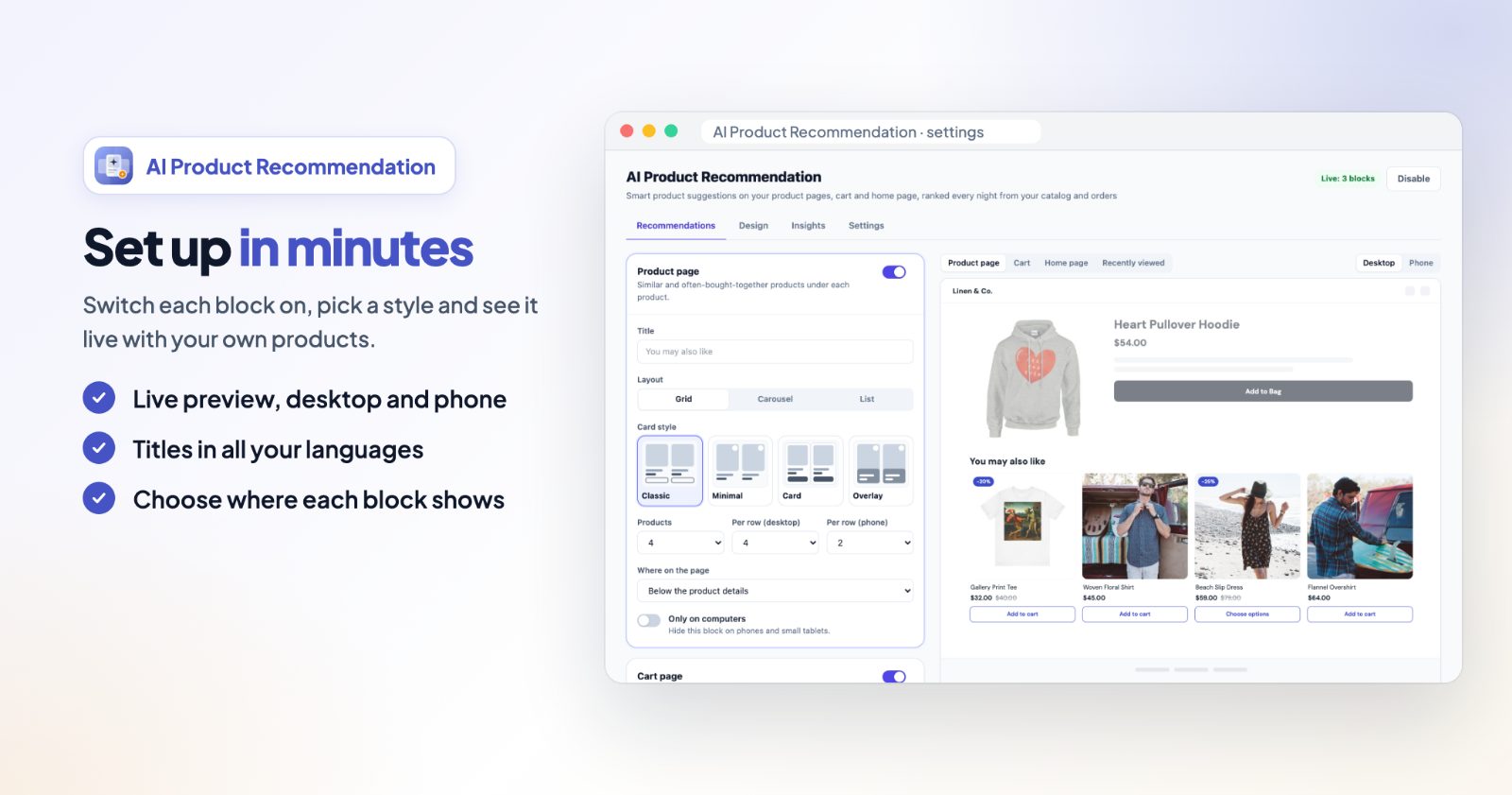
The Preview on the right shows the block with your own products, as a product page, cart, home page or recently viewed list, on Desktop or Phone.
4. Make the cards look like your store
The Design tab is shared by every block. Fonts and text colors come from your store; you choose the rest:
- Buttons and badge color and Text on them.
- Button: Outline, Filled, or Like your theme (the same look as your theme's buttons).
- Photo shape (Square, Portrait, Landscape), Photo fit, Text left or centered, Corner rounding and Space between cards.
- Switches for Show prices, Add to cart button, Sale badge (for example -20% on products with a compare-at price) and Second photo on hover (computers).
- Button texts for Add to cart, After adding and Products with options. Empty fields use our translation (English, German, French, Spanish, Italian, Dutch).
5. Choose what to recommend
Under Settings, What to recommend sets the order of the picks:
- Put first: the best match (similar and bought together), products from the same category, products at a similar price, or the newest products.
- When there are not enough matches: fill up from the same category, or with bestsellers.
- Skip products already in the cart.
These apply with the next nightly analysis. To apply them within minutes, click Analyse now under Your product analysis. That box also shows the last run, how many products and orders were looked at, and whether AI matching is on or the app matched by words only.
6. Save, switch on, and watch the insights
Click Save at the top. The badge next to it shows how many blocks are live, and Disable / Enable turns all recommendations off or on at once. The Insights tab counts clicks on recommended products and "Add to cart" on their cards, per block and per day, for the last 30 days. Orders themselves are not tracked.
Common setups
"You may also like" under every product
Keep the Product page block on with the Grid layout, 4 products, 4 per row on desktop and 2 on phones, placed Below the product details.
Complete the order in the cart
Switch on the Cart page block as a List with 3 products, below the cart items. Switch on Skip products already in the cart so shoppers don't see what they already have.
A personal shelf on the home page
Switch on Home page as a Carousel with 8 products, above the footer. Returning shoppers see products that go with what they looked at; first-time visitors see your bestsellers.
Help shoppers find what they looked at
Switch on Recently viewed and under Show on pick product pages and category pages. The Minimal card style keeps it small next to the main recommendations.
Recommend at a similar price
For stores where price matters most (furniture, jewelry), set Put first to Products at a similar price and click Analyse now.
Questions
How are the products picked?
From your catalog (names, descriptions, categories, prices) and what your customers bought together, worked out every night. In stores with descriptions, AI also matches products by what they are, not only by shared words.
Does it slow down my store?
No. The heavy work happens at night, and the products load after the page itself.
Are sold-out products shown?
No. Out-of-stock and disabled products are skipped, and the next best match takes their place.
I changed "Put first" - why didn't the products change?
The order is worked out in the nightly analysis. Click Analyse now under Settings to apply it within minutes.
Can I change the look with CSS?
Yes. Settings has a Custom CSS field. Each block has its own class (.InApp_rec--product, --cart, --home, --recent) and every card is .InApp_rec-card.
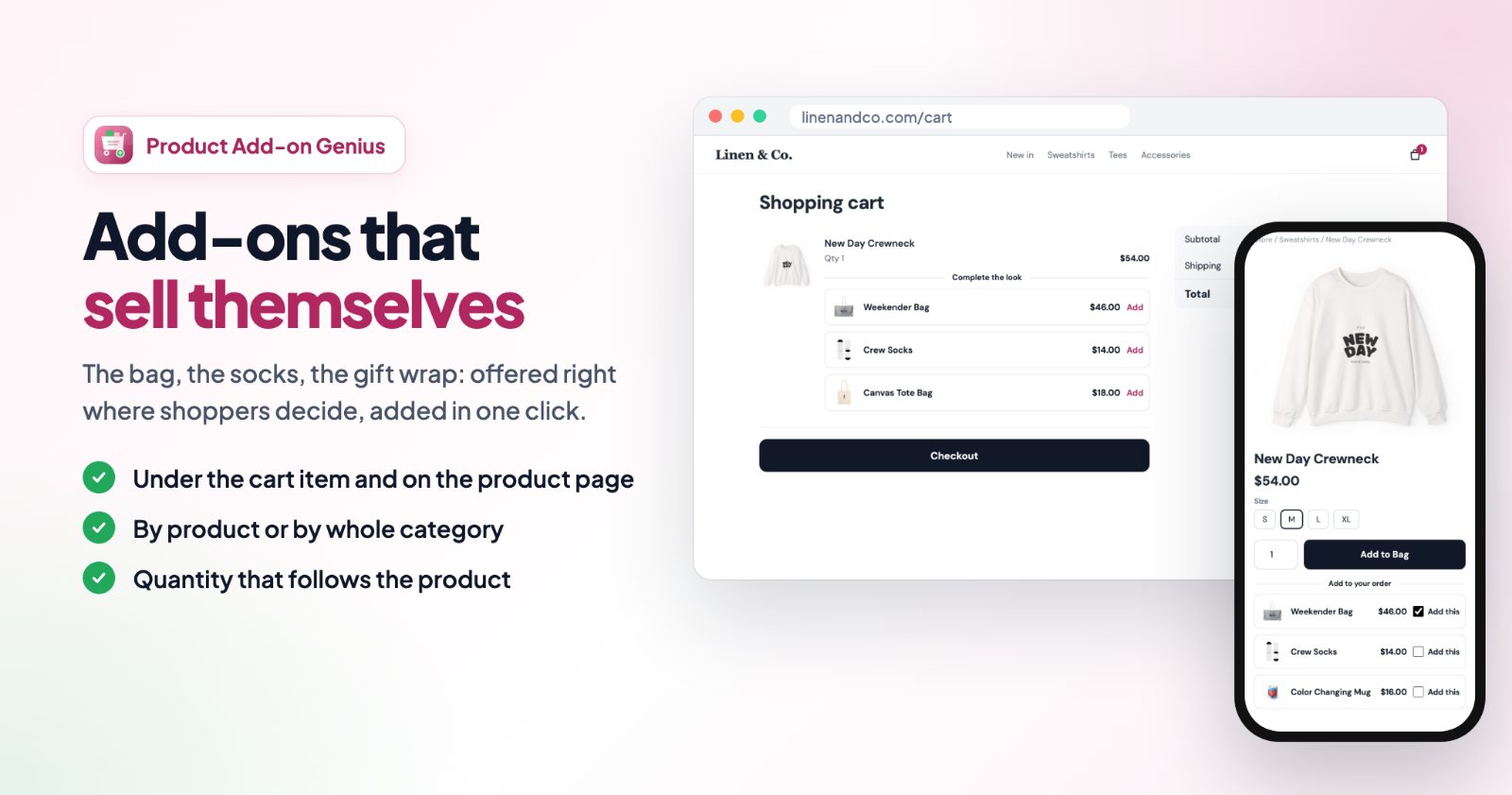
Want bundles with a discount instead of plain recommendations? See the Upsell AI Bundler Pro guide or which bundle app fits your store. For add-ons you choose yourself, like gift wrap or a warranty, see cart add-ons with Product Add-on Genius.