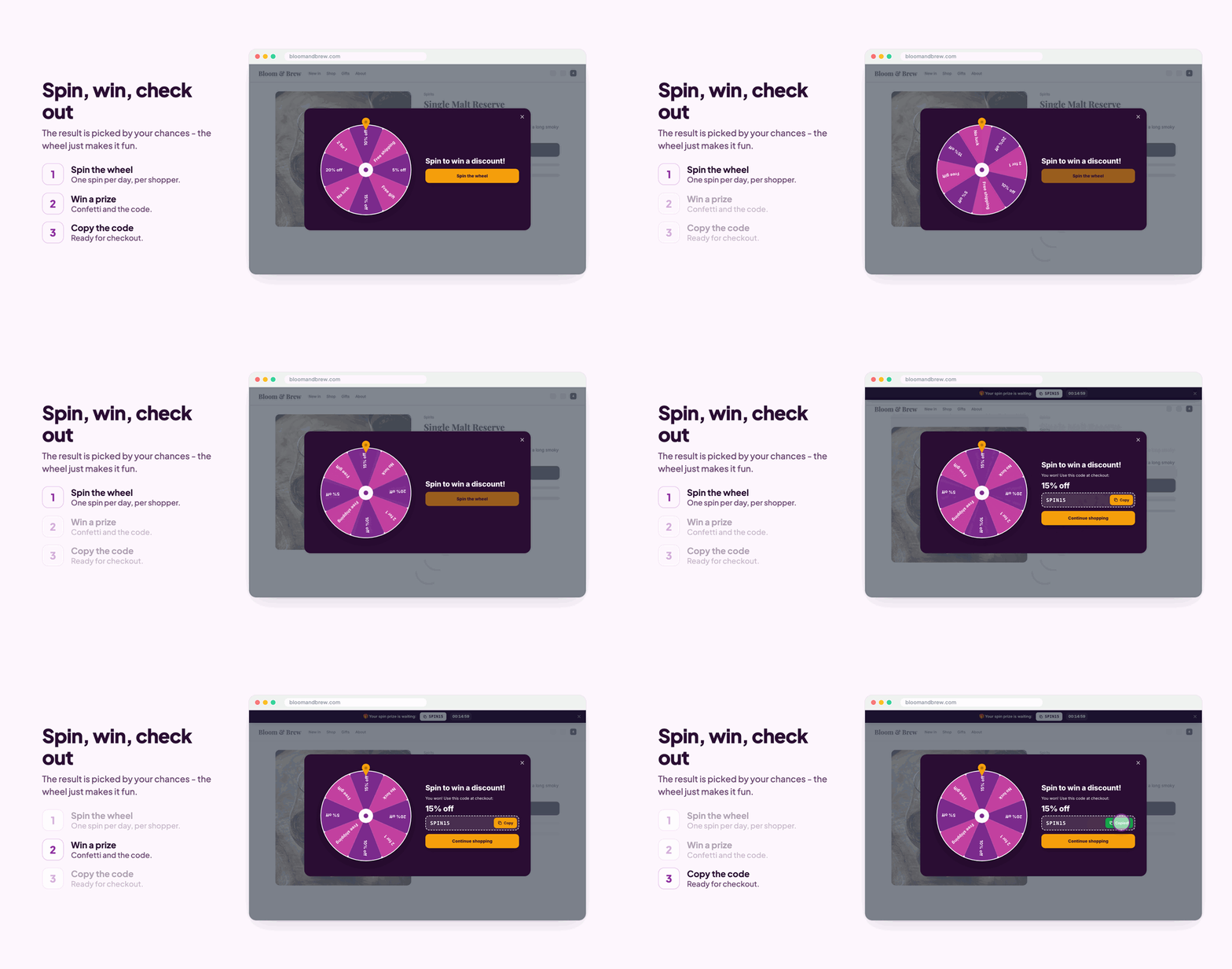
1. Before the sale: collect emails with a spin-to-win wheel
The best Black Friday shoppers are the ones who already know you. Start one to two weeks before: Spin to Win shows a wheel that asks for an email, then hands out a prize you choose, like 10% or 15% off or free shipping, with the chance of each prize in percent. The code stays on screen so the shopper can use it right away, and you get the email for your Black Friday announcement.
- Use prizes that are real discount coupons in your store, with an end date after Cyber Monday.
- A seasonal look and an opener tab on the side make it fit the holidays without being in the way.
2. The sale itself: automatic discounts that start and stop on time
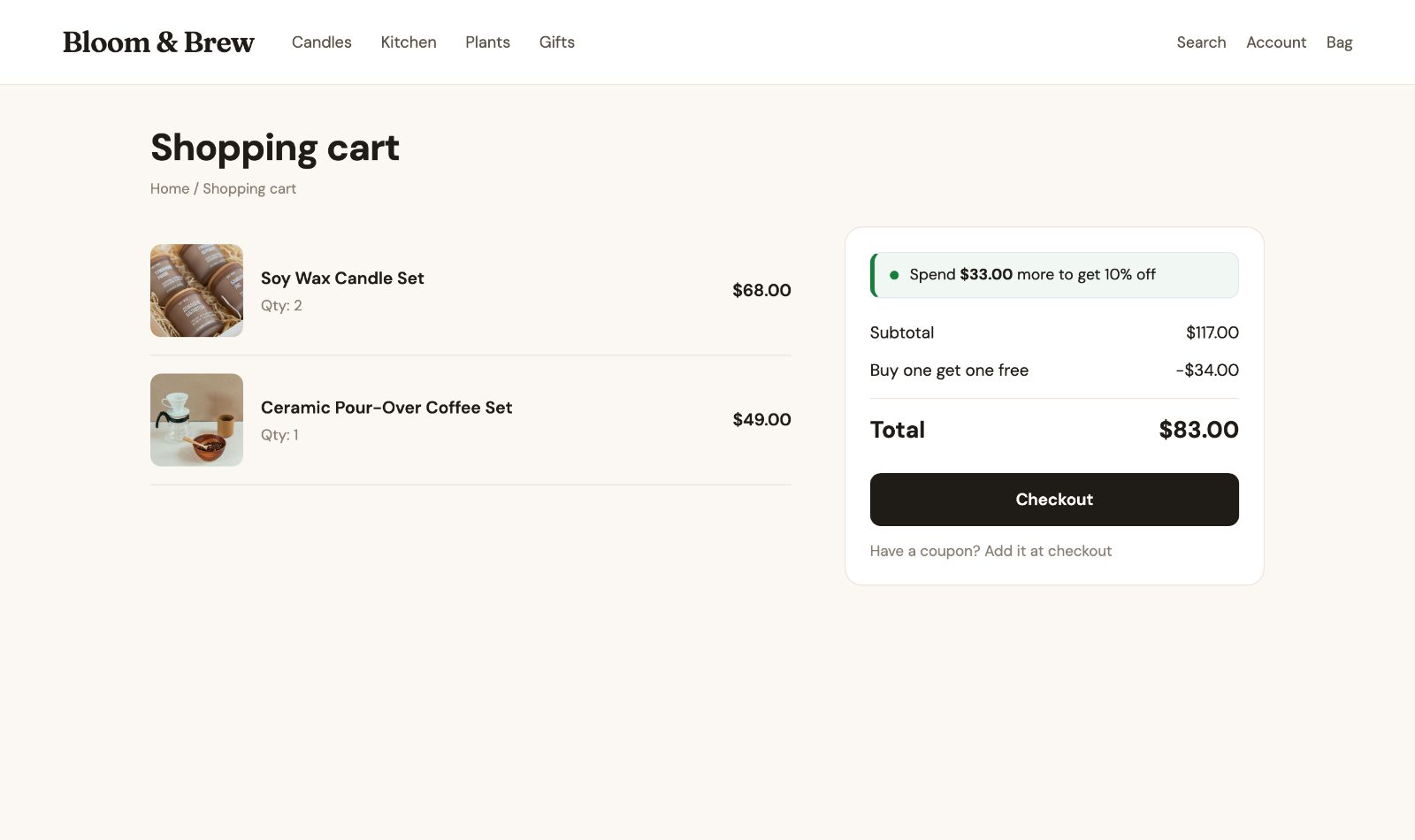
With Cart Discounts the sale applies in the cart by itself: no code to share. Add a Limited-time sale and switch on Only between dates (for example November 27 to November 30, both days included, in your store's time zone). It starts at midnight on Friday and ends on its own after Monday.
Ideas that work well for the holidays:
- Spend more, save more: 10% over $100, 15% over $200. Shoppers see "Spend $33.00 more to get 10% off" in the cart.
- Buy one get one 50% off on gifts people buy twice.
- Free gift over an amount, for example a small product free over $75.
- Any 3 for a price for stocking fillers.
Product pages keep their normal prices; the discount shows in the cart and at checkout. Decide in How discounts work together what happens when a shopper also enters a coupon (by default each item gets whichever saves more). The full setup is in the Cart Discounts guide.
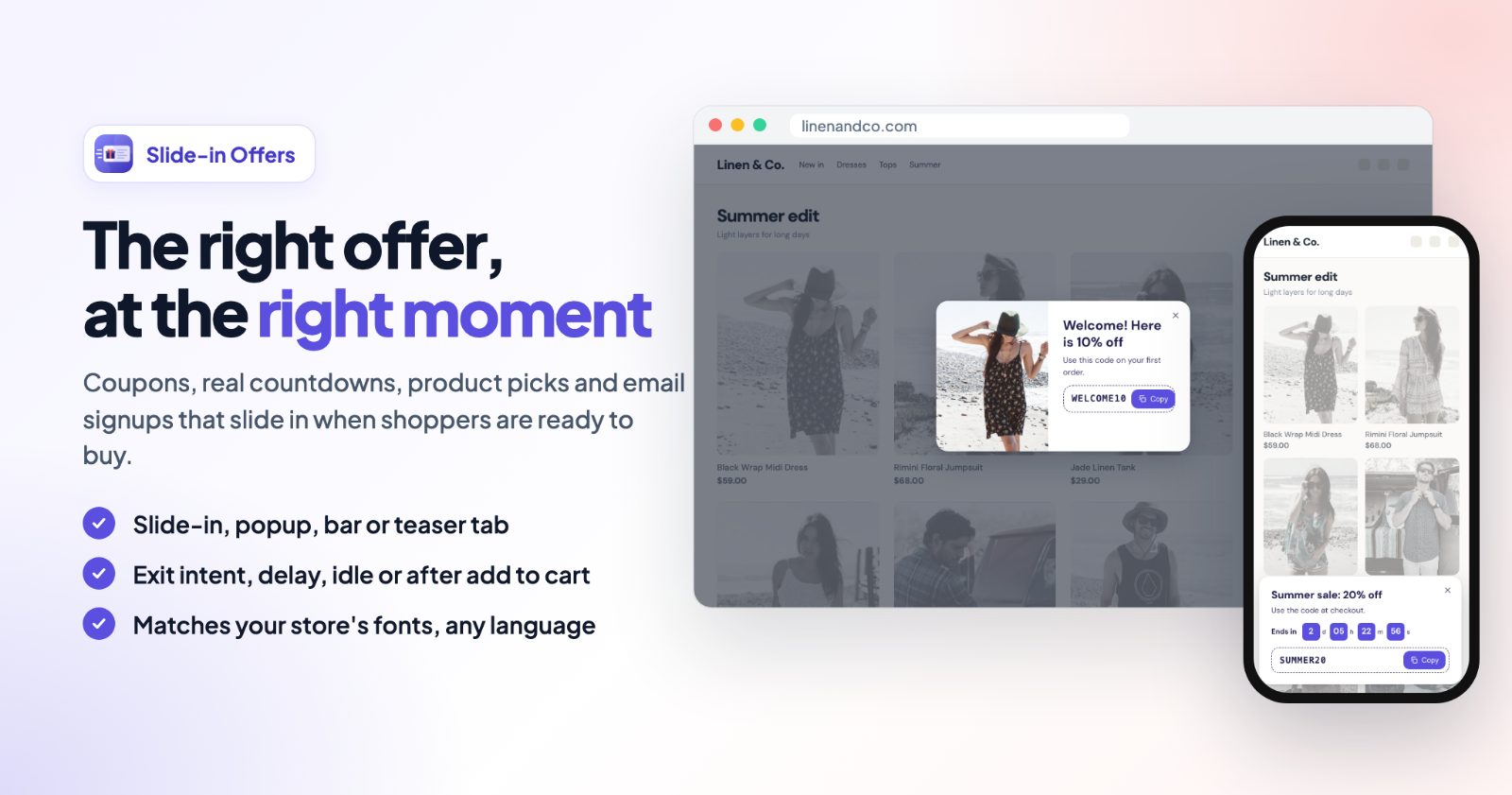
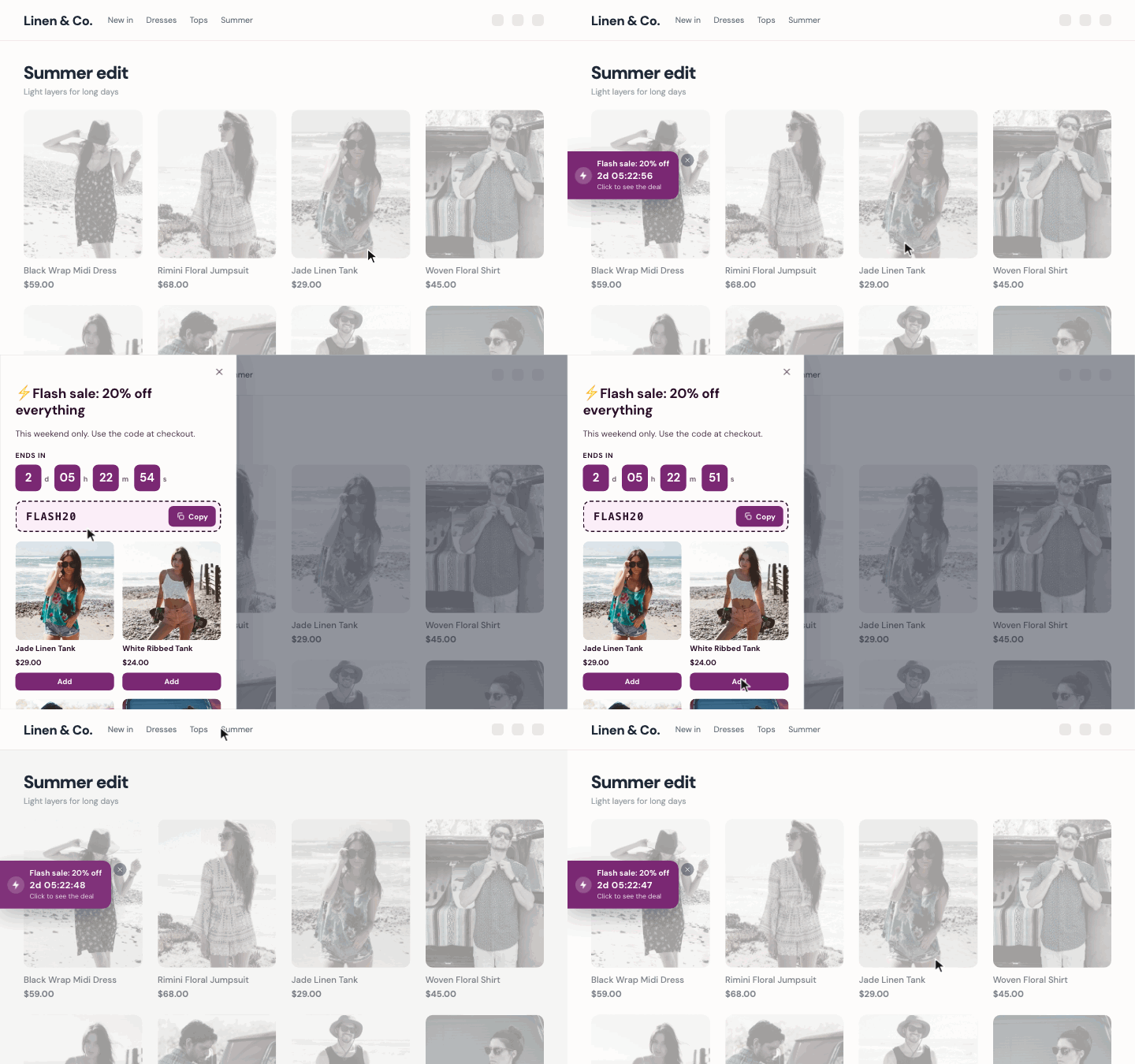
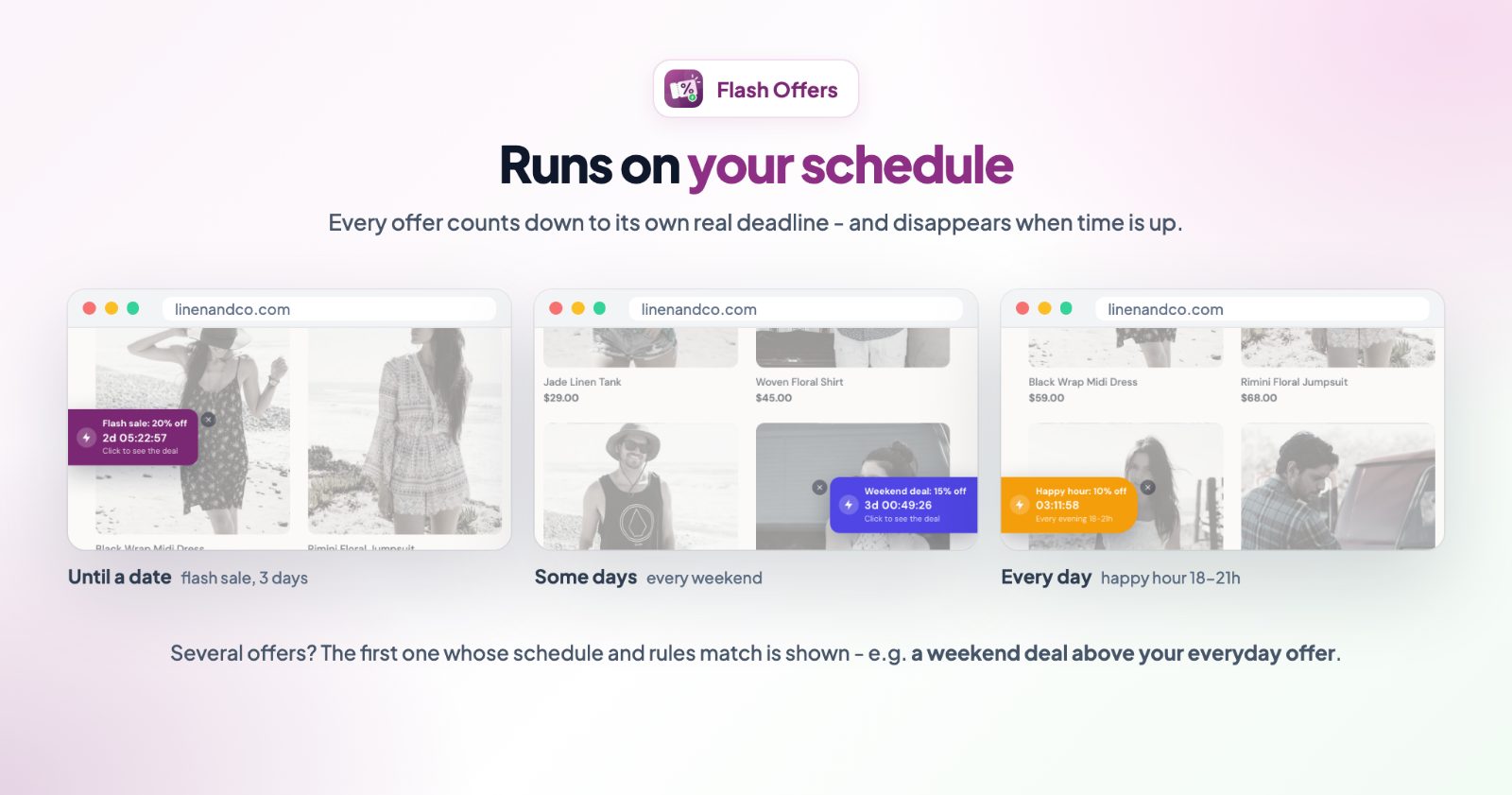
Prefer a coupon code with a deadline? Flash Offers shows a countdown tab that opens a drawer with your code, a Copy button and sale products with Add to Cart. Each offer runs on its own schedule: until a date (the Black Friday weekend), on some days (every weekend) or every day (a happy hour), and disappears when the time is up.
3. A countdown everyone sees
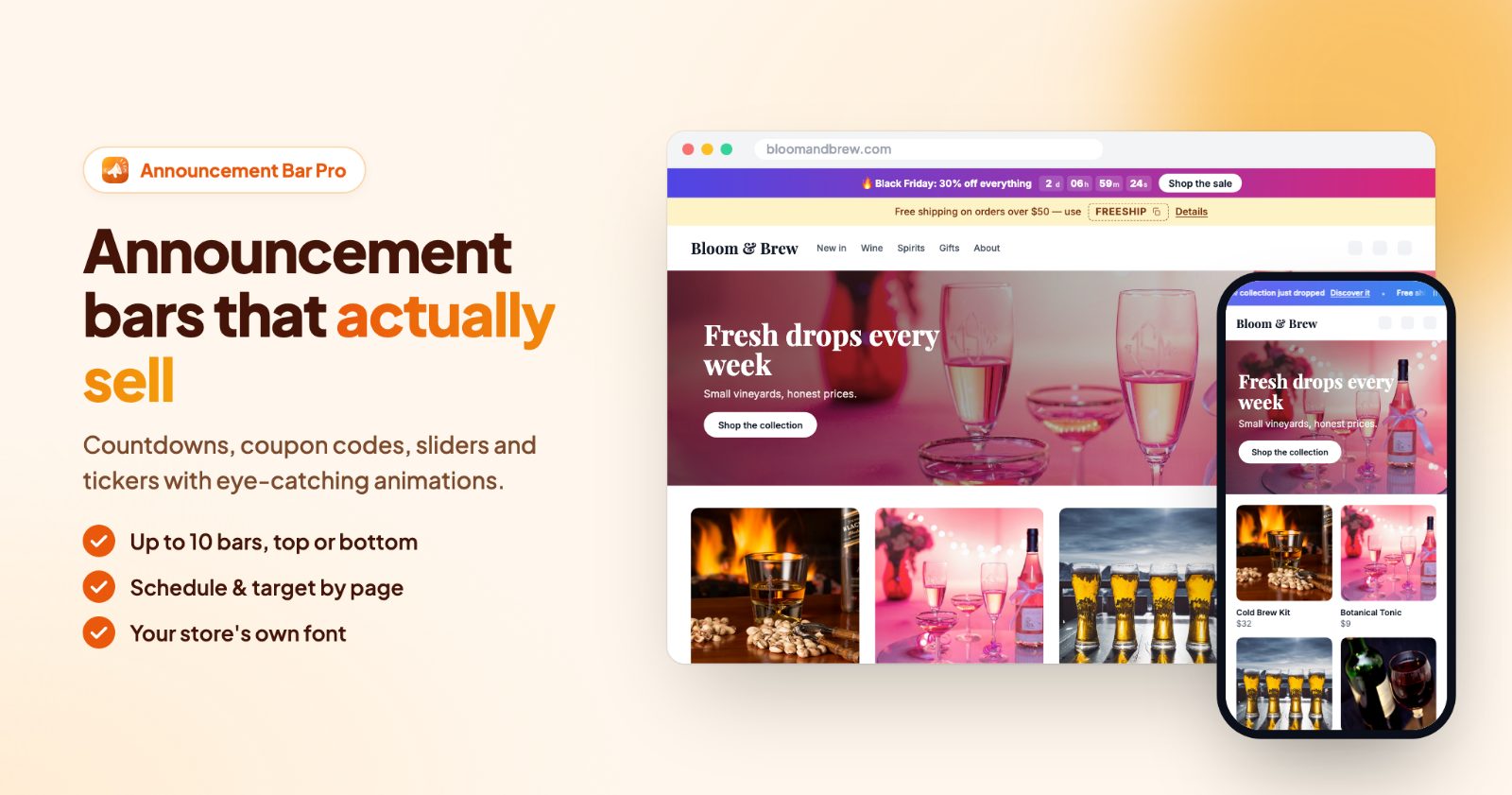
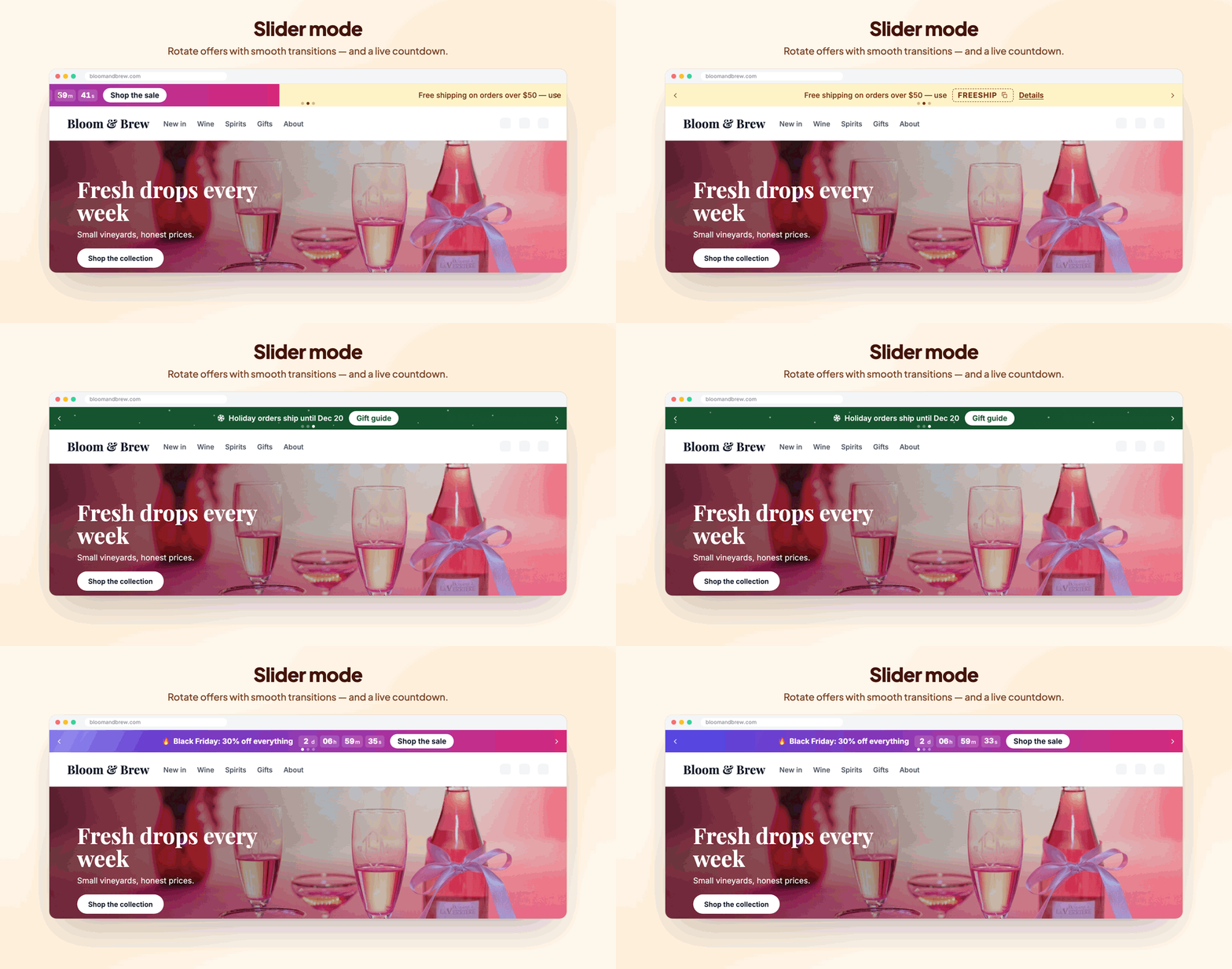
Put the sale at the top of every page with Announcements Bar Pro. A bar can hold a live countdown, a coupon code to copy and a button to the sale category. Use the slider or ticker to rotate a few messages ("Black Friday: 20% off everything", "Free shipping over $50", "Order by December 15 for Christmas delivery"). On the bar's Schedule tab, set start and end dates so it stops on its own.
4. Bigger orders: free shipping bar and bundles
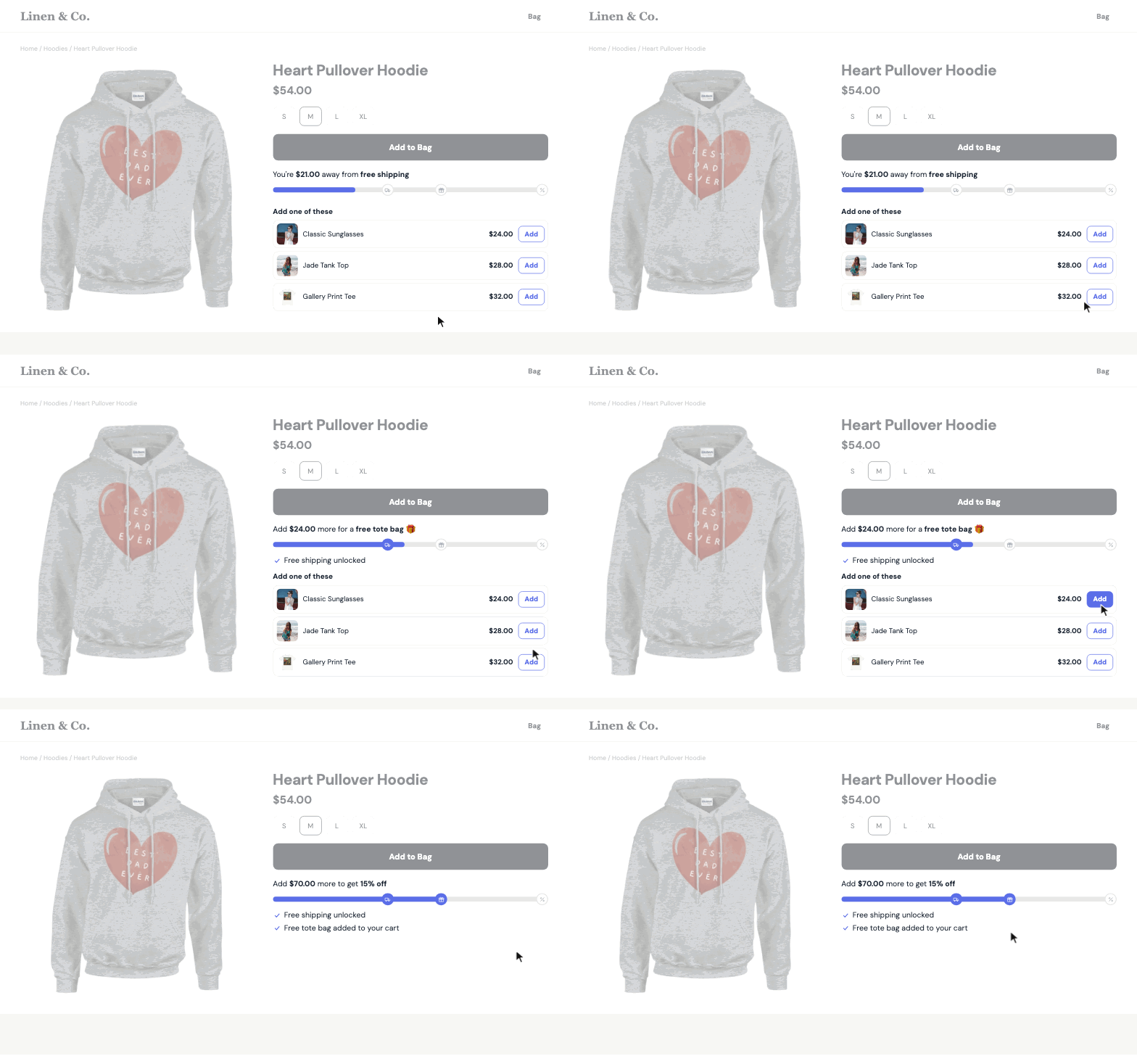
Shoppers spend more when they can see the goal. The AOV Progress Bar shows how much more is needed for free shipping or a free gift, on product pages, in the cart, as a top bar or a floating bar, with products that help reach the goal. Set the first step a little above your usual order value.
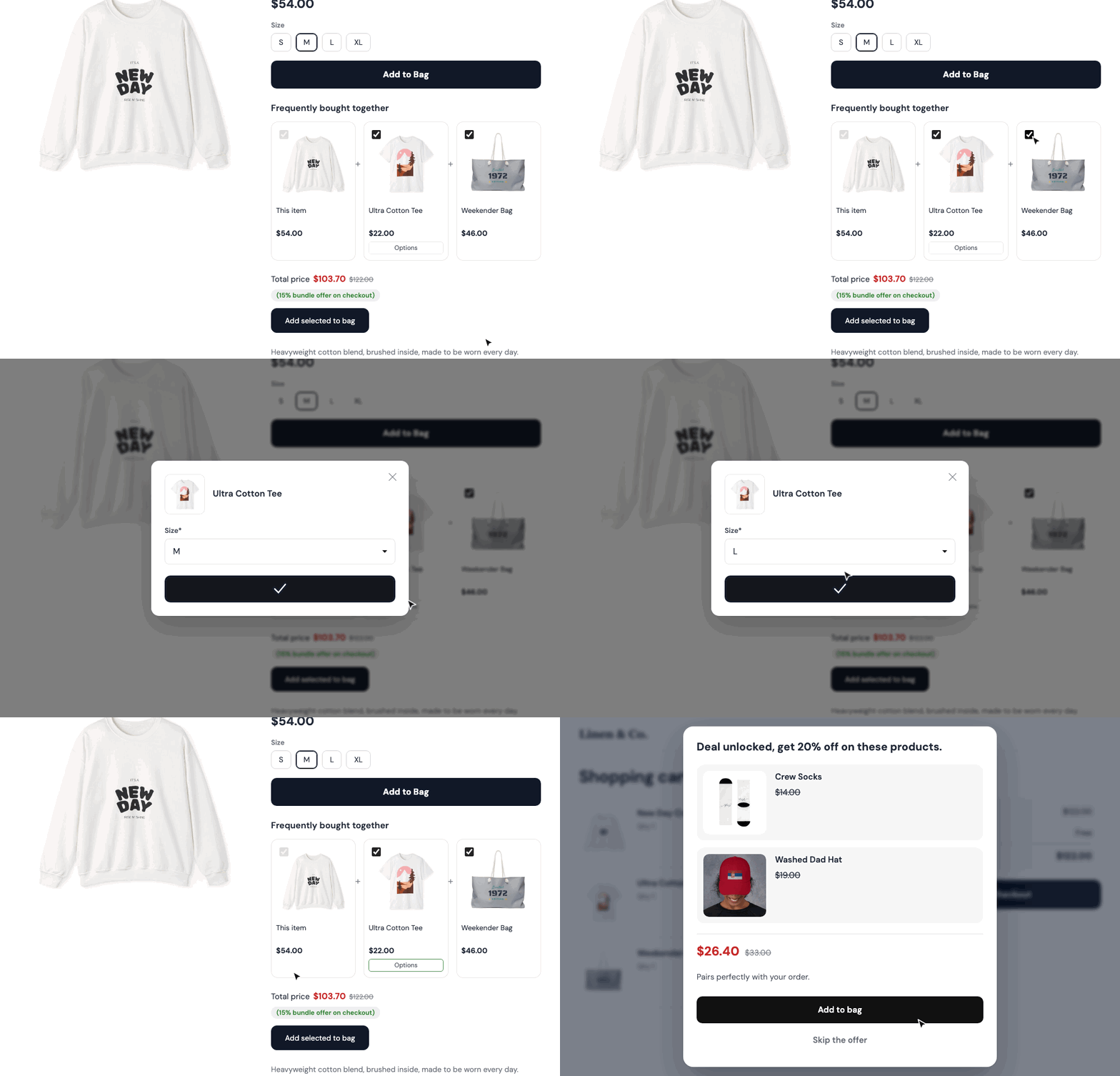
On product pages, Upsell & Cross-Sell Bundles offers the products that go together, with a real discount for buying them together: frequently bought together, Buy X get Y or volume discounts. Gift sets are a natural fit for the holidays.
5. Shoppers who leave: a reminder with their cart
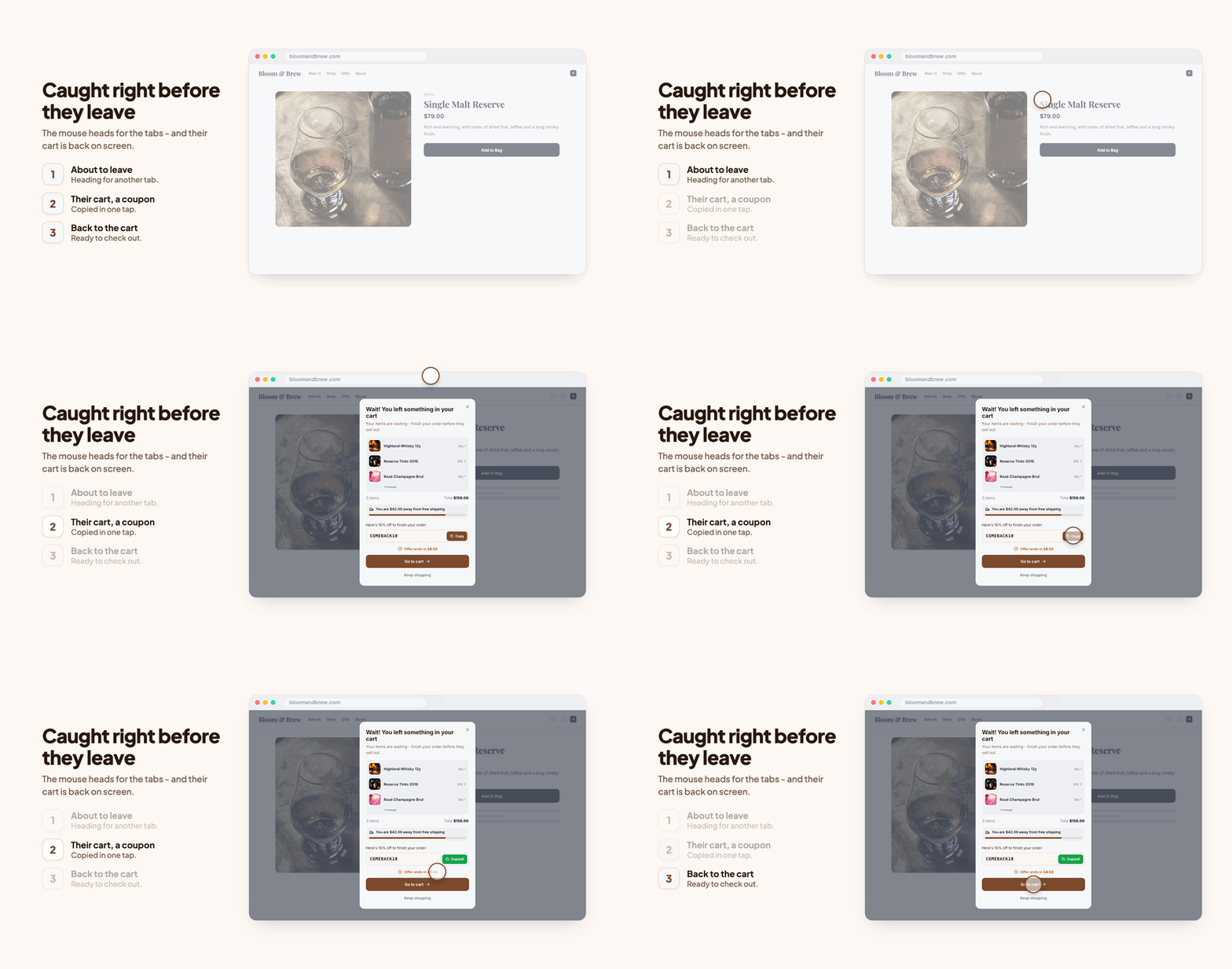
Black Friday shoppers compare stores in many tabs. When one heads for another tab, Cart Abandon & Reminder Popup shows their cart, how close they are to free shipping, and if you like a coupon and a countdown, with one click to the cart or checkout. After closing it, a small pill and a browser tab reminder keep the cart in mind.
6. After the sale: holiday shipping dates and time off
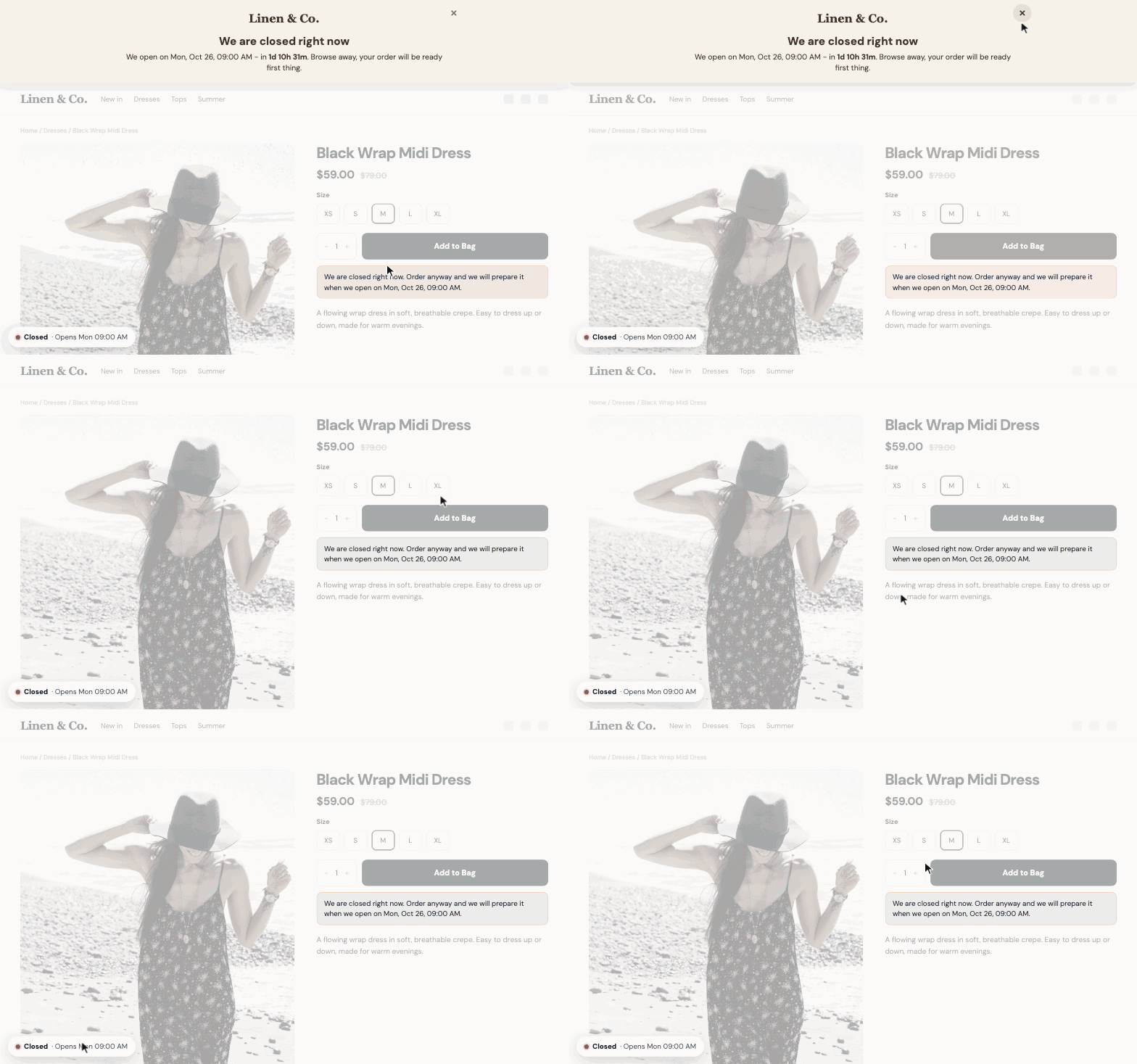
From December, the question shoppers ask most is "will it arrive in time?". Add your last order date for Christmas delivery to the announcement bar. If you close over the holidays, We're Closed shows your opening hours, holidays (single days or date ranges), a vacation notice with the date you are back, and lets you choose whether orders are still taken while you are away.
Checklist
- Now: spin-to-win wheel on, prize coupons valid until December 1.
- By November 20: the Black Friday discount set up with its dates (November 27 to 30) and tried in the preview; the countdown bar scheduled.
- By November 25: free shipping bar step checked against your shipping settings; bundles on your best gift products.
- November 27 to 30: look at a cart on your phone once a day; the discounts start and stop by themselves.
- December 1: holiday shipping dates in the announcement bar; vacation notice set for the days you are closed.